





Question: How can I check the paid functions for my Lonsdor K518 Pro?
Need serial number?
OBDExpress.co.uk engineer replied:
You can directly check the paid licenses on K518 PRO full version or FCV version.
No need to offer device SN to us for check.
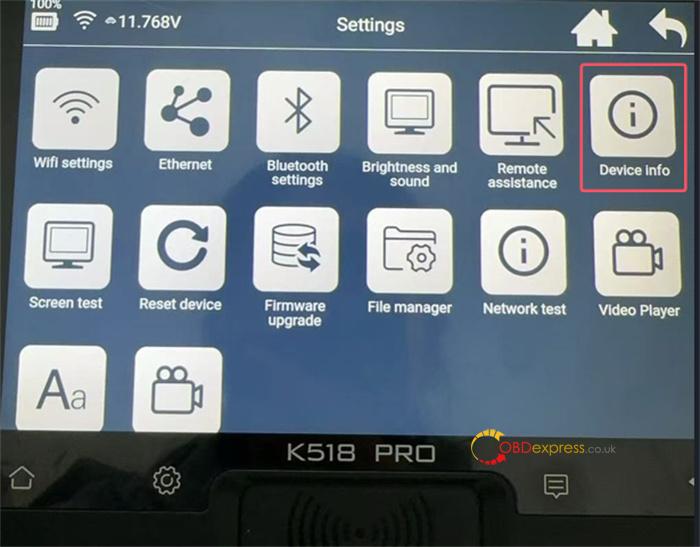
Path:
Settings-> Device Info-> Paid function
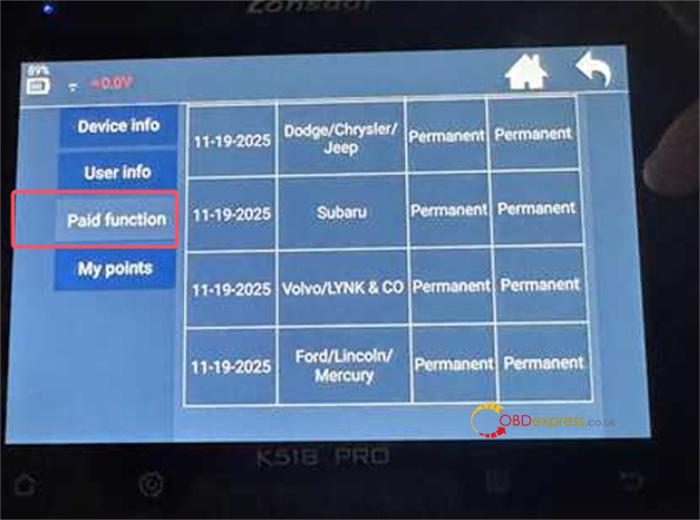
In addition, you also can check the software subscription period for full version (e.g. 2 years free update).
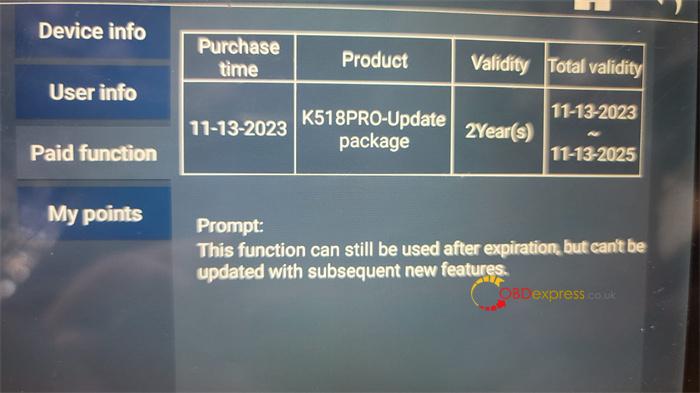
If the subscription period expires, you can use the basic functions, but the following functions are not supported:
- Free Toyota AKL Activation / JLR License / Nissan License / Volvo License
- Newly upgrade features
- The function has been marked on the menu of K518 PRO key programmer:
Such as OBD hardware self-check 2 and OBDII upgrade
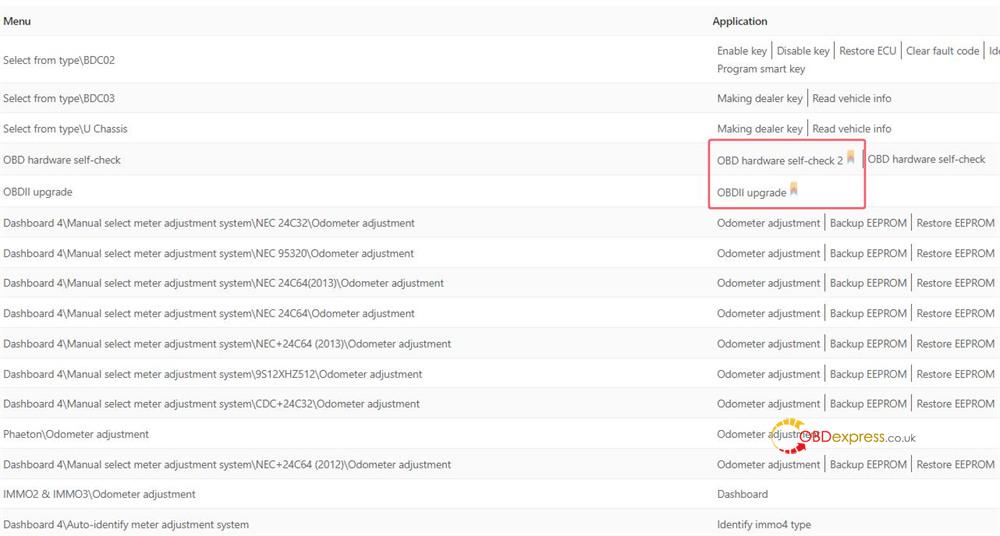
Check more functions supported by this link [https://center.lonsdor.com/product.html#/product/200/2]
Tech support:
- Email: sales@OBDexpress.co.uk
- WhatsApp: +86 18750906257
Working Time: 9:00am – 18:00 pm (UTC+08:00), Monday to Friday.
(Visited 92 times, 1 visits today)
