





Here you’ll find helpful answers to common questions about KEYDIY account setup, KD-coins, and feature activation. This information applies to KEYDIY tools such as KD-X4 and KD-MAX.
Q1: What is account verification and why do I need to do it?
A: Account verification helps us keep your KEYDIY account secure and ensures you have full access to all features. It links your account to your mobile number for easy identification. You’ll need to complete this one-time step after logging in for the first time.
Q2: How do I verify my account?
A: Simply follow these easy steps:
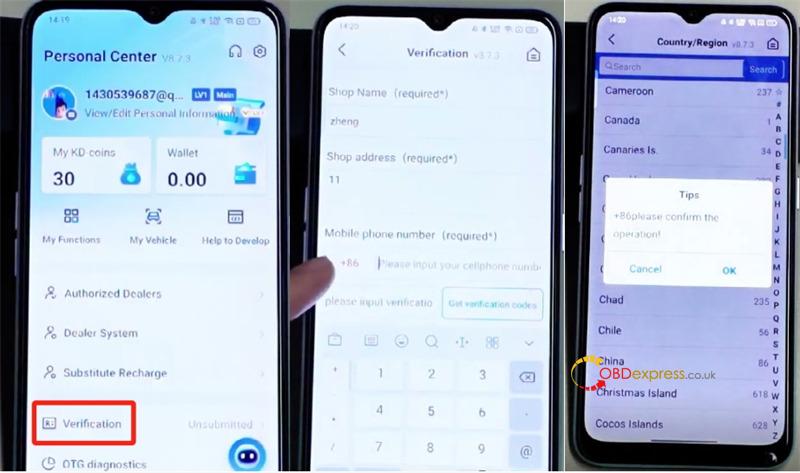
Enter your preferred name or any text in the required fields.
Select your country/region and enter your mobile number.
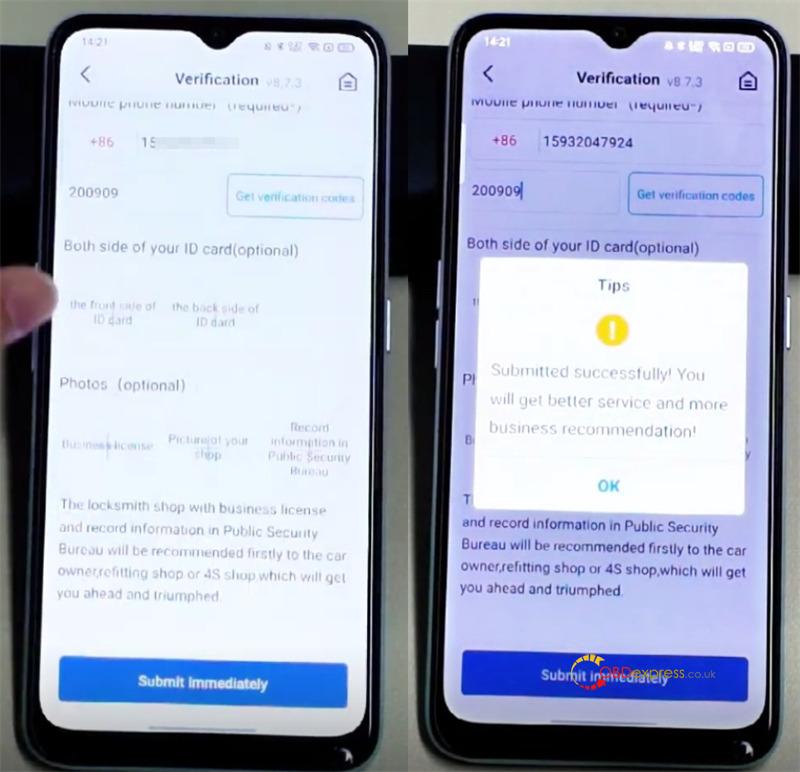
If you don’t receive a text with a verification code, you can enter 200909 instead.
You may skip any optional fields.
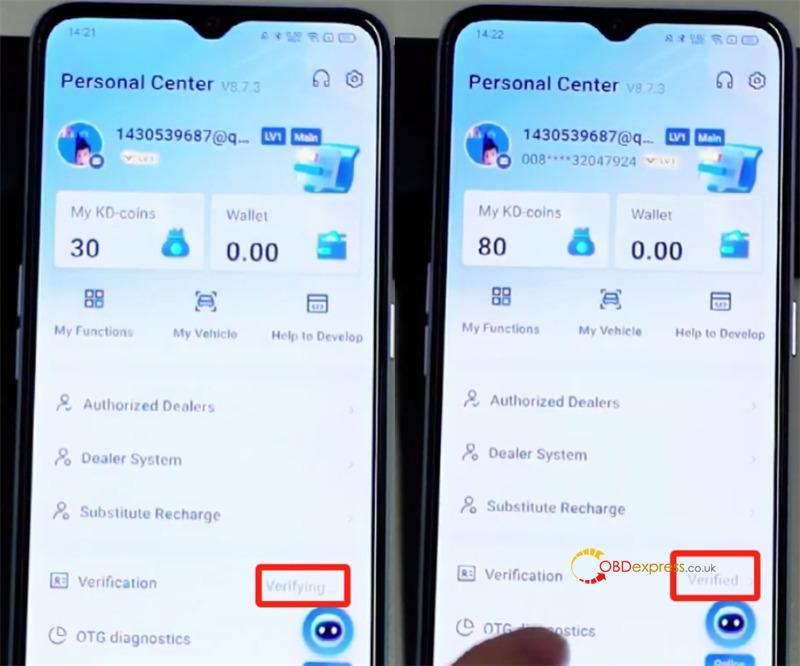
Once submitted, your account will usually be verified within 2–3 minutes, and you’ll receive 50 KD coins as a welcome bonus.
Q3: How can I earn KD coins?
A: Some methods are available below.
1.Finish user verification to get 50 KD coins in your account.
2.Earn KD coins by generating new KD remote keys using KEYDIY key programmer:
- Create a standard new remote: get 20 KD coins.
- Create a new smart remote: get 30 KD coins.
3.Receive coins as a gift from a friend.
Note: KD coins are not available for direct purchase.
Q4: How do I add money to my wallet?
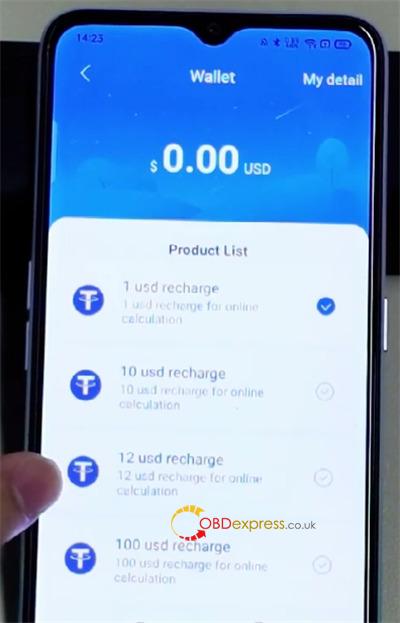
A: At this time, adding funds is only available for Android users via Google Pay. iPhone recharge is not currently supported.
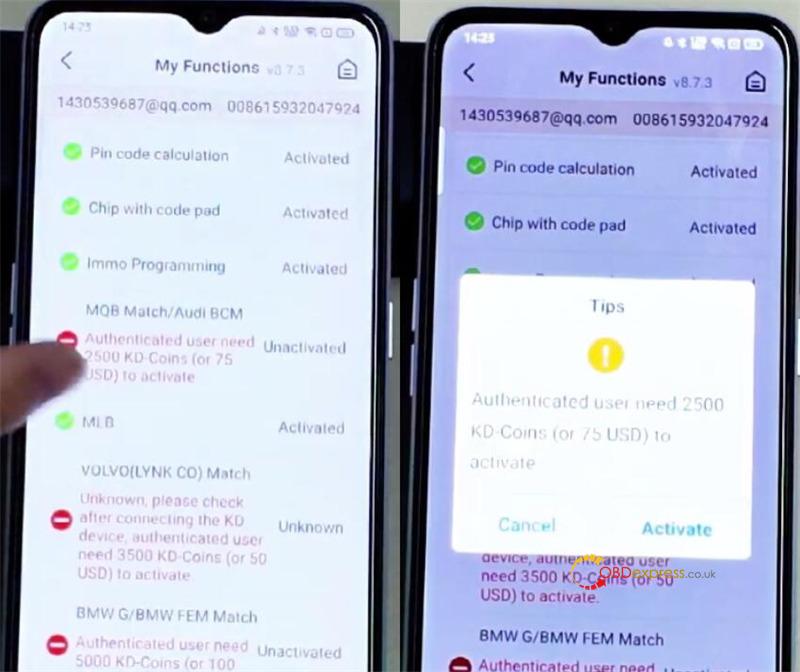
Q5: What if I don’t have enough coins or dollars to unlock a feature?
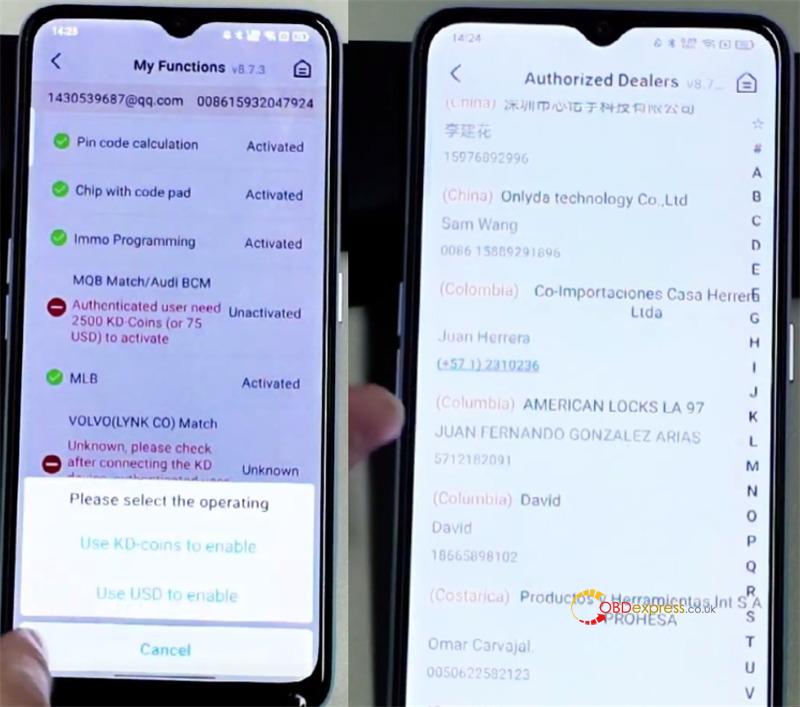
A: No problem! You can ask another KEYDIY user—such as your dealer, a local locksmith, or a friend—to activate the feature for you. They can complete the payment on your behalf.
Q6: How does someone activate a feature for me?
A: The person assisting you should:
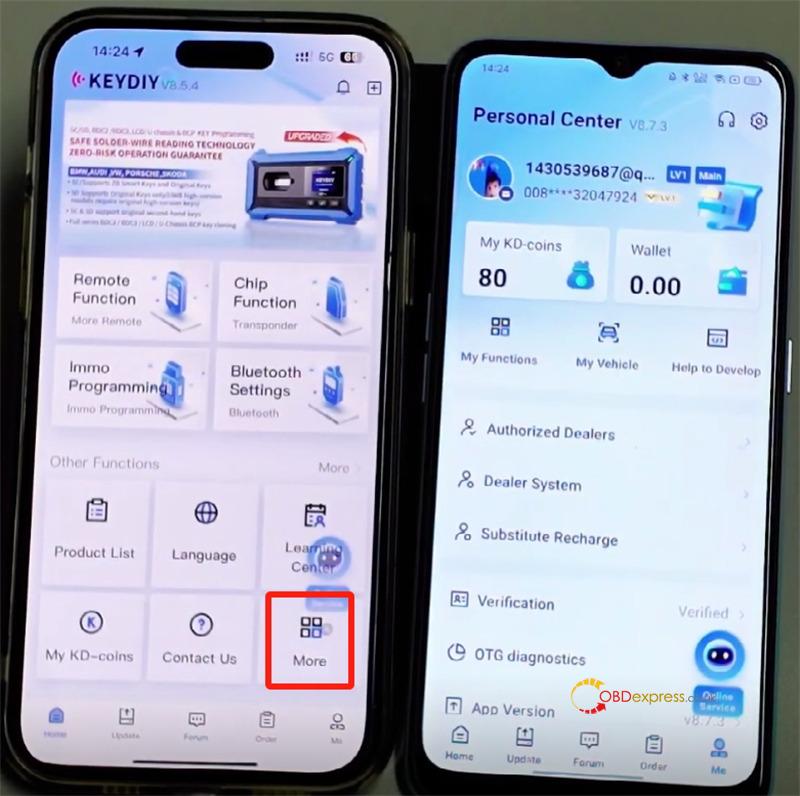
Open KEYDIY App and go to More > Activate License on Behalf.
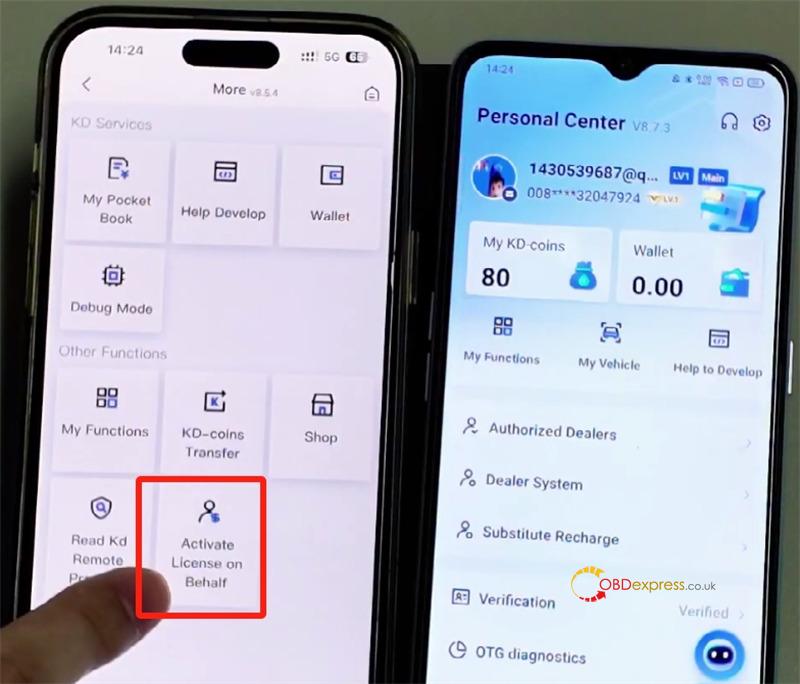
Tap “Select User” and enter your registered mobile number.
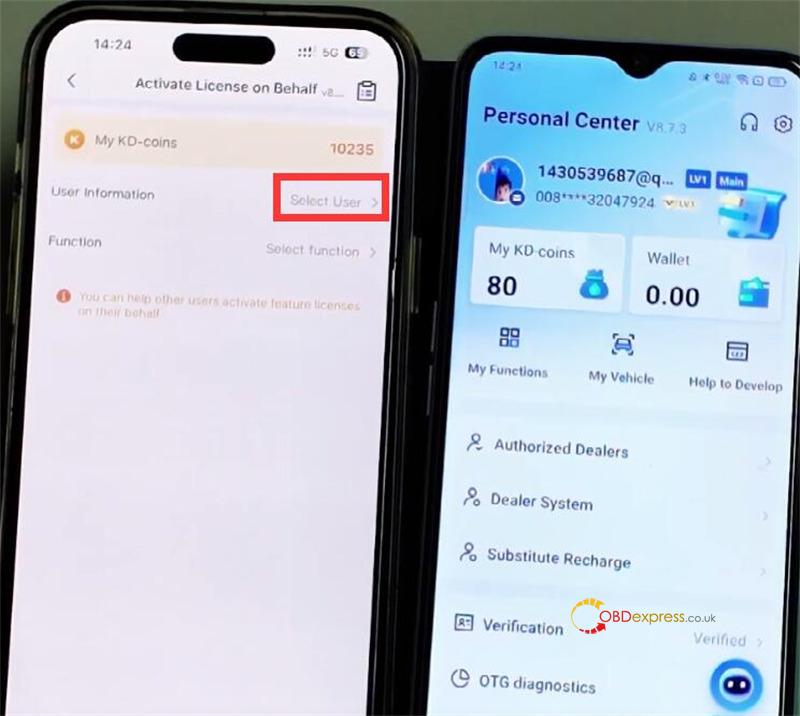
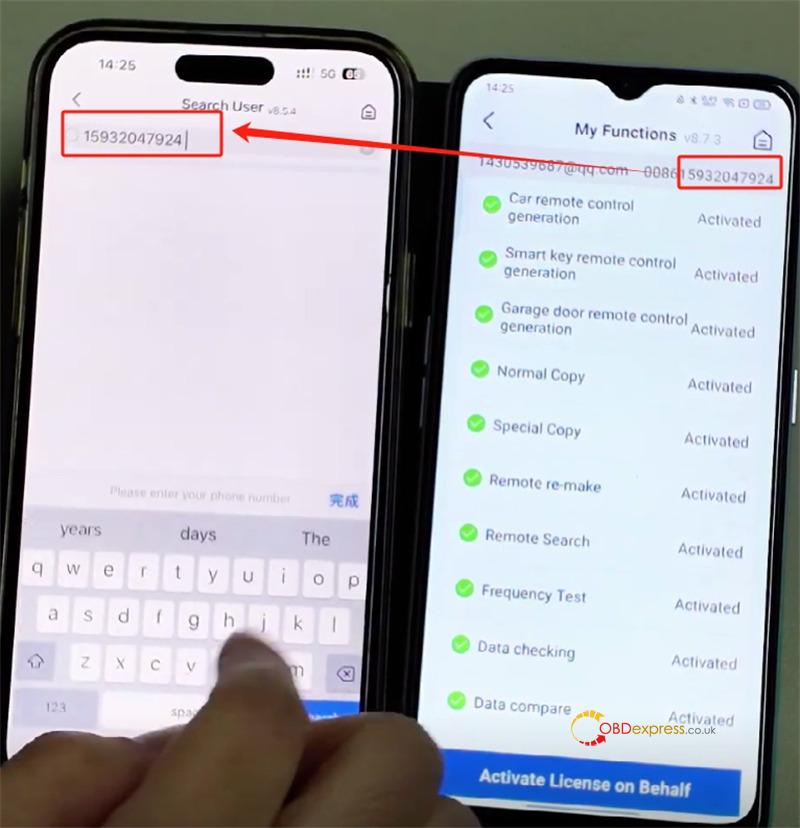
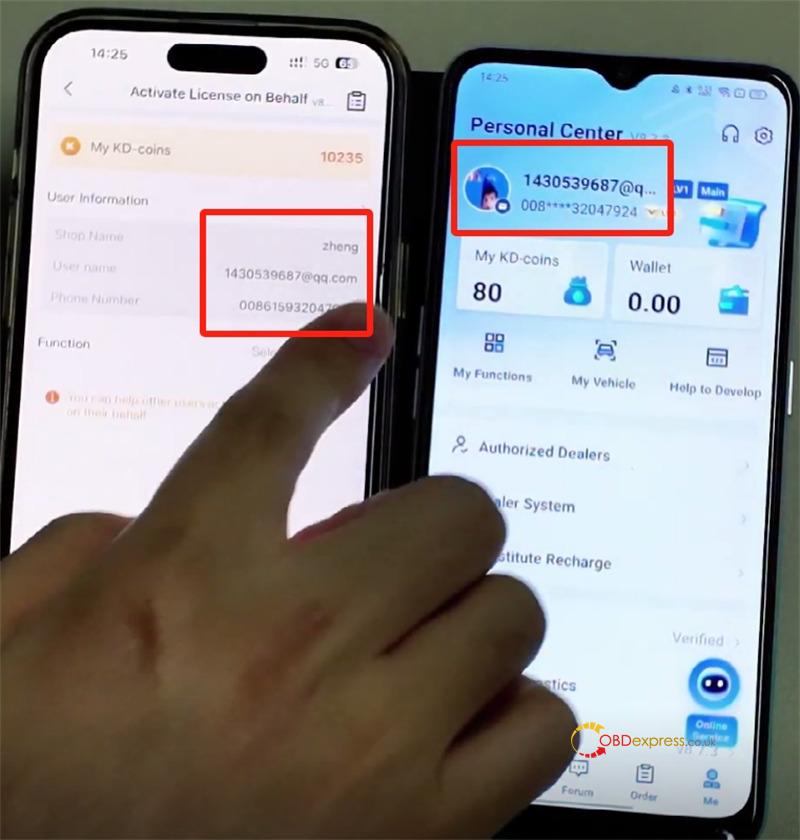
Choose the feature(s) you’d like (e.g., MQB, BMW) and select whether to pay with KD coins or dollars.
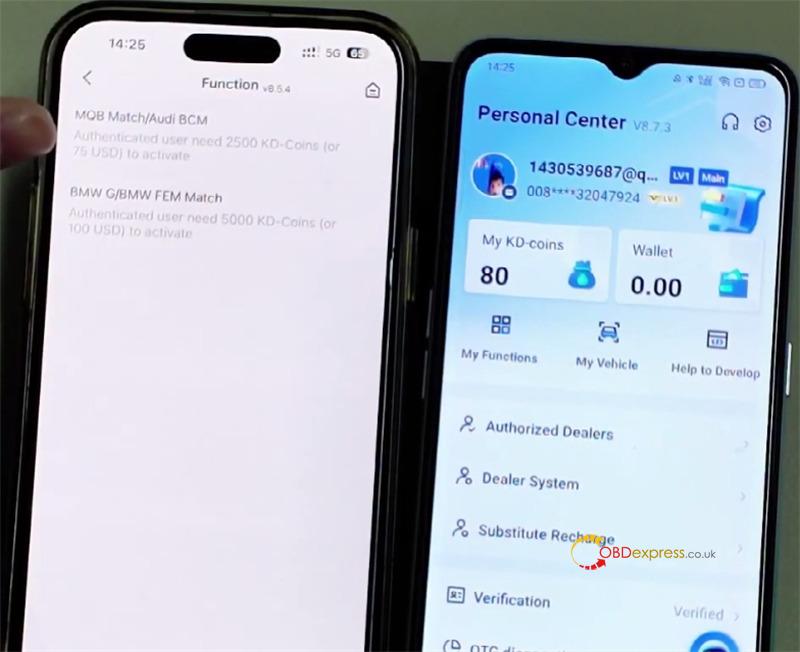
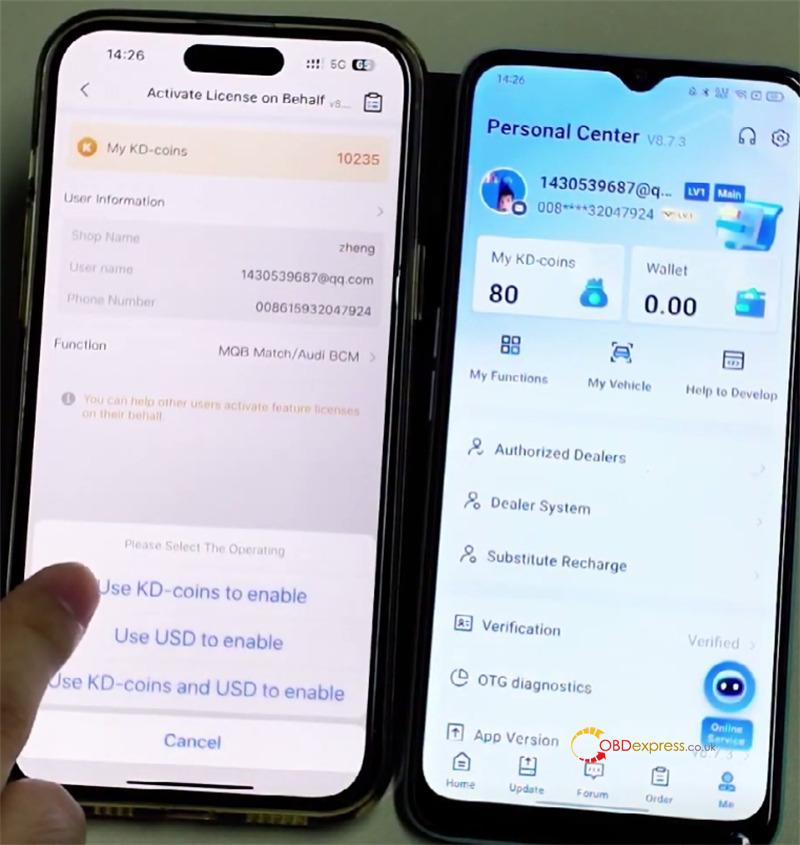
Complete the payment. Once done, the feature will be available in your account right away.
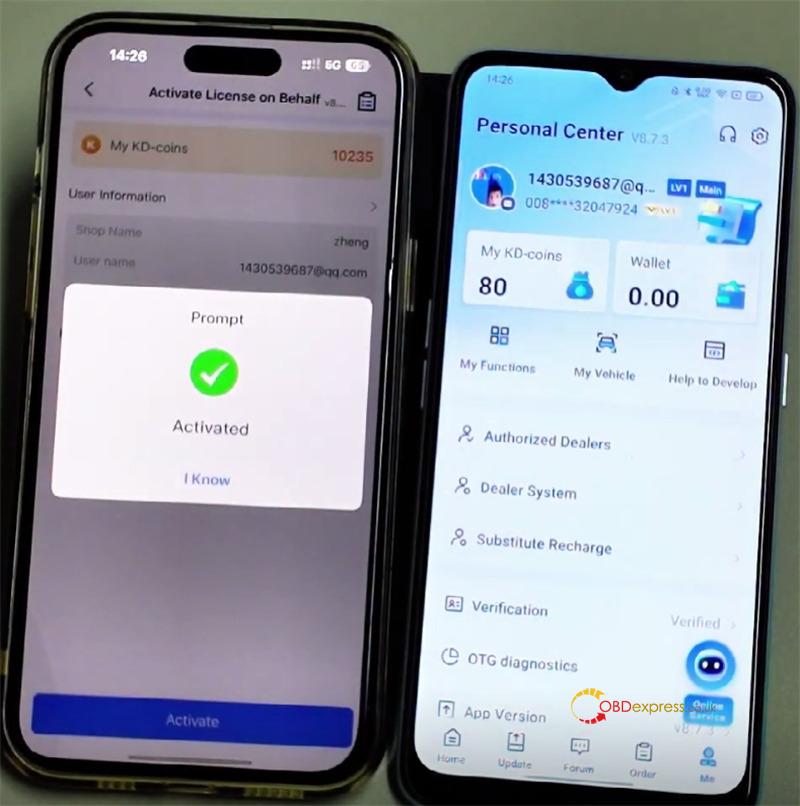
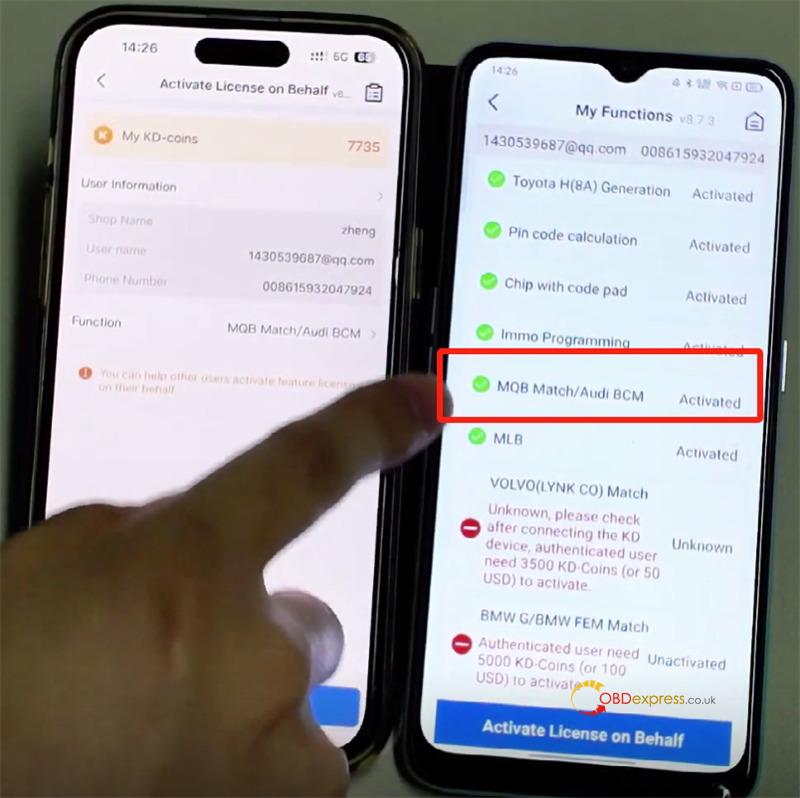
Q7: Can I send KEYDIY KD Coins to another user?
A: Yes, you can! Here’s how:
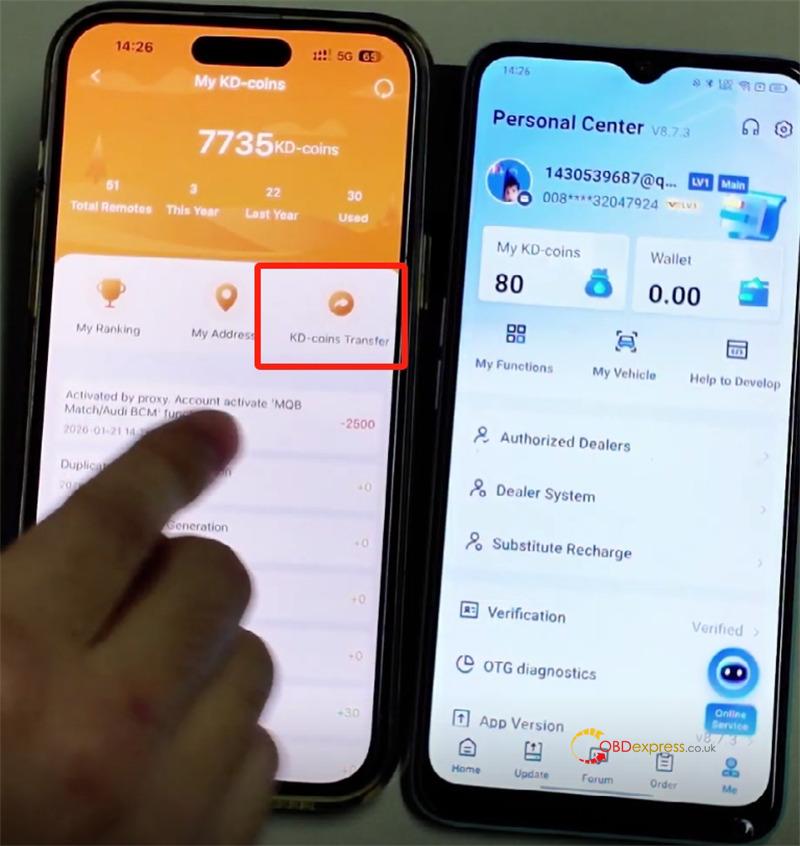
Go to My KD-coins > KD-coins Transfer.
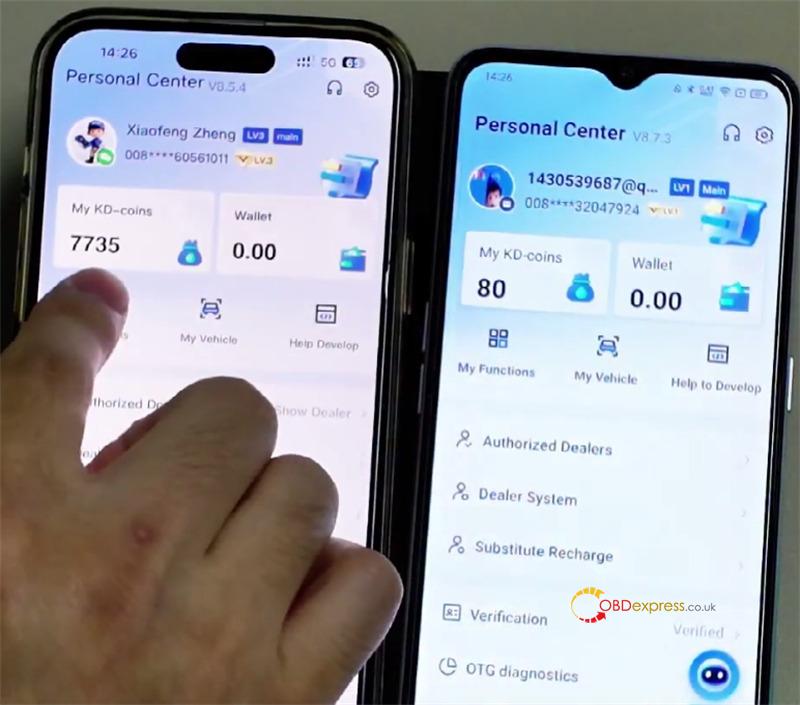
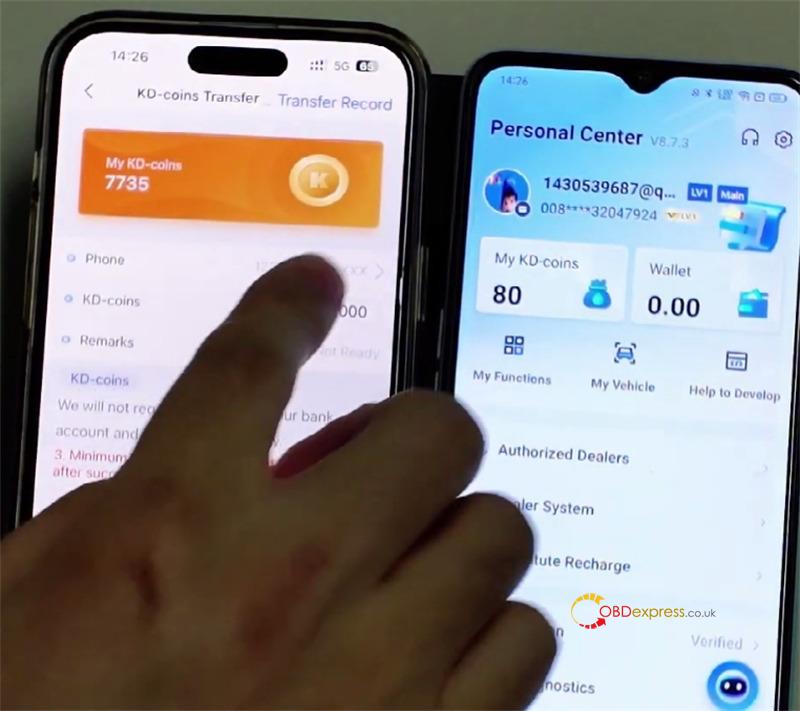
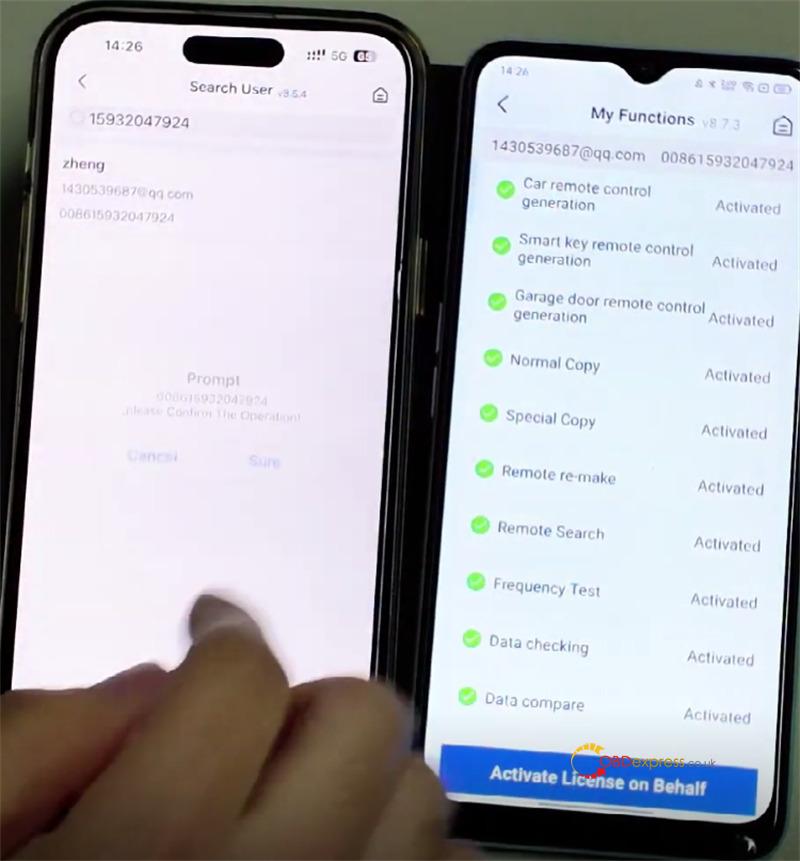
Enter the recipient’s mobile number.
Enter the amount you’d like to send and tap “Transfer”.
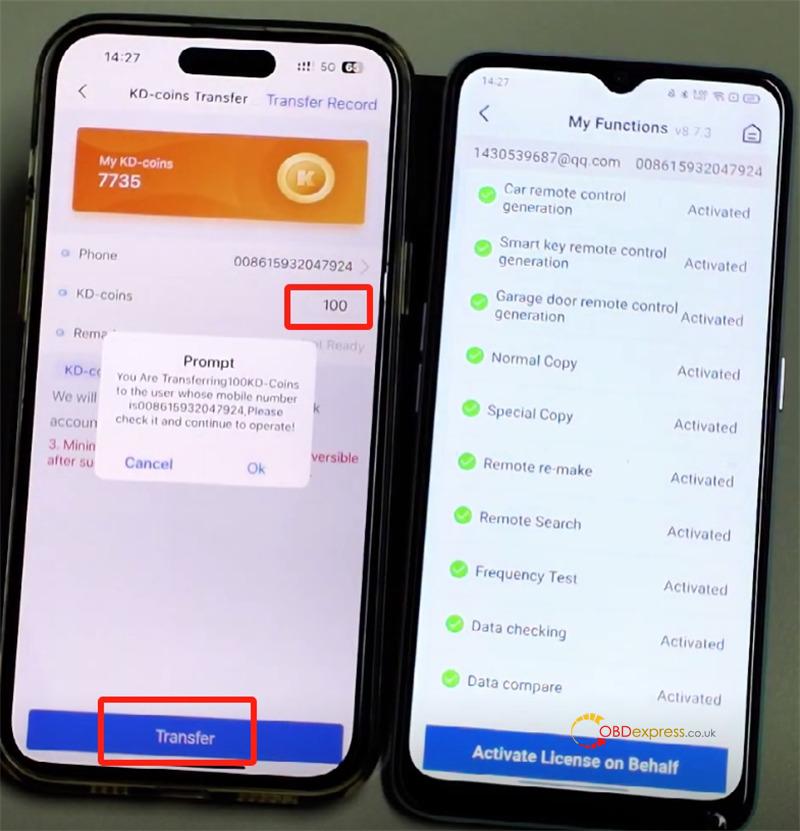
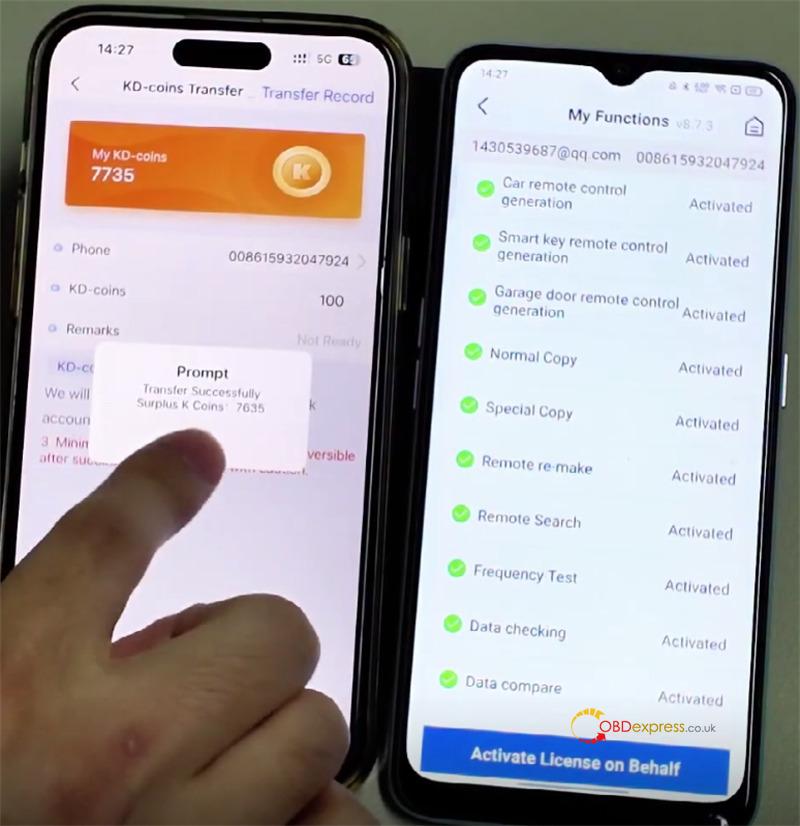
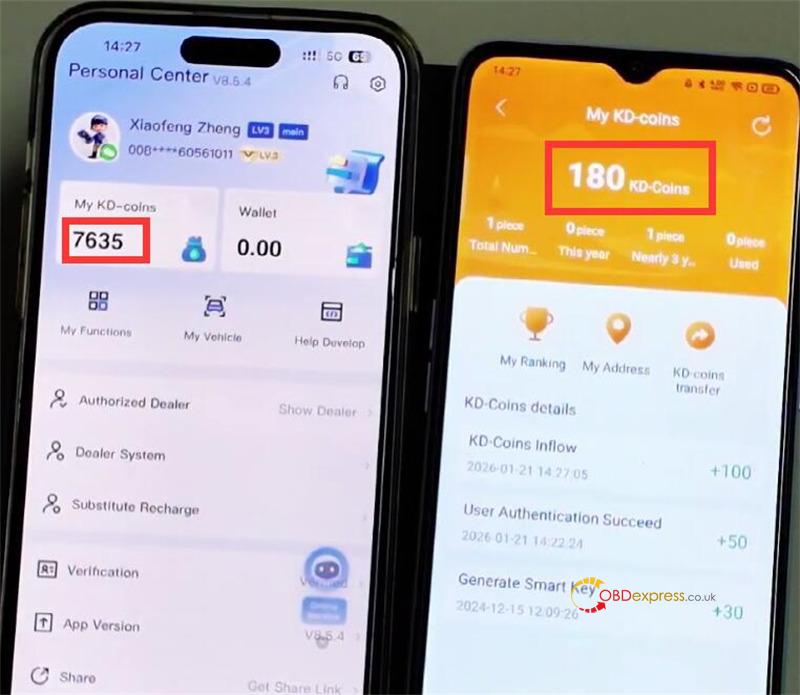
The coins will move from your balance to theirs immediately.
Video guide:
If you need further assistance, feel free to reach out to our support team. We’re here to help!
1.Email: sales@OBDexpress.co.uk
2.WhatsApp: +44 7418609676
