





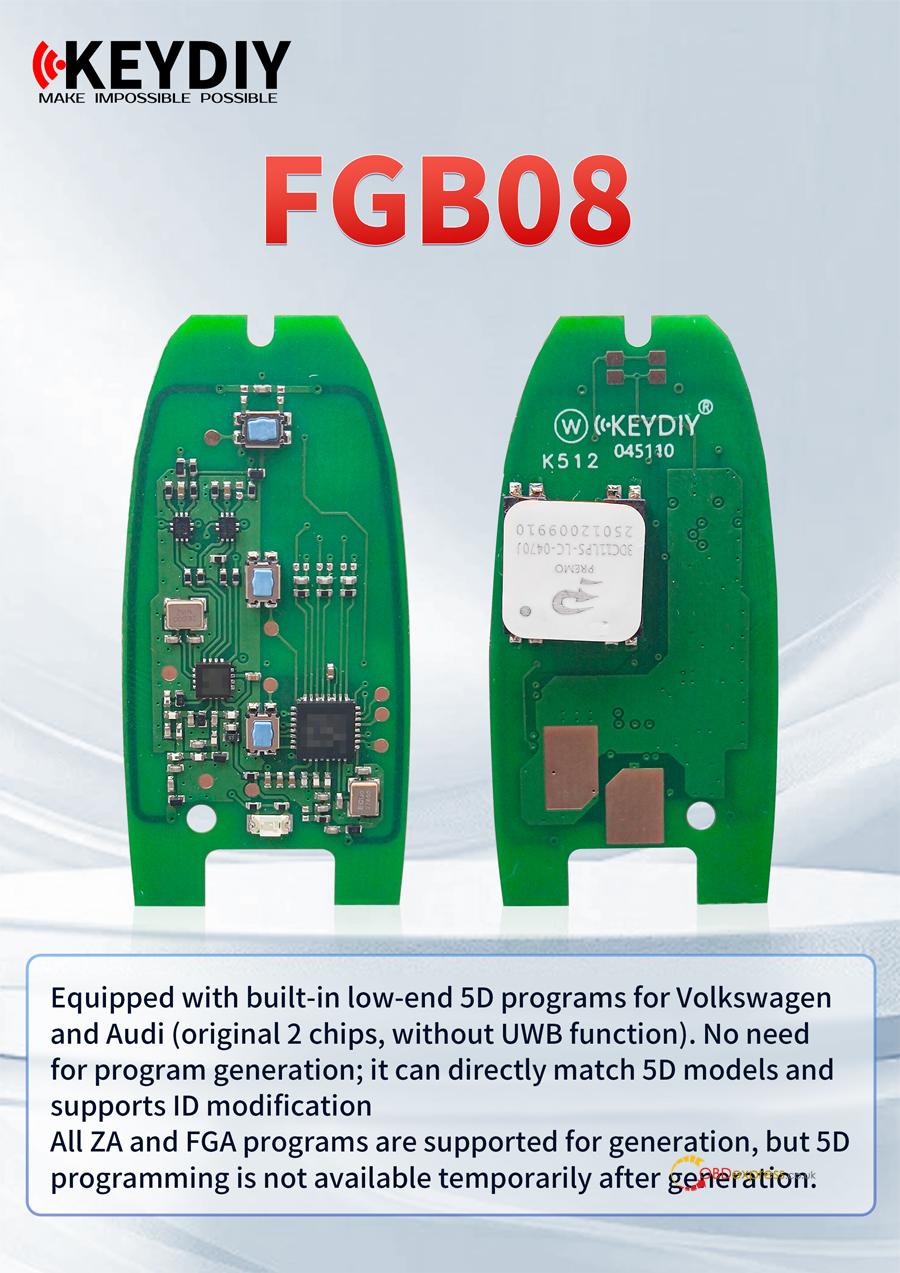
KEYDIY released the specialized Keydiy FGB08 PCB Key Board. Designed for compatibility with KD-X4 key programmer, this tool enables precise programming support for Volkswagen and Audi ZA & FGA platforms.
Key Features:
- Equipped with built-in 5D basic programs for Volkswagen and Audi—featuring the original two-chip design (non-UWB).
- Ready-to-use functionality: No program generation is required for 5D vehicle matching, and ID modification is supported.
- Comprehensive ZA and FGA program generation capabilities.
(Please note: Once generated, 5D programming functions are temporarily unavailable.)
Usage Note:
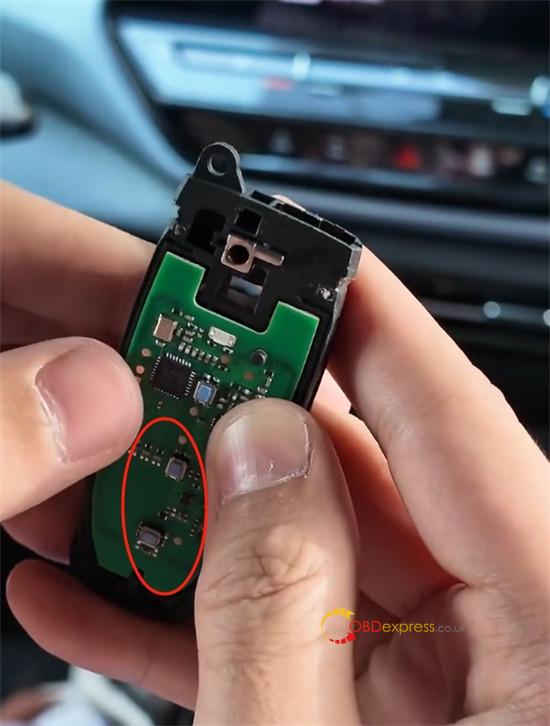
Before key matching, the two buttons on Keydiy FGB08 key may not respond—this is normal operation.
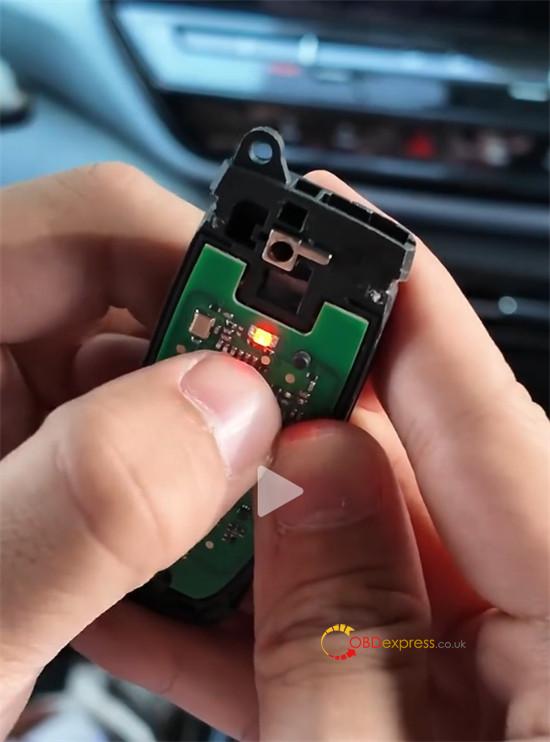
Upon pressing the first button, the indicator light will illuminate.
Quick Guide: Generating and Learning an FGB08 Key
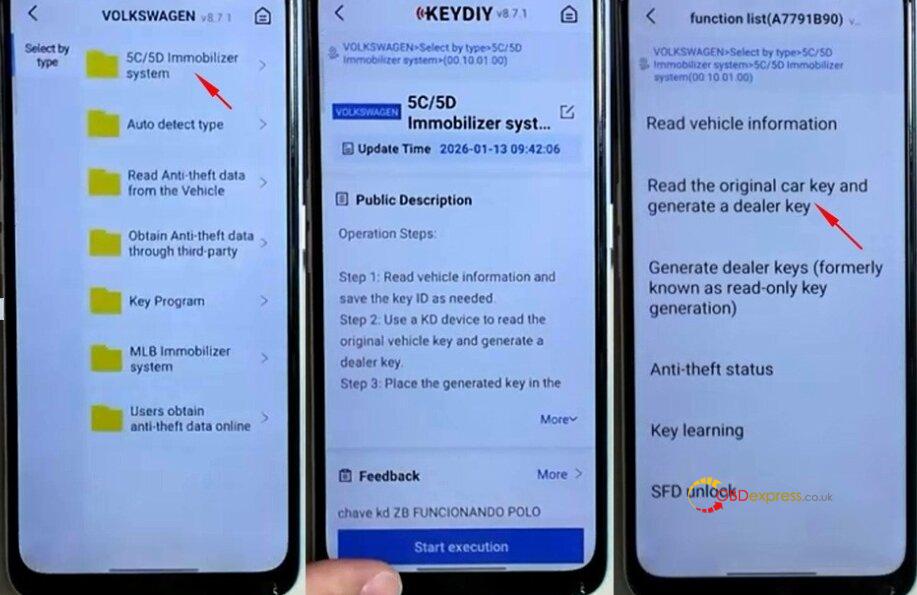
Open the KD App and go to:
IMMO Programming → VW → 5C/5D Immobilizer System → Start execution.
Choose “Read the original car key and generate a dealer key.”
After reading the original key data, click “Select service number”.
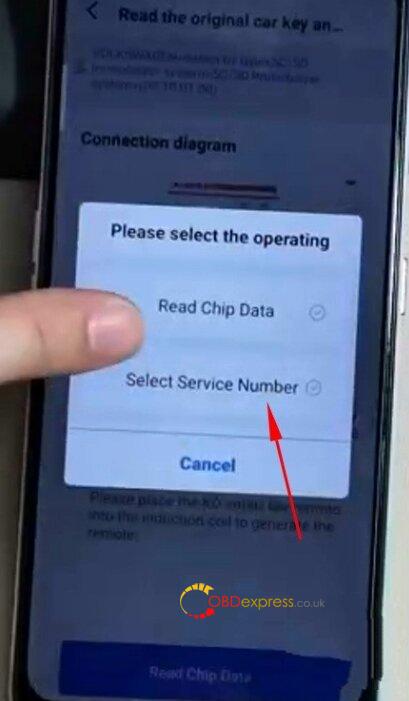
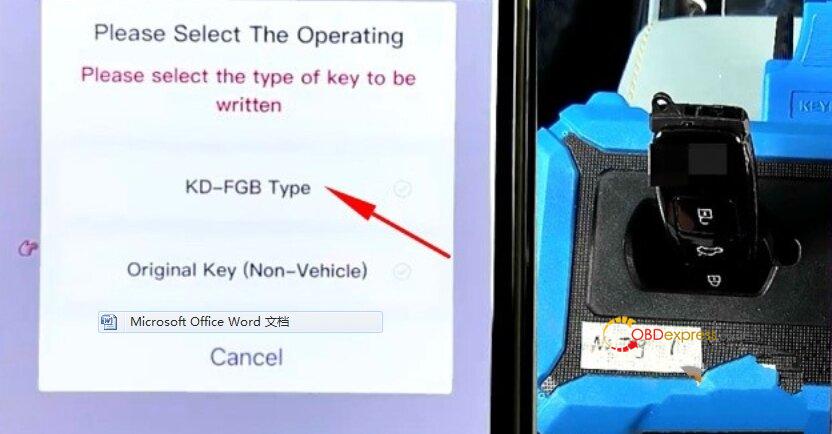
When prompted by KD-X4, select “KD-FGB Type” as the key type.
Choose the appropriate frequency.
Insert FGB08 key (with housing) into KEYDIY KD-X4 induction coil area.
Once “FGB08 remote generated successfully” appears, proceed to learn the key in the vehicle.
For the in-vehicle key learning process, please refer to Step 3 in the related tutorial to finalize the setup.
