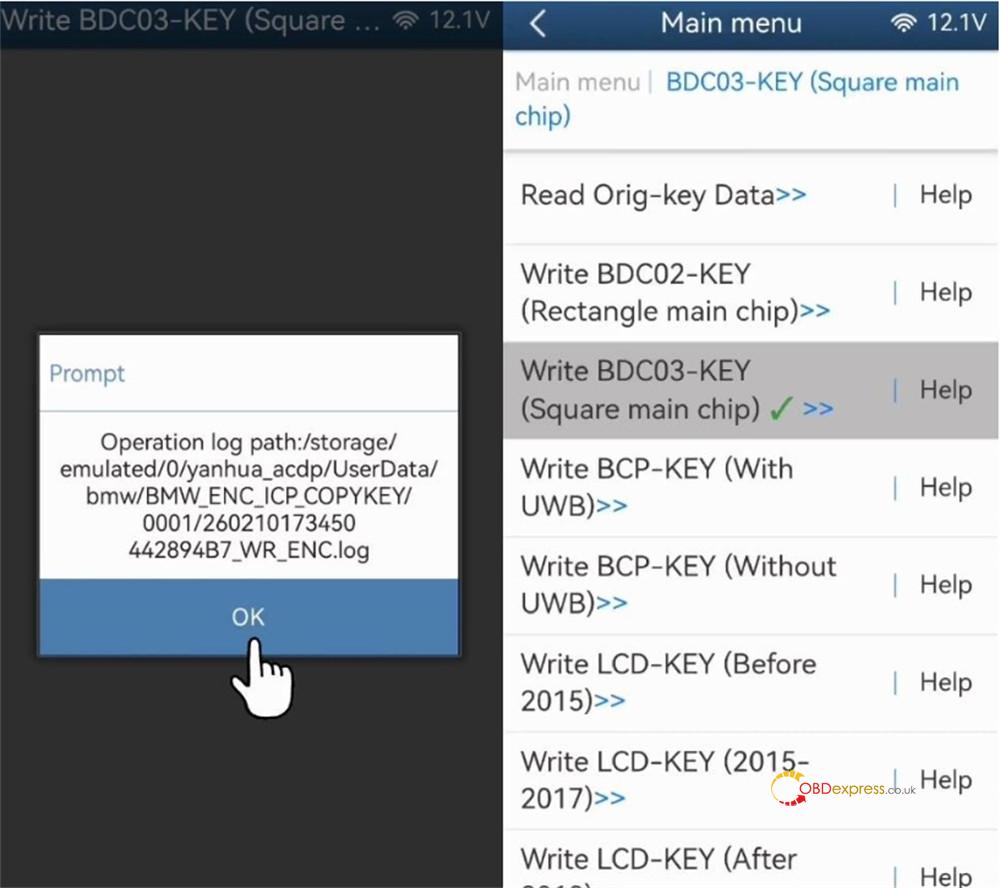





Yanhua Mini ACDP2 now supports keys cloning for BMW BDC2, BDC3, LCD (with encrypted chips), and BCP modules (both with and without UWB) in bench mode. This tutorial uses a BDC3 key as a practical example to illustrate the complete procedure.
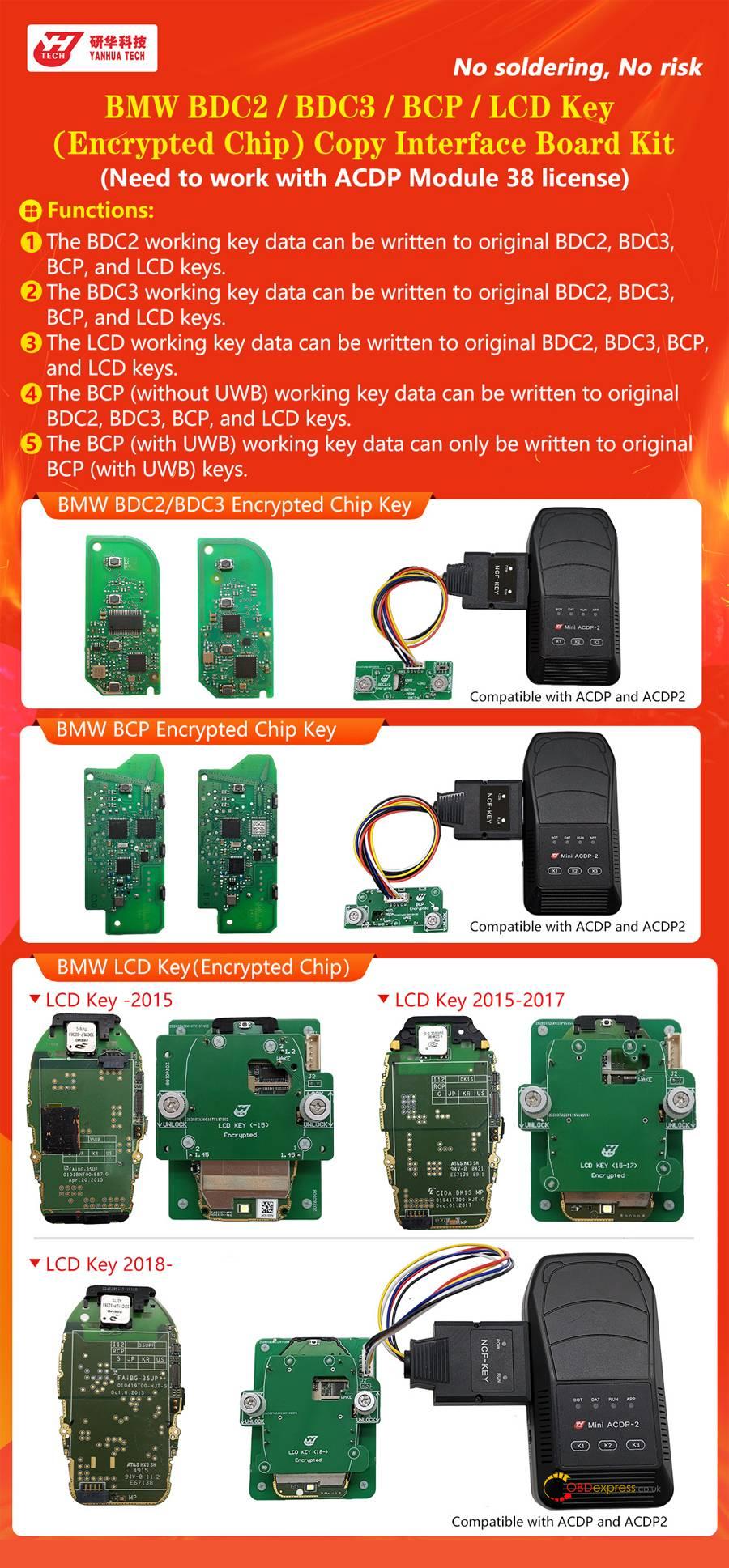
Equipment & Software Preparation:
1.Required Hardware:
- Yanhua Mini ACDP or ACDP2 unit
- ACDP Module 38 License (Activated)
- Yanhua BMW BDC2/BDC3 Encrypted Key Copying Adapter
- Original key for programming
2.Software Prerequisites:
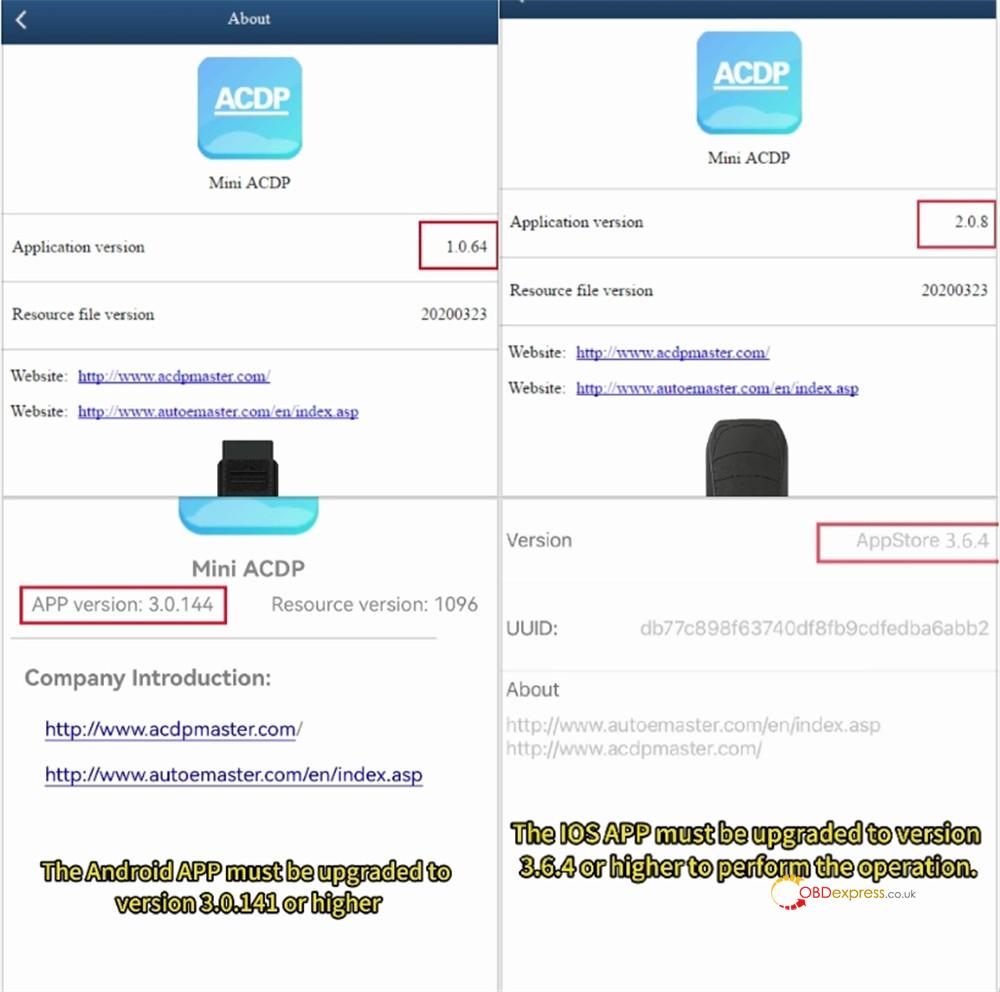
Ensure all software is updated to the latest compatible versions to enable this functionality.
- ACDP PC Software: Version 1.0.64 or higher
- ACDP2 PC Software: Version 2.0.8 or higher
- Android App: Version 3.0.141 or higher
- iOS App: Version 3.6.4 or higher
Procedure:
Step 1: Prepare BMW BDC3 Key
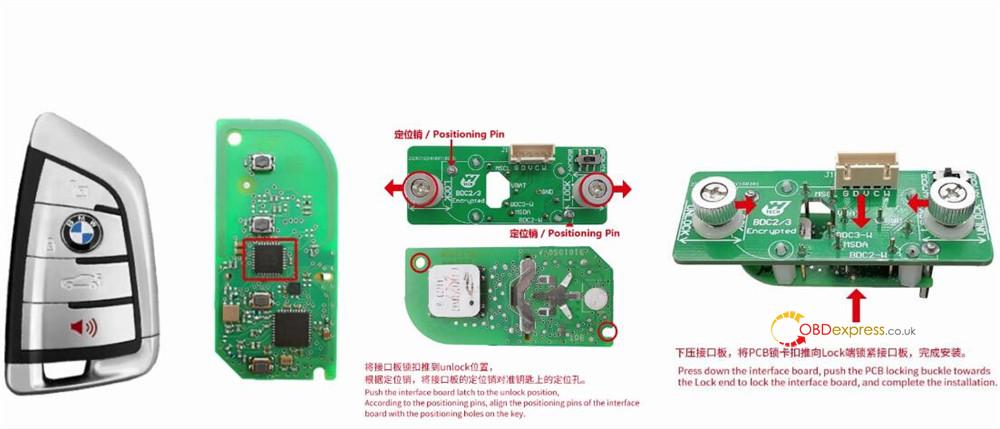
Gently open BDC3 key fob casing.
Move the latch on the interface board to the UNLOCK position.
Align the interface board’s guide pins with the matching holes on the key’s internal PCB.
Press the board firmly into place.
Secure the assembly by sliding the PCB locking latch to the LOCK position.
Step 2: Hardware Connection
Establish a proper connection between Yanhua ACDP2 unit, BDC3 interface board (with the original key attached), and the adapter cable.
Set the DIP switch on the adapter to the BDC3 position.
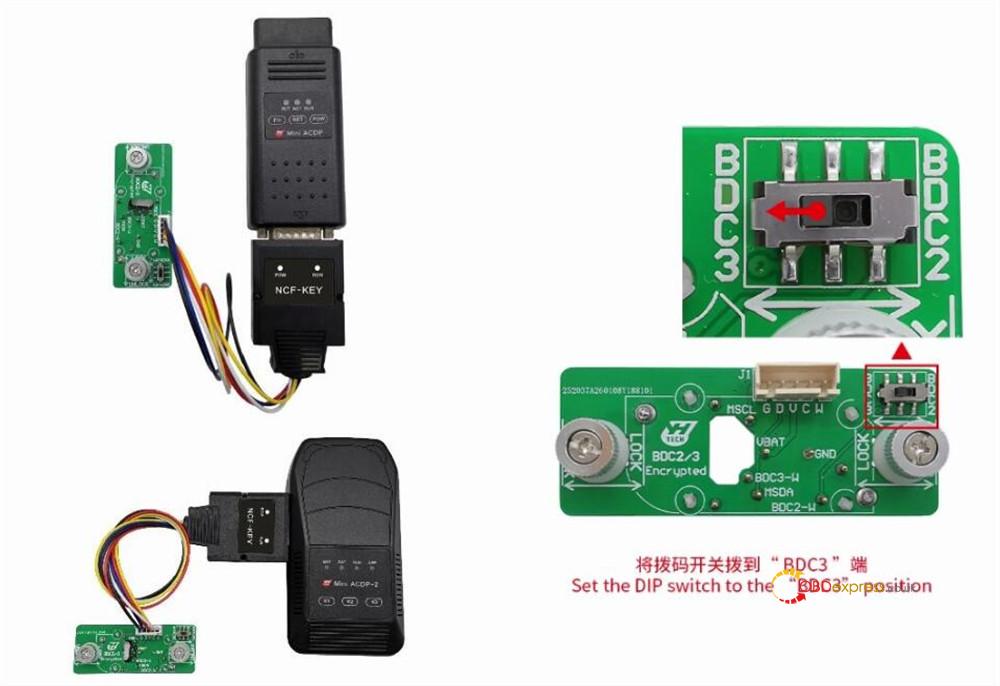
Step 3: Access the Cloning Function
Launch Yanhua ACDP application on your computer or mobile device.
Navigate through the menu: BMW > FEM/BDC > IMMO/Mileage > BDC02/BDC03/BCP/LCD key (encrypted chip) ICP Copy Key.
Select the specific option: BDC03-key (square main chip/encrypted).

Step 4: Extract and Backup Original Key Data
Begin the process to read the data from the original key.
Once reading is complete, carefully review the displayed key details (such as VIN).
It is critical to back up this data. Take a screenshot and note the backup file’s location, creation date/time, and VIN. The saved file must have a .bin extension.
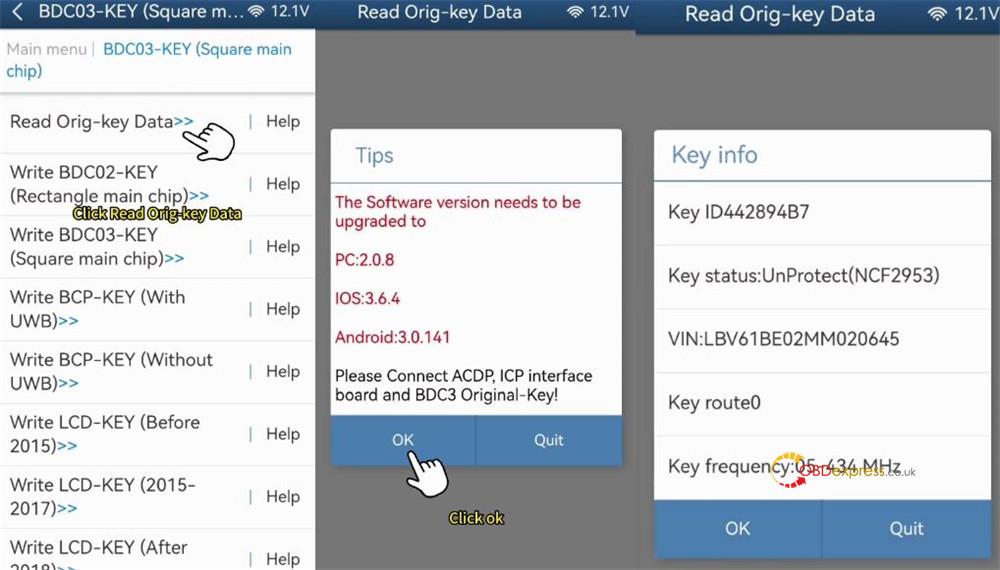

Step 5: Program the Replacement Key
After the read operation, select the target key type. Choose Write BDC03 key (encrypted).
Remove the original key. Attach the new, blank BDC3 key to ACDP BMW BDC3 interface board and reconnect it to the unit.
Warning: Avoid reconnecting the original working key during this step to prevent accidental data loss, which would permanently disable it.
Confirm the new key’s information and also create a backup of its initial data.
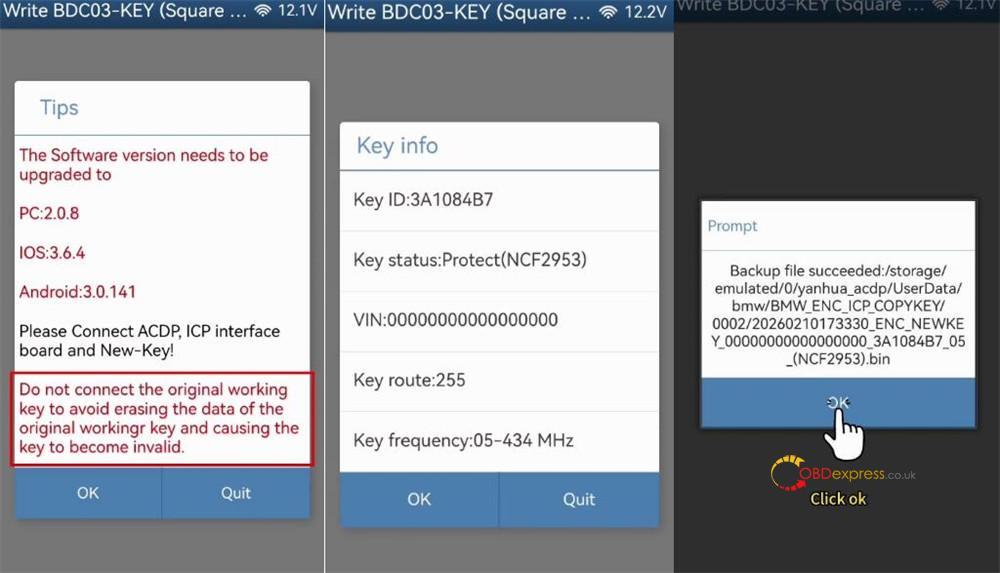
Step 6: Write Data and Finalize
Upload the previously saved original key data (the .bin file).
Verify that the uploaded data correctly corresponds to the original key.
Proceed to write this data onto the new BDC3 key.
A “Write key successfully” message will confirm completion.
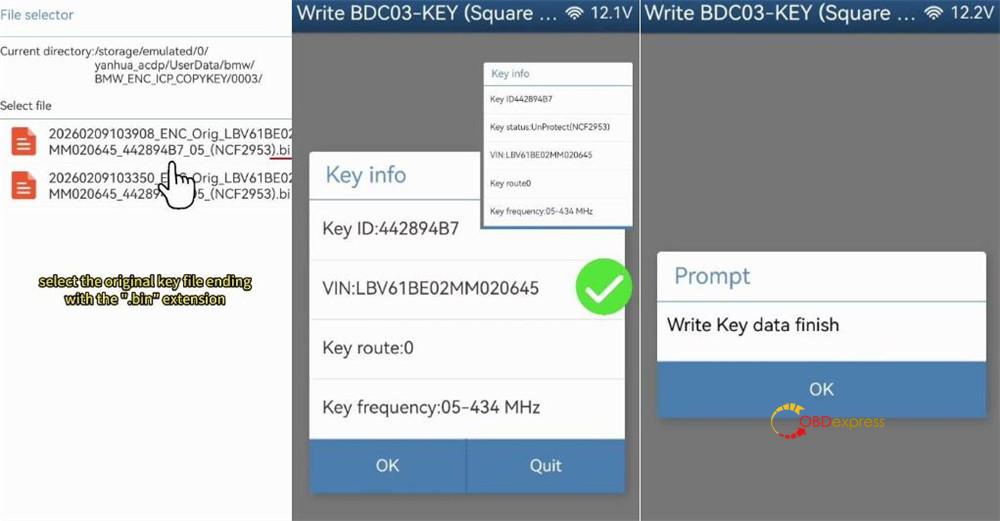
Mini ACDP2 automatically stores the information for the newly cloned key.