VAG MQB49 5C/5D key reading function for Xhorse Multi Prog Programmer is currently in testing.
It’s available to use the test feature with the method below.
1.How to Access:
Go to Help -> Test 180 in the software.
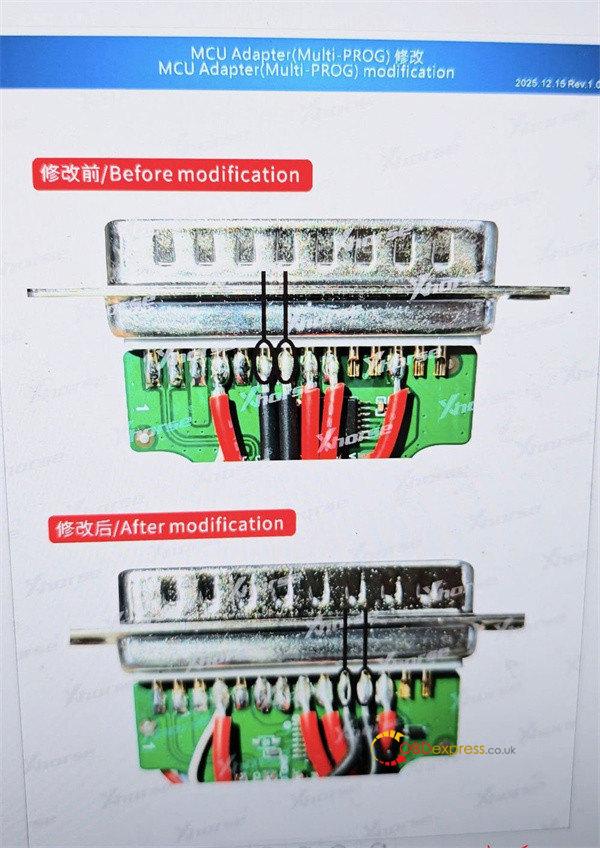
2.Required Modification:
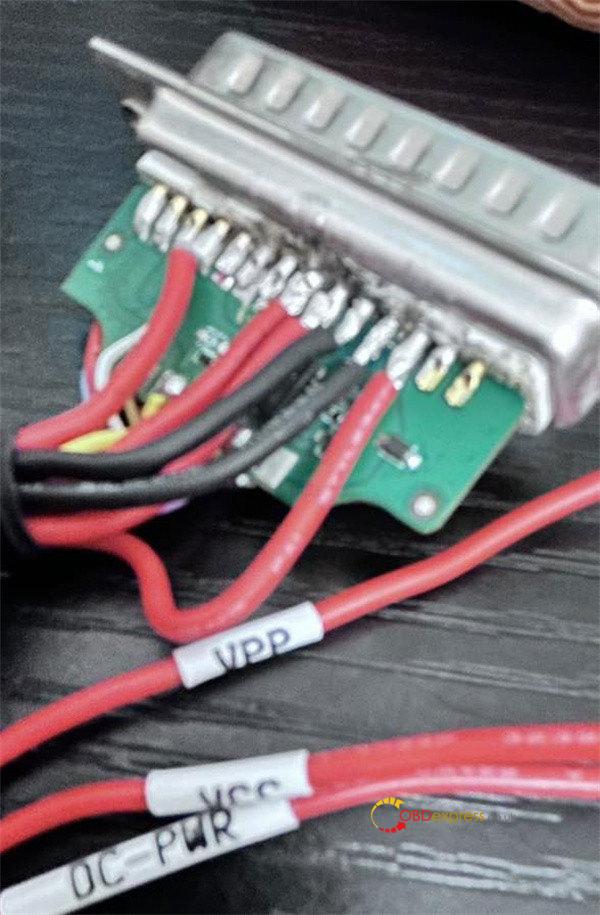
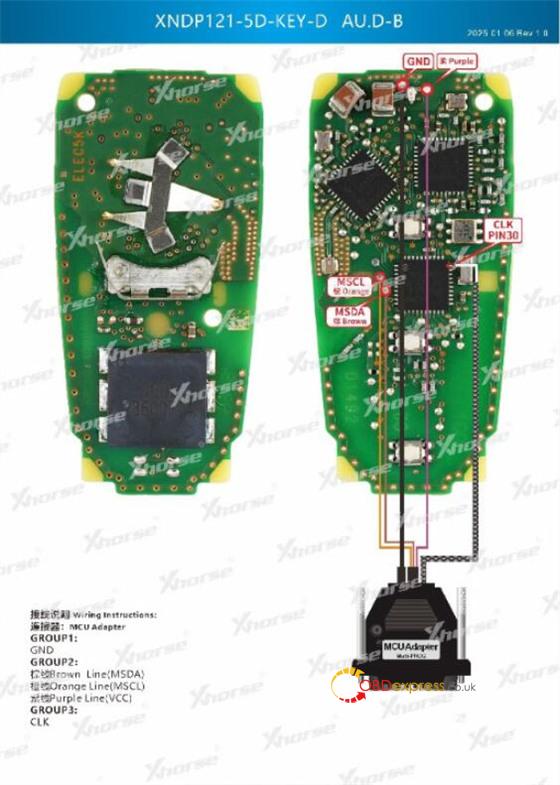
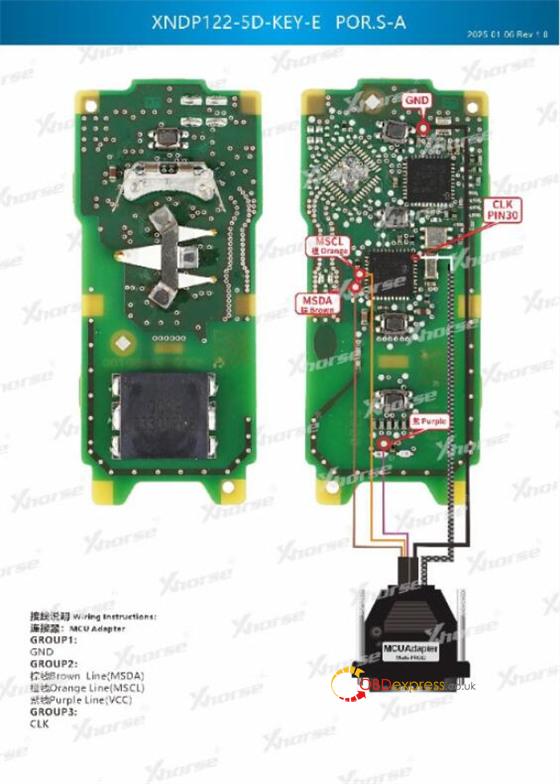
You must modify the MCU adapter by adding two black wires (GND short & GND long).
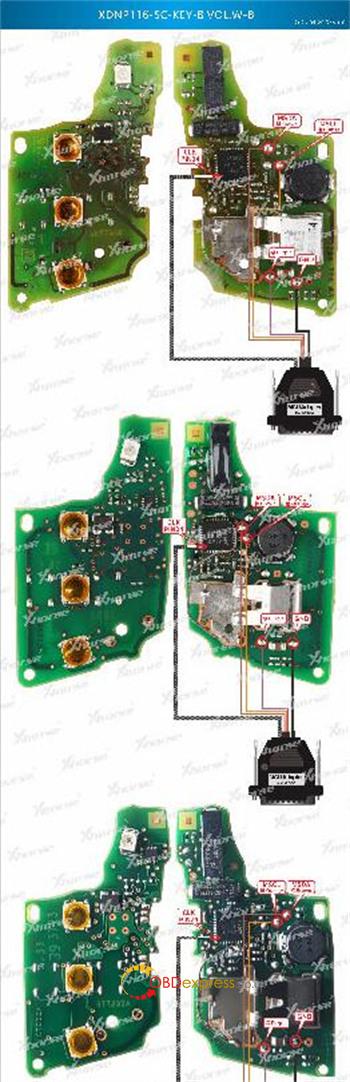
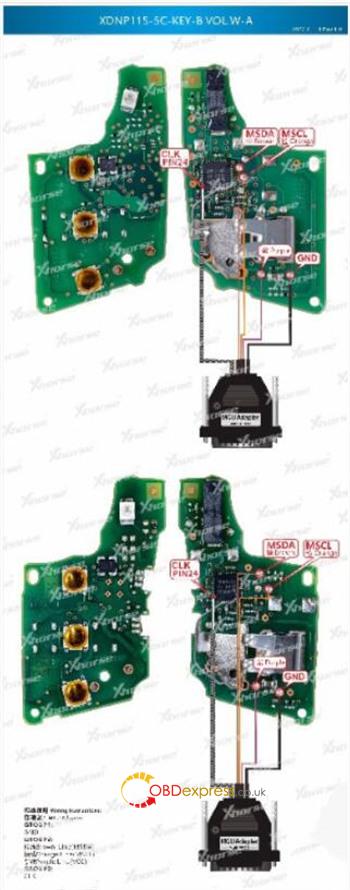
3.Wiring Diagrams:
Follow the wiring diagram in Multi Prog software below for the key connections.
(For Volkswagen 5C/5D, Audi 5D, Porsche 5D keys)
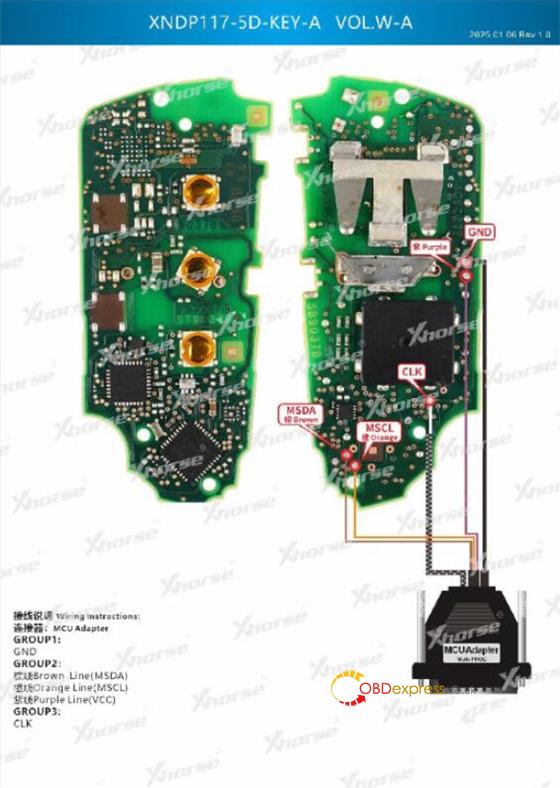
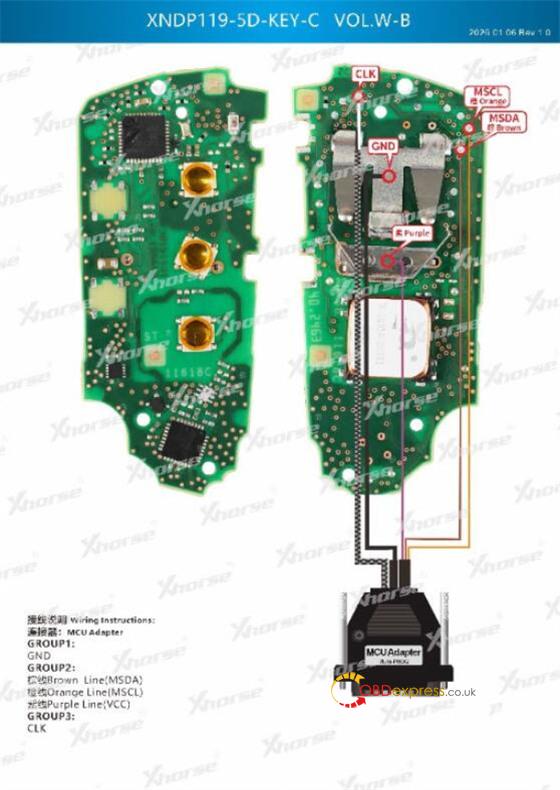
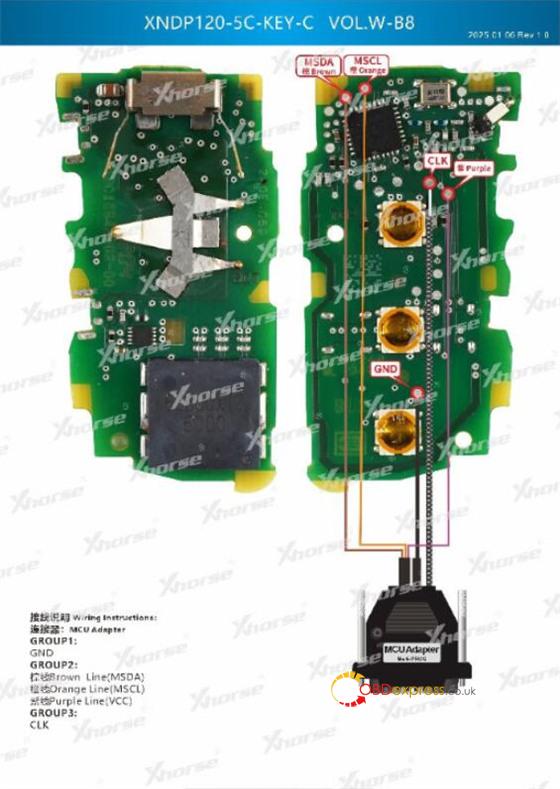
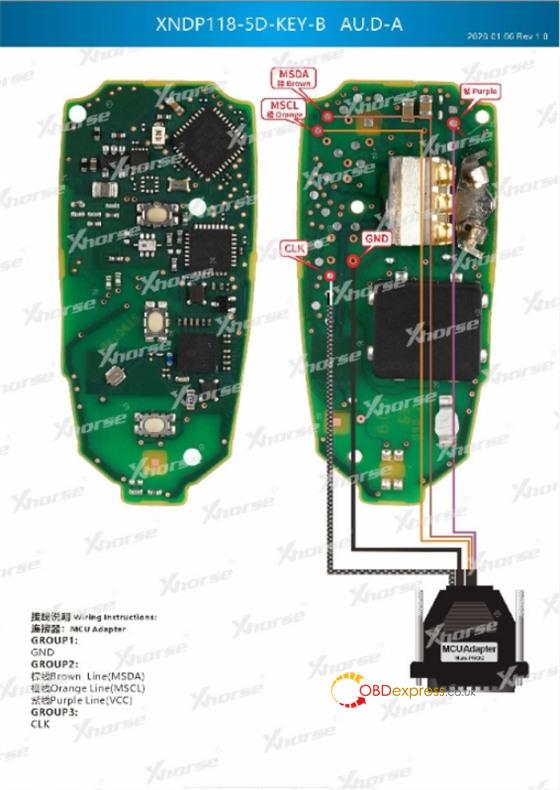
4.Troubleshooting:
If key data reading fails using Multi-Prog, please add a 100-ohm resistor in series with the CLK wire.
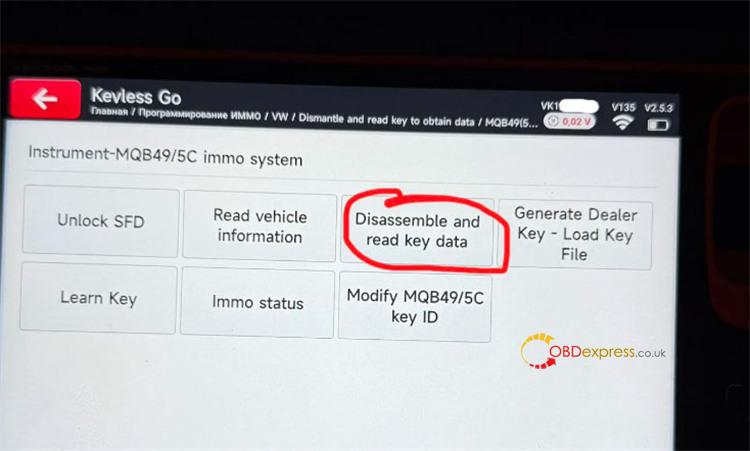
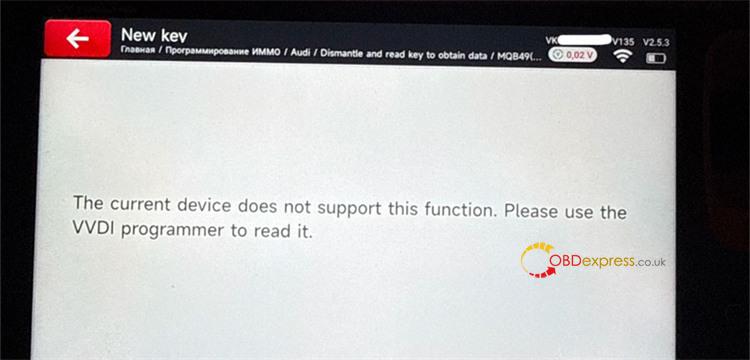
Please note that though Xhorse Key Tool MIDI has the option “Disassemble and read key data” for MQB49/5C immo system, but it does not yet support now.
If you try to use this function, it may display a “function not supported” message. In this case, a VVDI Programmer (e.g. Xhorse Multi Prog) is required to perform the initial data read.