




This article walks you through the process of compressing and sharing your Yanhua ACDP/ACDP2 project folders from both Android and iOS smartphones.
- Prerequisite: Verify Your App Version
The process is nearly identical on both platforms, but you must have the correct Mini ACDP app version installed.
| Platform | Minimum Required Version | How to Check |
| Android | 3.0.142 or above | Open App > Me > About |
| iOS | 3.6.5 or above | Open App > Me > About |


- The General Export Process
The core workflow involves three actions in the “My Files” section: Locate > Compress > Share.
- Platform-Specific Instructions
On Android:
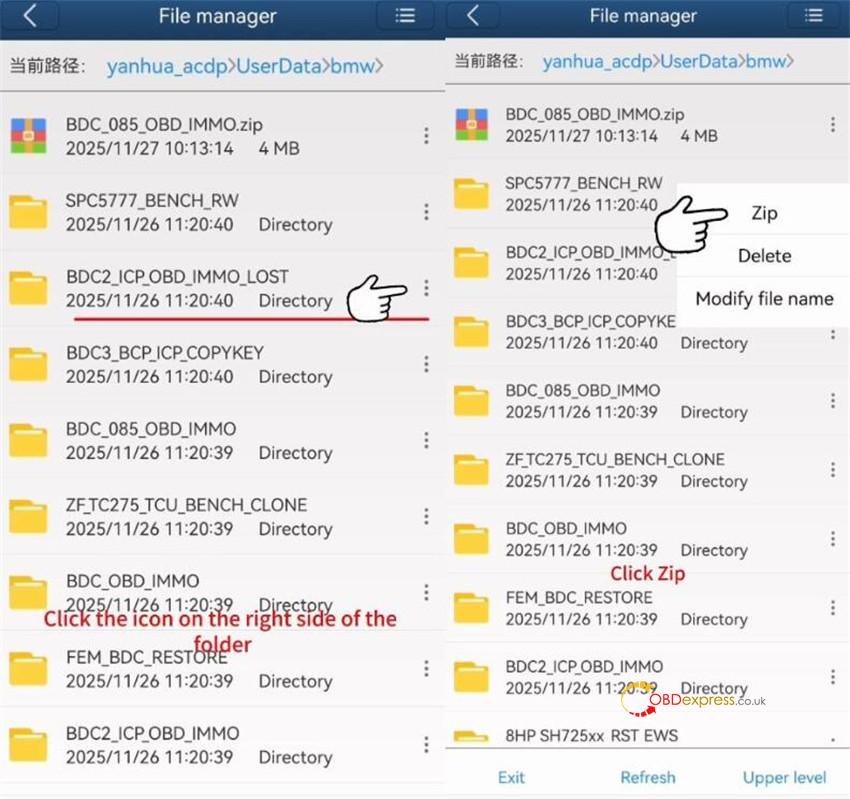
Locate your folder (e.g., BDC2_ICP_OBD_IMMO_LOST).

Use the three points next to it to select “Zip”.
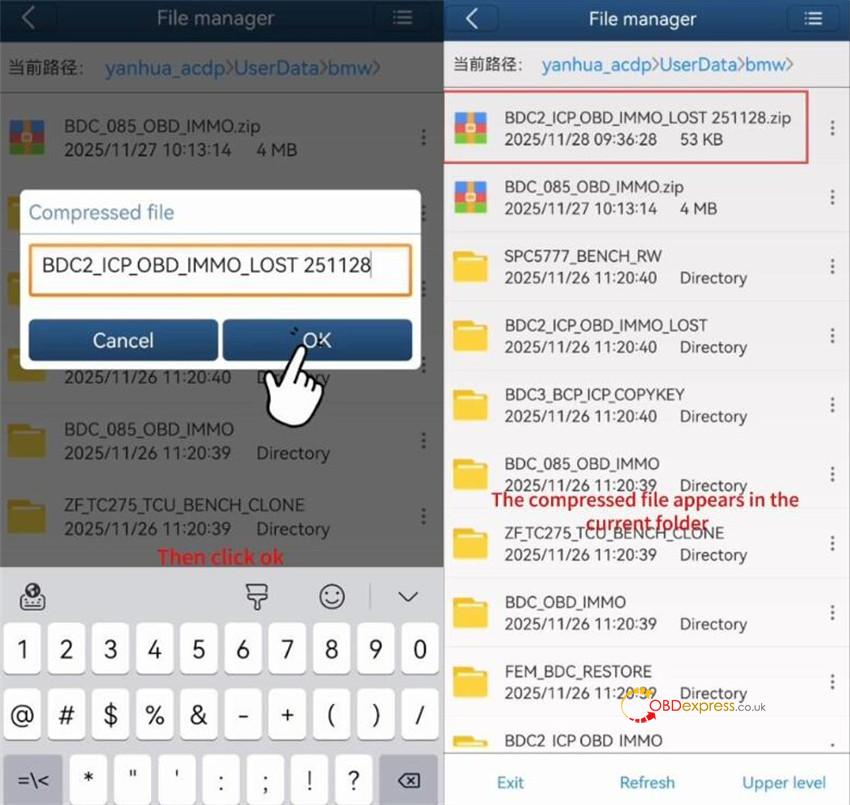
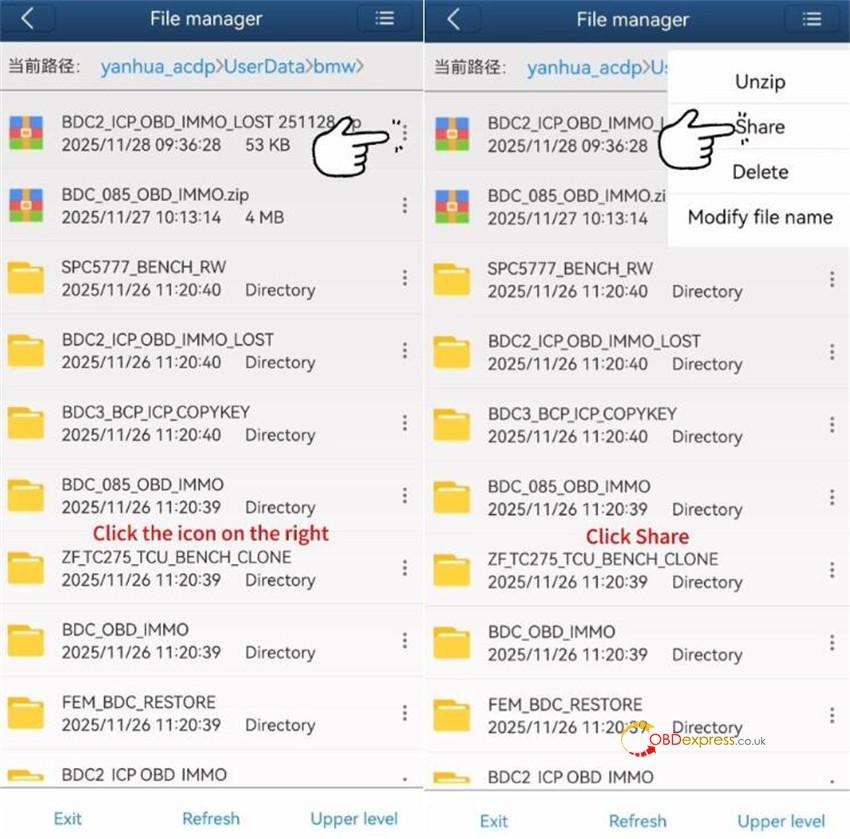
Use the three points on the created .zip file to select “Share”.
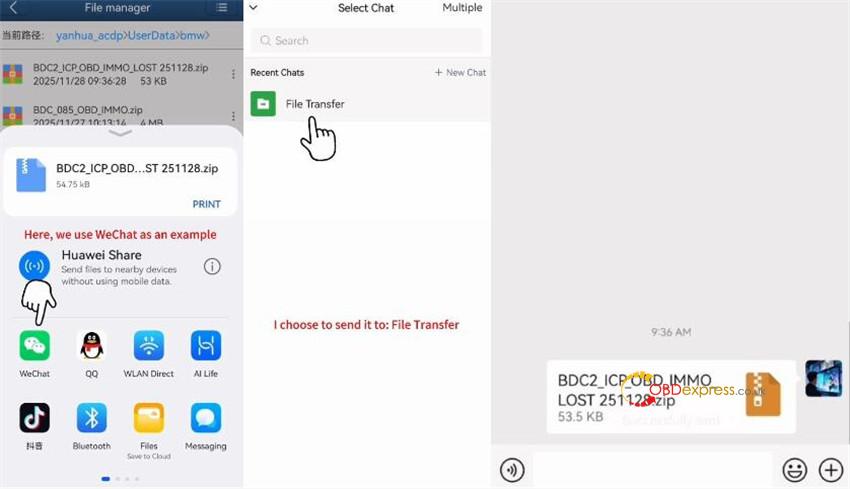
Choose your preferred sharing method (e.g., WeChat > File Transfer) to export the file off the device.
On iOS:
Locate your folder (e.g., bmw).
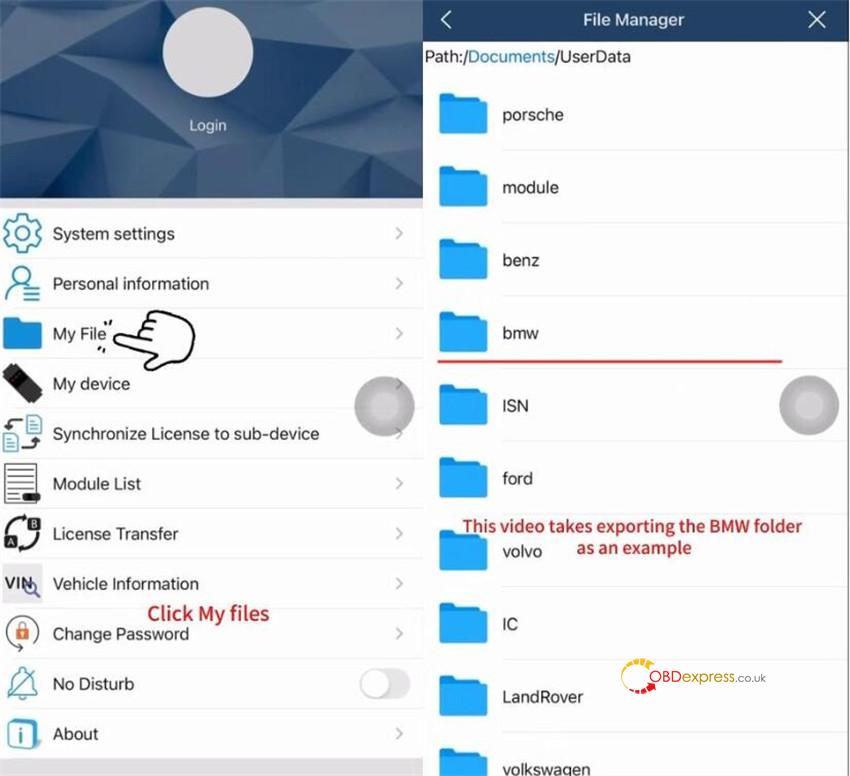
Long-press it and select “Zip” from the context menu.
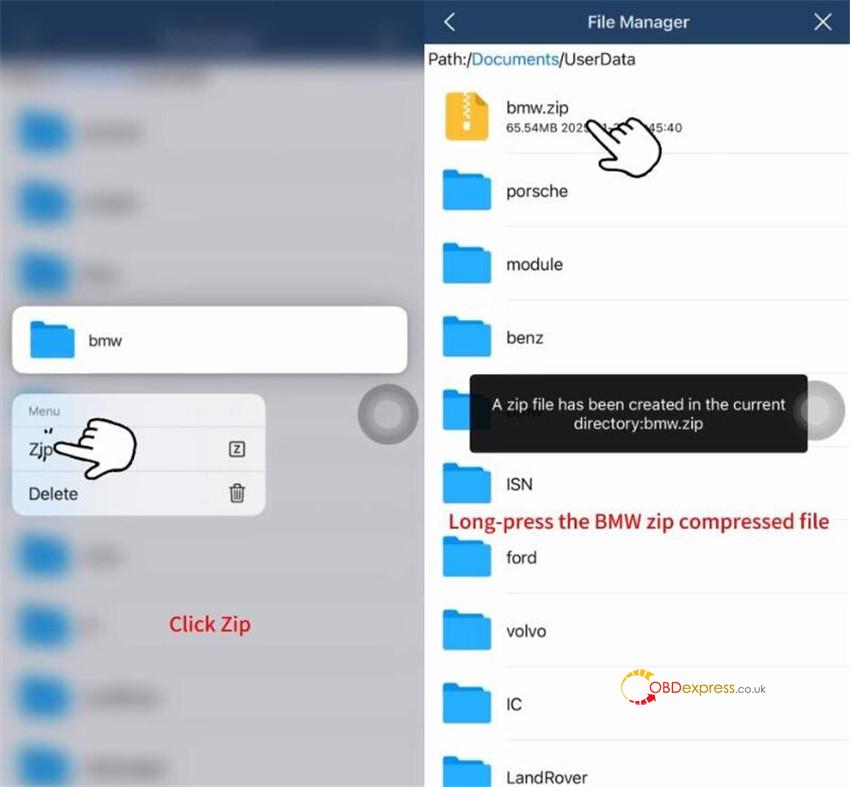
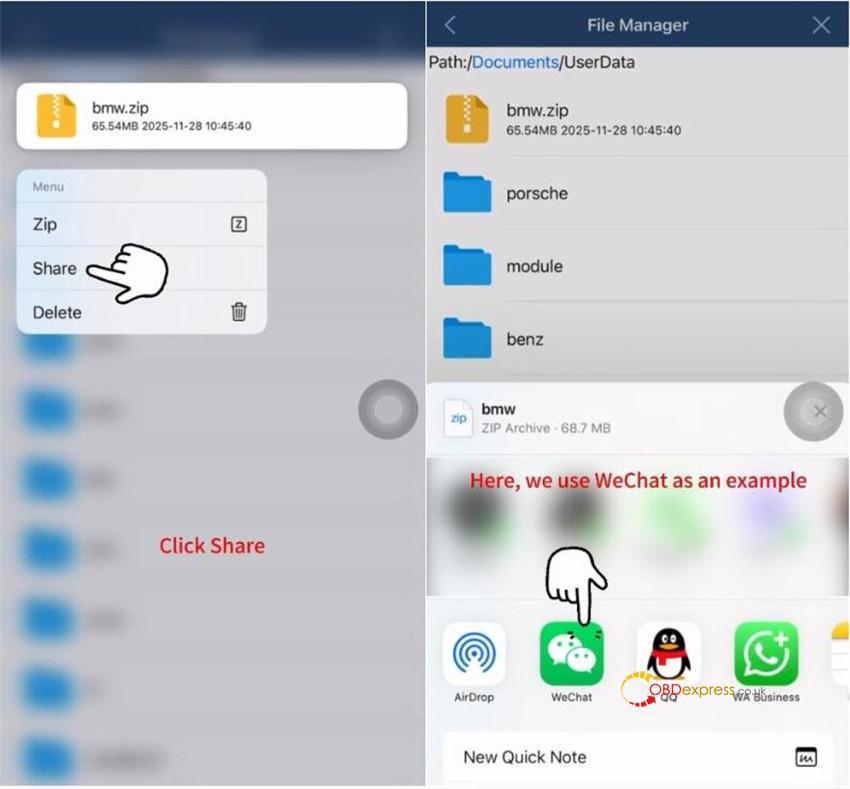
Long-press the resulting .zip file and select “Share”.
Choose your preferred sharing method (e.g., WeChat > File Transfer) to export the file off the device.
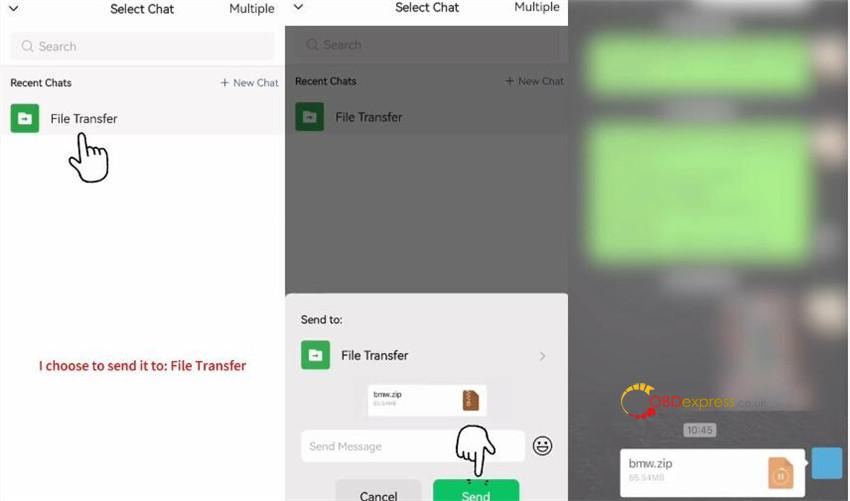
That’s the whole process to export Yanhua Mini ACDP2 folder on Android and IOS devices.
