




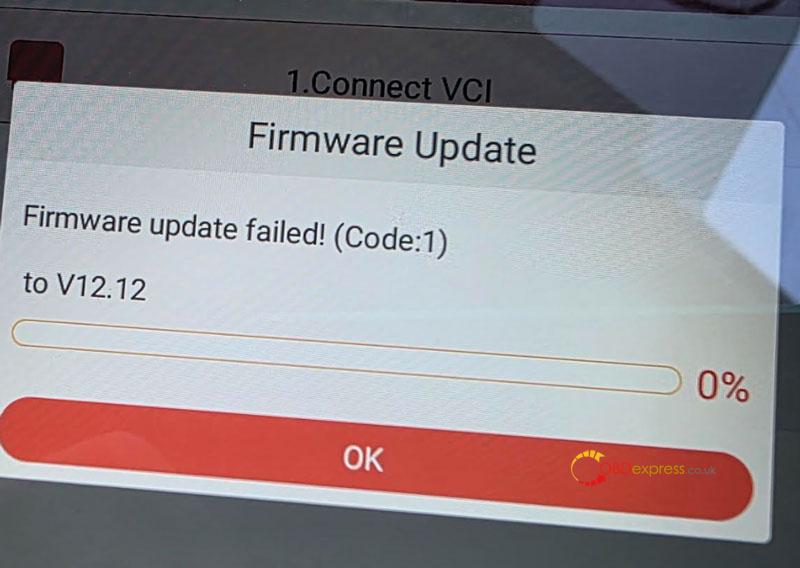
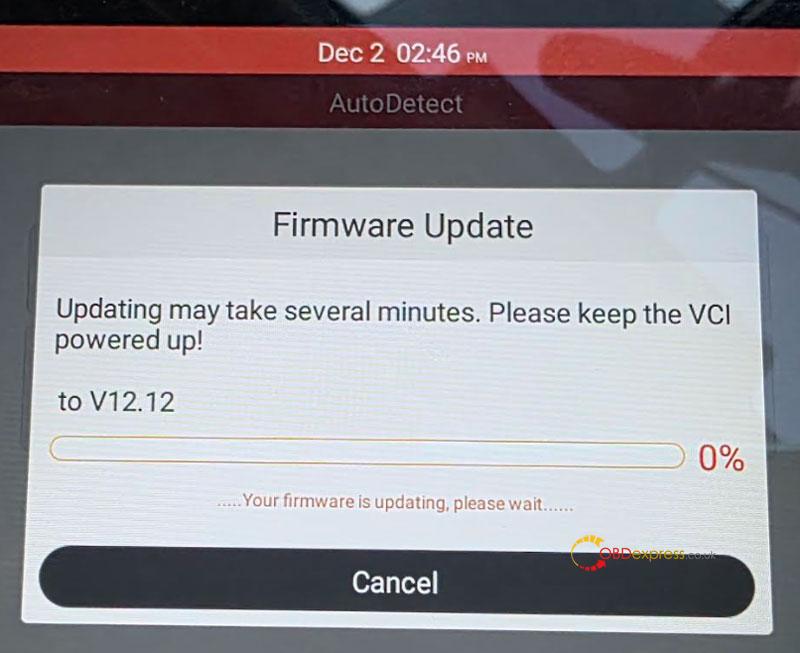
If your LAUNCH X431 CRP909 or CRP919/CRP919E BT tablet displays the error “Firmware update failed! (Code:1) to V12.12,” follow this step-by-step troubleshooting procedure to resolve the issue efficiently.
Solution
Re-download the firmware and perform a firmware repair to correct the installation failure.
Step-by-Step Instructions
- Reconnect and Re-download Firmware
- Ensure the tablet is connected to a stable internet network.
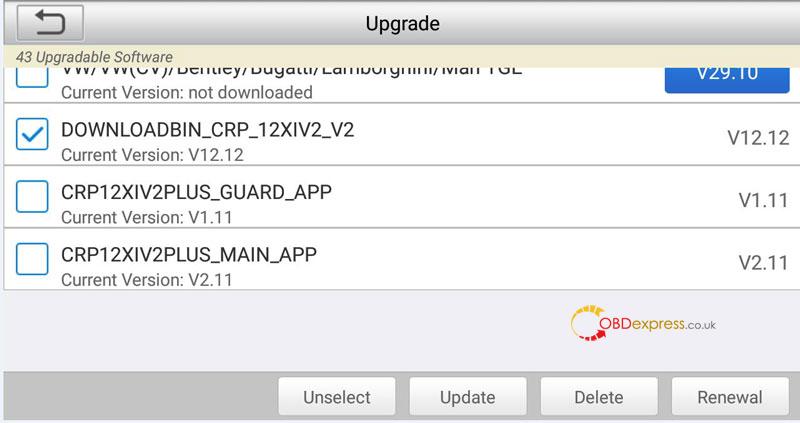
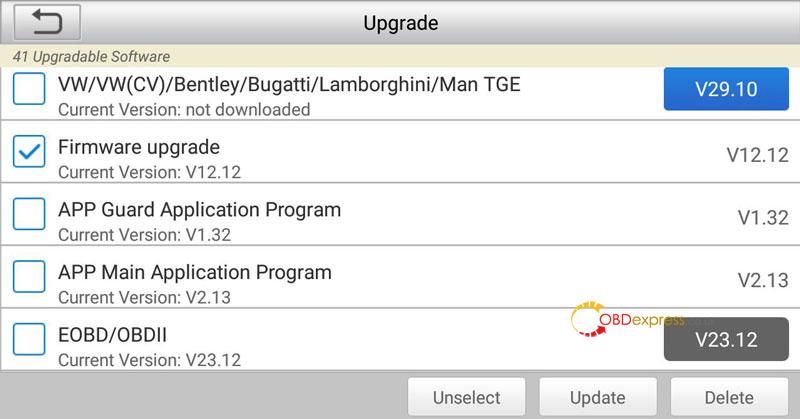
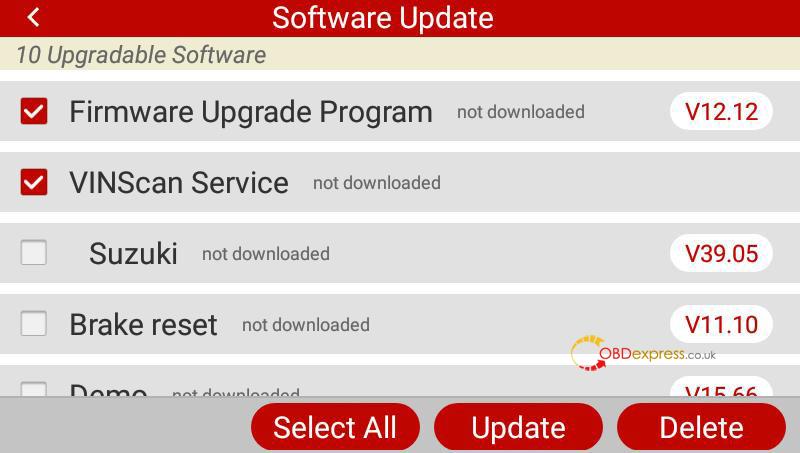
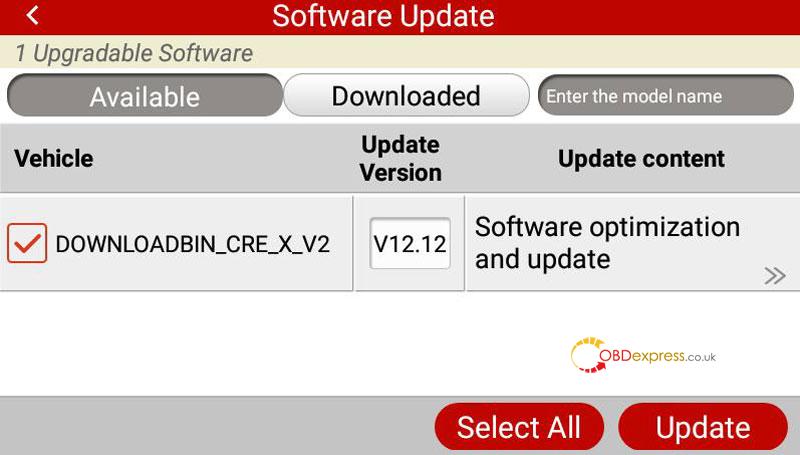
- Navigate to Update in the system menu, select the V12.12 firmware package for re-download.
Recommended files include:
DOWNLOADBIN_CRP_12XIV2_V2 (V12.12)
DOWNLOADBIN_CRE_X_V2 (V12.12)
Firmware upgrade (V12.12)
Firmware upgrade Program (V12.12)
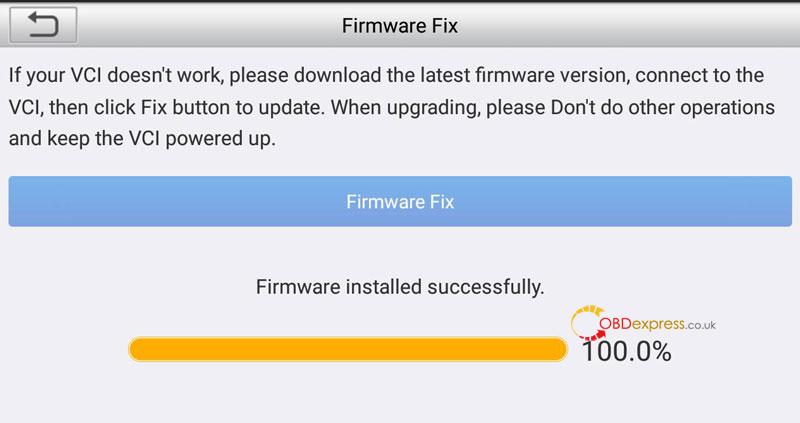
- Perform Firmware Repair
- Return to the main interface and select DATA.
- Choose Firmware Fix from the options, and run the Firmware Fix.
Refer to the included interface images for visual guidance throughout the process.
Key Notes
- Use a reliable Internet connection to avoid download interruptions.
- Ensure the battery is sufficiently charged or the device is plugged in during the update.
- If the issue persists, verify network stability and attempt the download again.
(Visited 116 times, 1 visits today)
