






Dear Renault Can Clip users, welcome back for clip V200 software free download source and reliable source.
Reliable source of Renault Can Clip V200:
https://share.weiyun.com/qlF995HR
Password: 4ixw6z
Security: 100% yes
Any problem to download it, please email at Sales@OBDexpress.co.uk
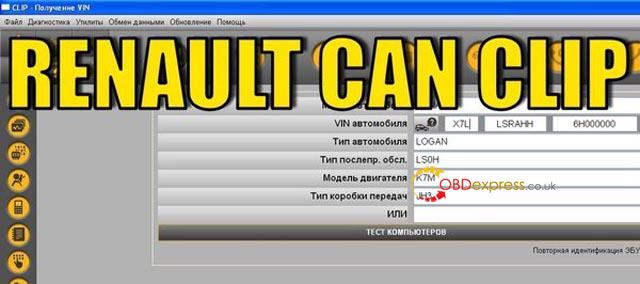
Can Clip V200 installation method:
https://youtu.be/lmj4QWKdEWA (as the same as that of Clip V195)
Clip V200 is compatible with Chinese clone Renault Can Clip ( incl. Item No. SP19-A / SP19-C / SP19-D/ SP19-C-1)
OS: Windows 7, 10 32bit 64bit (not with XP)
Language: Multilingual (English, French, German, Italian, Russian and other)
The program for the diagnosis of electronic systems of cars Renault, Dacia, Samsung. Working with scanner Renault CAN Clip only.
Clip V200 free Source:
https://mega.nz/file/fhUxwQSS#QaQ3BSYhXyjhvH2hvP-iIfcJVJg69BPT47ucvhpwIJQ
Renault Can Clip 200 Activation + Patch:
CAN Clip 200 Activation Steps:
- After Installation finish DO NOT run your CLiP!
1st replace the original RSWin.exe file (backup 1st your original file!!!)
with the Cracked .exe file in C:\CLIP_X91\Lib\Application\
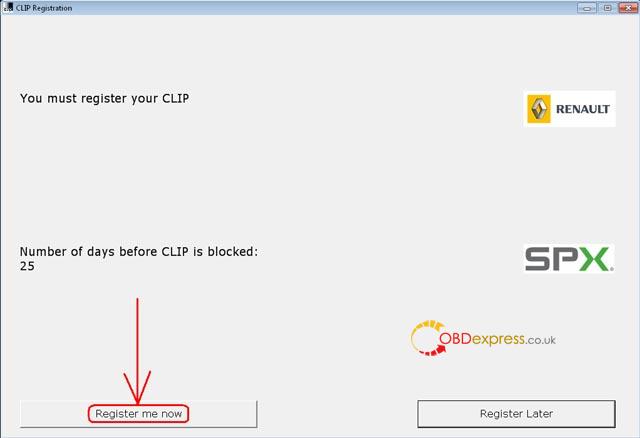
- Now from the SAME location as you are (C:\CLIP_X91\Lib\Application\) run the RSWin.exe,
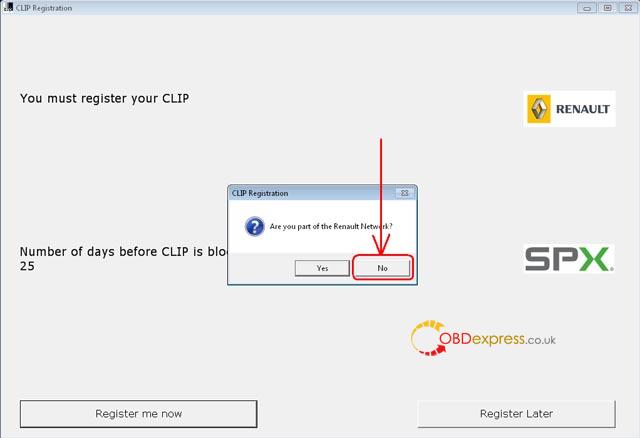
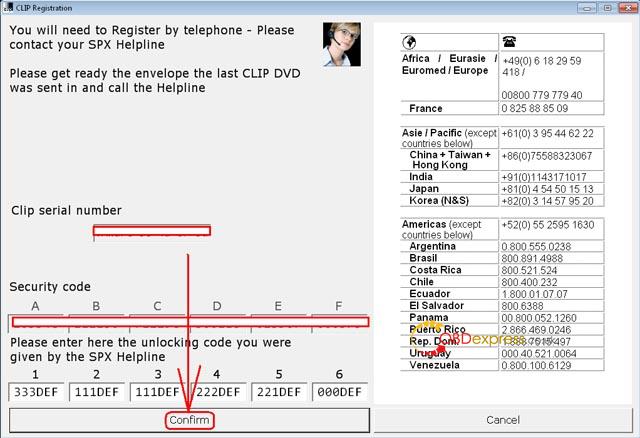
choose “Register me now” and in the next window select “NO”!
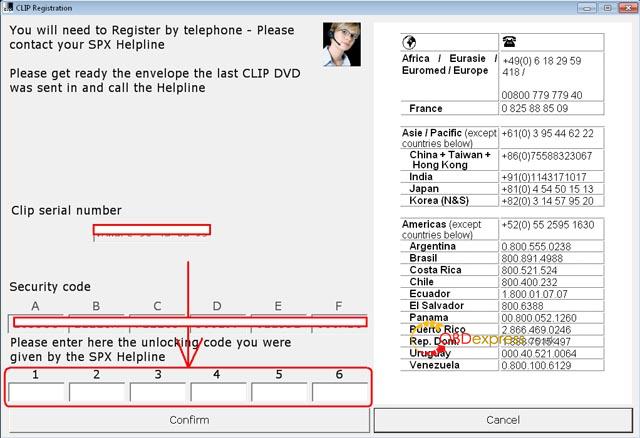
- Use this Key for Registration: 333DEF-111DEF-111DEF-222DEF-221DEF-000DEF
It will work till 31/12/2020
- Now as you are, RESTORE your original RSWin.exe and REMOVE the patched one!
(Just keep a backup from the patched file somewhere…)
- From your Desktop anymore, run your CLiP, accept the Terms and CLiP it will load.
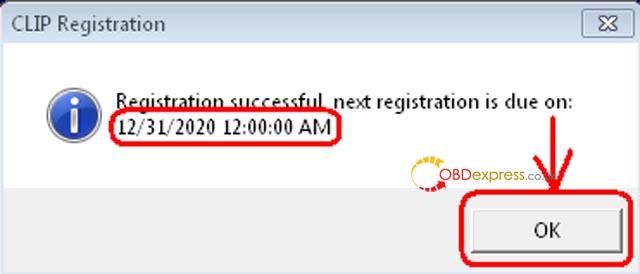
Done! 🙂
Enjoy!
