




The DIAGXT T80 Universal Oscilloscope is engineered for automotive technicians. It simplifies complex diagnostics with an intuitive interface, allowing you to quickly capture, store, analyze, and even modify vehicle signals and CAN bus data. This guide provides clear instructions to help quickly learn how to connect, set up and operate for efficient vehicle repair.
- Power On
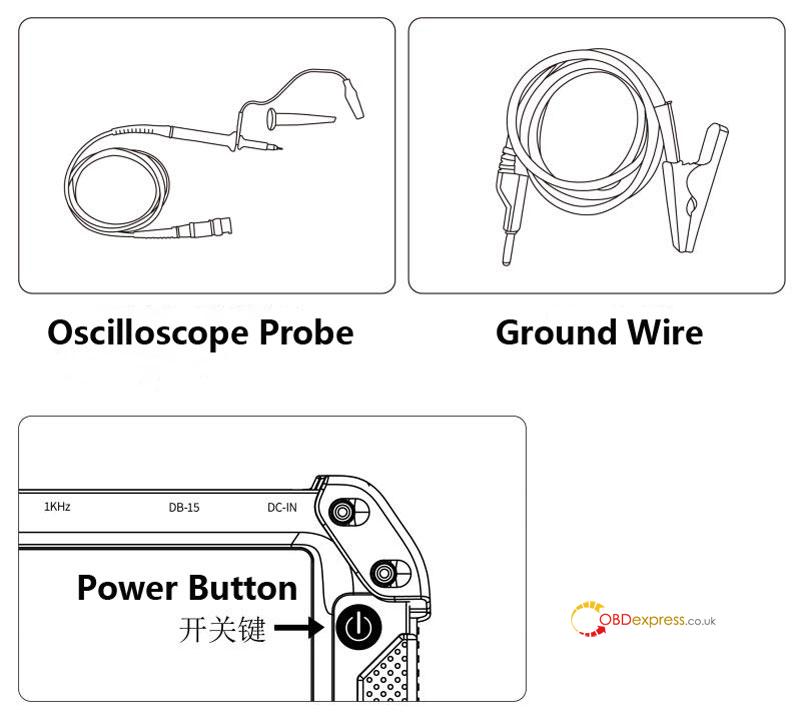
Press and hold the power button for about 3 seconds until you hear a beep, then release. The device will turn on automatically.
- Data Collection – Wire Connection Methods
Method 1: Using Probe & Ground Lead
- Connect the ground lead to the host’s ground port.
- Attach the alligator clip to a ground point (GND) or use the probe’s ground wire.
- Connect the DIAGXT T80 oscilloscope probe to the host.
- Attach the probe tip to the target circuit.
- Ensure the probe switch is set to X1 (factory default, do not change unless needed).
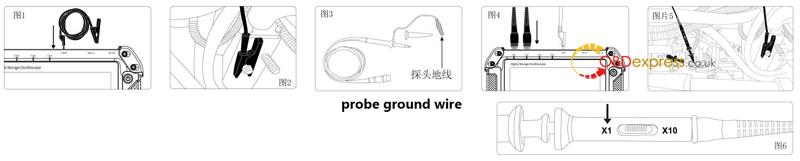
Method 2: Using Quick-Connect Cable
- Connect the quick-connect cable to the host.
- Attach the quick connector to the 4.0 wire tester.
- Match black to black and red to red.
- Remove the tester covers.
- Connect the black tester to one sensor wire and the red to the other (no left/right distinction).

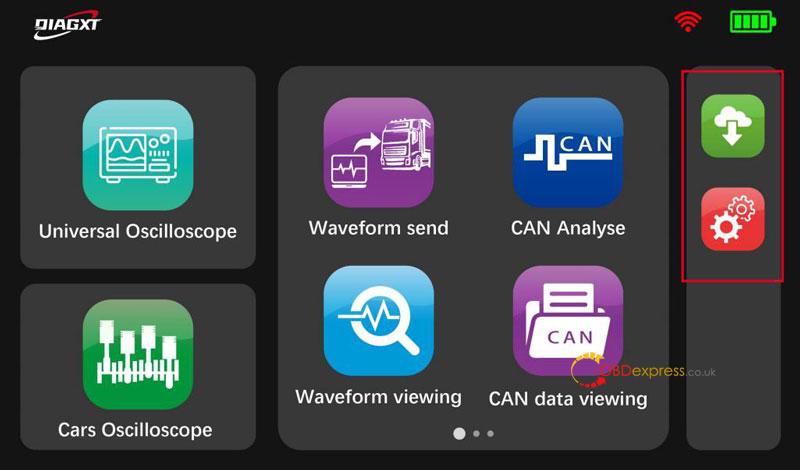
- Main Features
- Universal Oscilloscope – View waveforms
- Cars Oscilloscope – View automotive waveforms
- Waveform Send – Share waveform data
- CAN Analyse – Analyze CAN bus signals
- Waveform Viewing – Display captured waveforms
- CAN Data Viewing – Review CAN communication logs
*The Setting and Upgrade buttons are on the right side.
- Settings
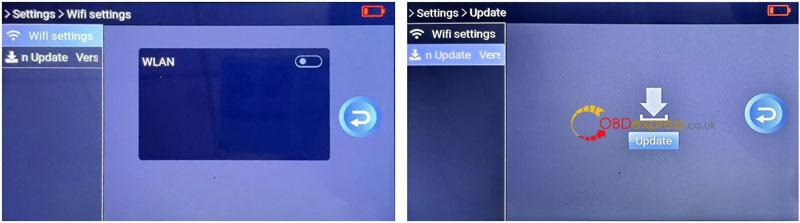
- WiFi & Update
Go to Settings > WiFi settings, connect to WiFi, then tap Update.
The update takes 3–5 minutes. The device will restart afterward.
- System Info
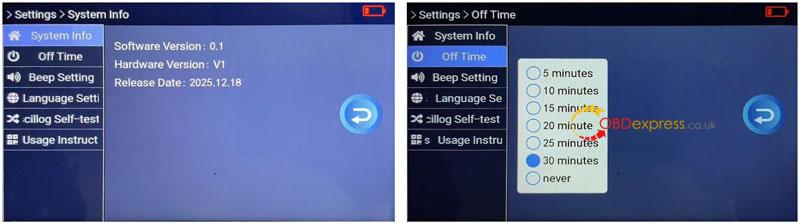
Settings > System Info shows:
Software Version, Hardware Version and Release Date.
- Auto Power Off
Settings > Off Time – Sets idle time before automatic shutdown.
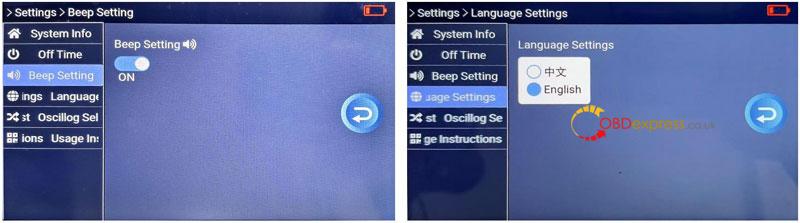
- Beep & Language
Beep Setting – Enable/disable button sounds.
Language Setting – Switch between English and Chinese.
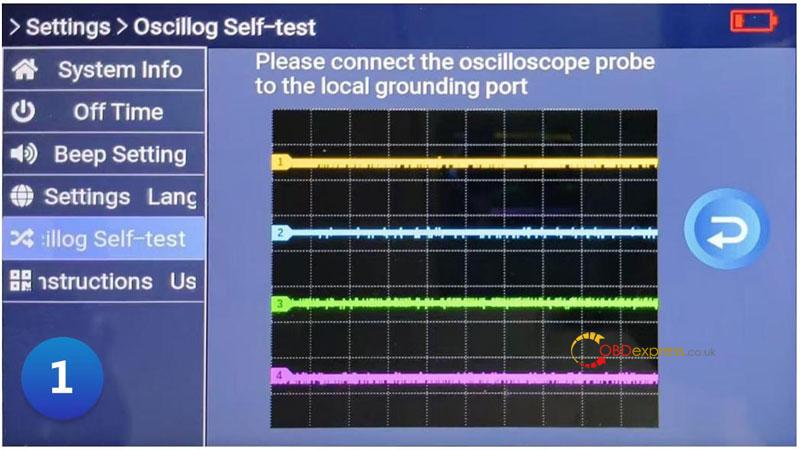
- Oscilloscope Self-Test
Used to verify the device and probes are working correctly:
- Go to Settings > Oscillog Self-test.
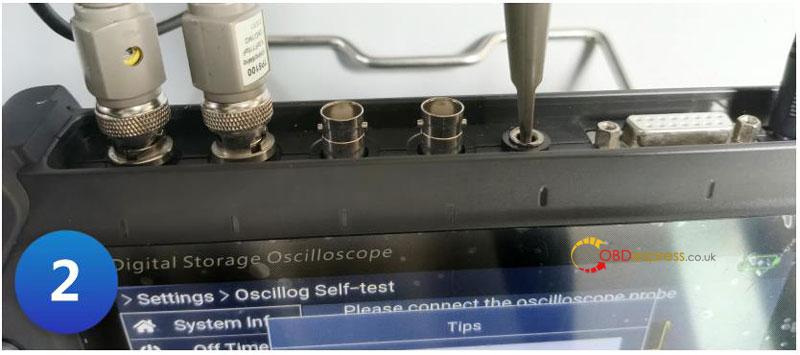
- Connect a probe to CH1 and insert it into the ground port.
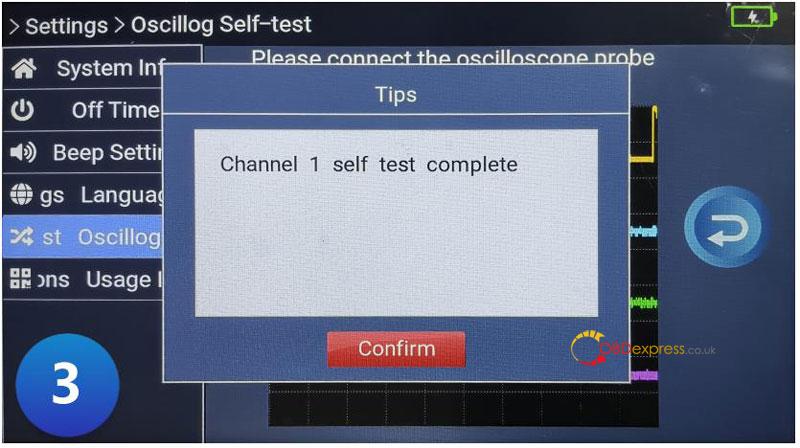
- If functioning properly, the screen will show “CH1 Self-Test Successful”.
- Repeat for other channels using the same method.
Note: Keep probes in X1 mode unless advanced measurement is required. Ensure proper grounding for accurate readings.