




Some customers reported that OBDSTAR C4-08 Adapter Kit is out of stock. OBDSTAR has updated and modified its VGS4 TCU software functions and menus, eliminating the need for that specific adapter.
Instead, depending on whether you are working in Bench or Jtag mode, you will use alternative cables and setups:
For VGS4-500-NAG2 Gearbox
- Bench Mode: Instead of the old adapter, use OBDSTAR TCM-014 bench fast cable. This allows you to perform Read Data, Data Transfer (Personalization), and Write VIN functions.
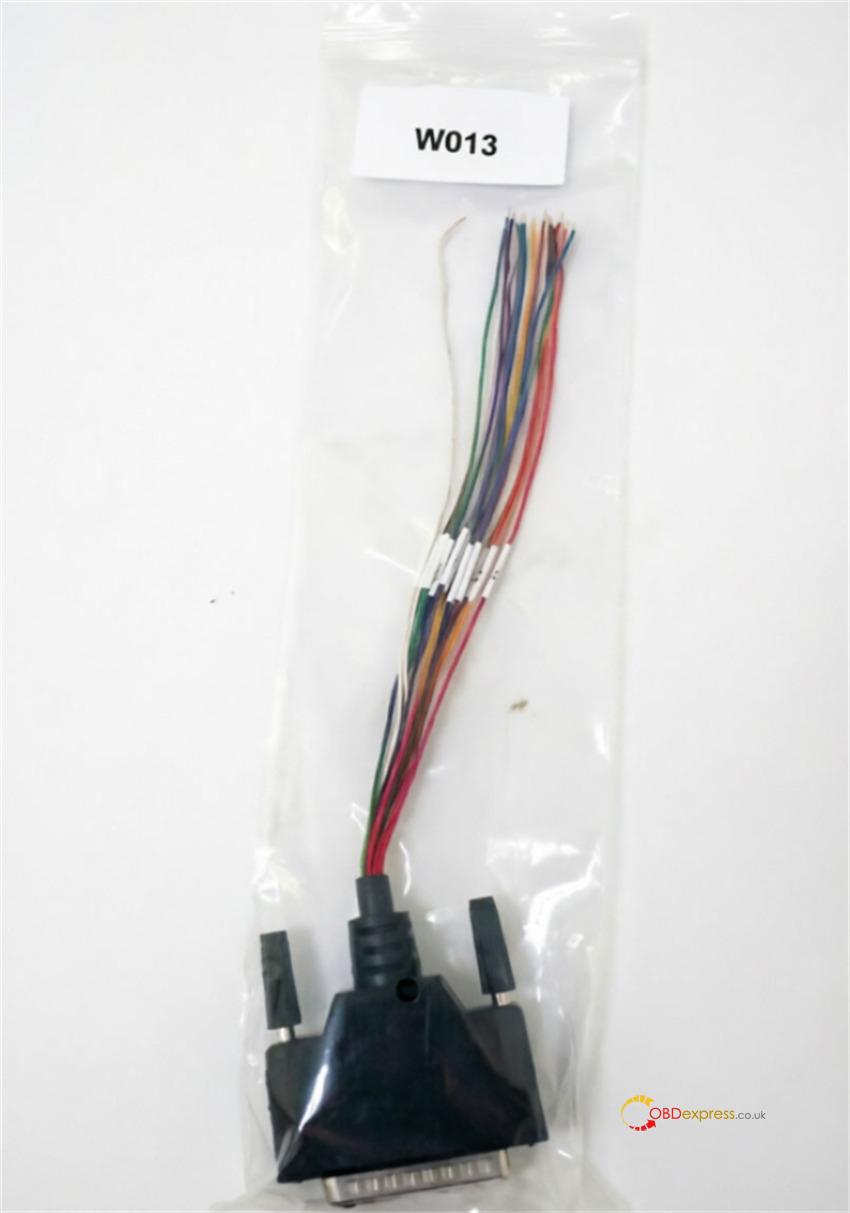
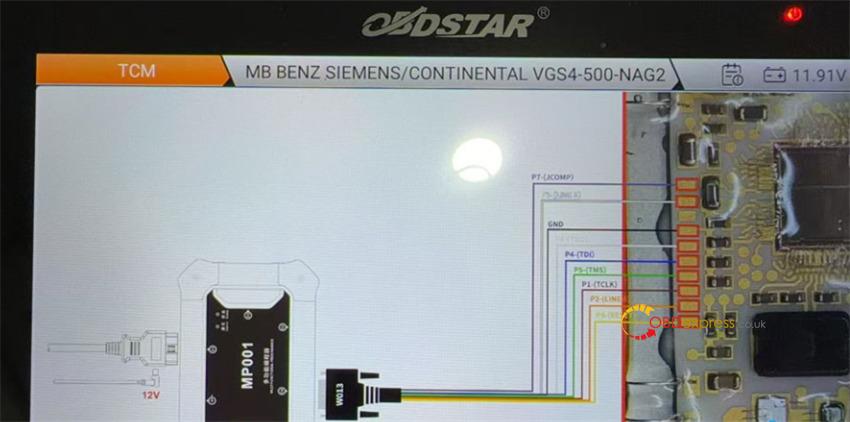
- Jtag Mode: Simply use W013 cable. Devices like OBDSTAR G3 or DC706 will provide the correct wiring diagram directly on-screen. In Jtag mode, you can perform Read Data, Virgin (Renew), Data Transfer (Personalization), and Write VIN functions.
For VGS4-0-NAG2 Gearbox (Alternative)
If you ever need to work on the VGS4-0-NAG2 variant, the updated requirements are:
- Bench Mode: Use OBDSTAR TCM-012 Connector for a no-soldering solution to reset/virginize the TCU via OBD or Bench.
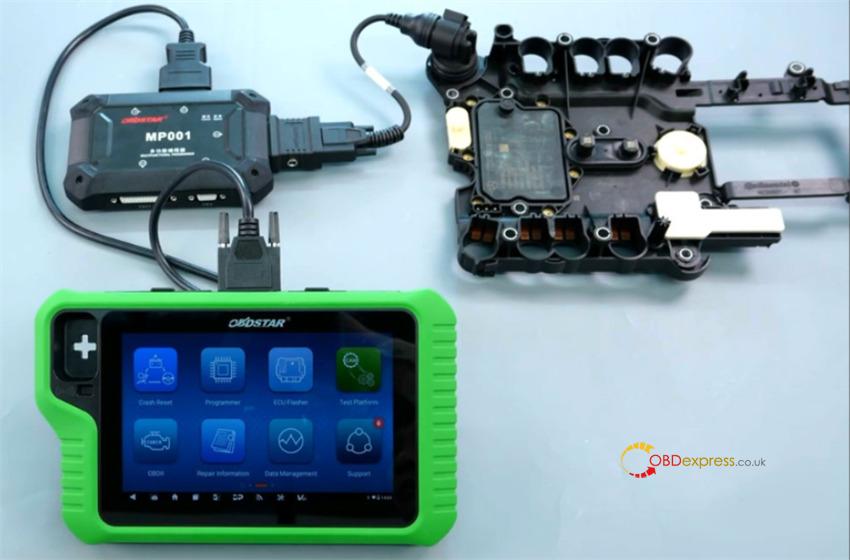
- Jtag Mode: Use C4-07 adapter kit if you need to transfer VGS4 data.
Summary of Compatible Tools for VGS4
If you are looking for alternative hardware tools that support VGS4 functionality, the following tools are confirmed or noted in the industry:
- OBDSTAR DC706 (Confirmed)
- Autel IM508S / IM608 PRO II (Recently updated/confirmed)
- LAUNCH X431 X-PROG3 (Confirmed)
(Visited 80 times, 1 visits today)
