






If you need to copy NXP NCF29 series smart keys but are looking to avoid delicate soldering work, Yanhua NXP29XX Smart Key Reader is your core solution. This powerful tool provides a direct way to clone key data for a massive variety of global vehicle and motorcycle brands without soldering jumper wires or using manual pin leads. This simple, professional process is both safer for the components and significantly faster. Here is a clear, step-by-step walkthrough to get the job done right.
Preparation Checklist
Before you begin, gather the following essential tools:
- Yanhua Smart Key Reader with its dedicated LF Adapter
- QNF32 ICT Test Socket
- A Working Original Key and a suitable blank Target Key (OEM or Universal)
- Magnetic Pillars & Screws to hold the board steady
Your 7-Step Workflow for Key Duplication
Here is the straightforward workflow to perfectly clone your key.
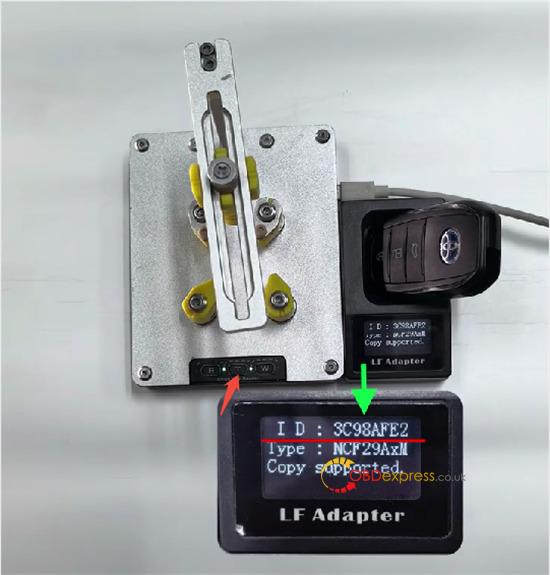
Step 1: Check the Original Key.
Start by putting the working original key in the reader slot and pressing the T button.
Check the key information displayed on the screen.
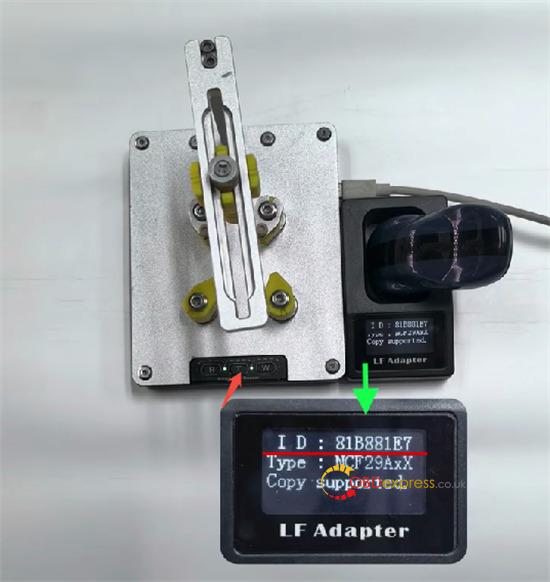
Step 2: Check the Blank Key.
Place your empty new (blank) key in the slot.
Press the T button to see its initial state and confirm it is ready for the task.
Step 3: Set Up the Board.
- Take the original key shell off. Find Pin 1 of the NCF chip.
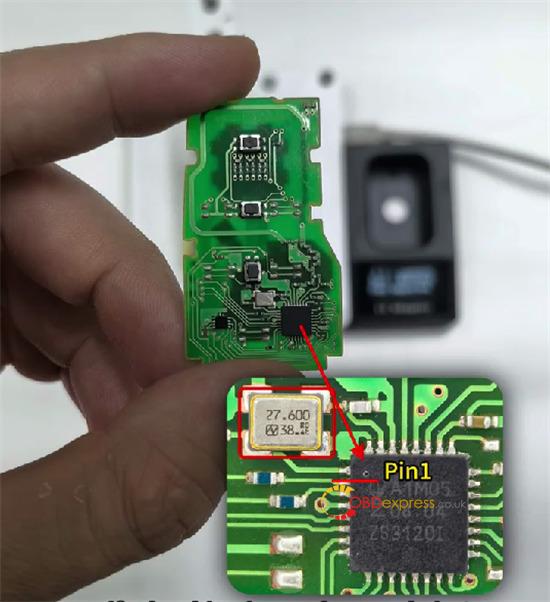
- Use the magnetic pillars to secure the PCB to the reader base. Tighten the screw at a point away from the chip.
- Correct Orientation: Make sure Pin 1 faces the front-left. Add other magnetic pillars to fully stabilize the board.
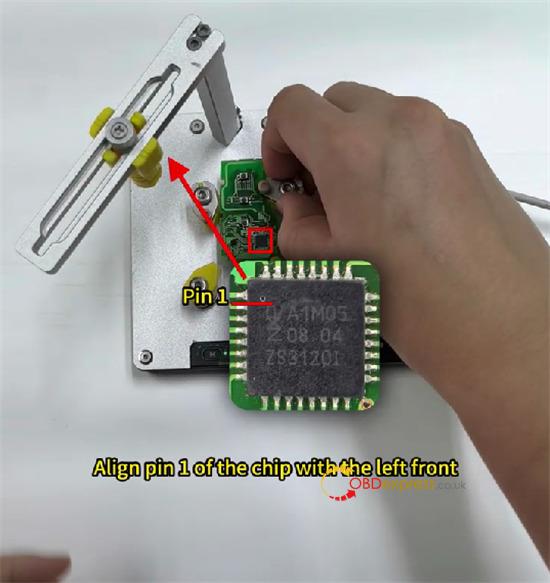
Step 4: Lock Down the ICT Socket.
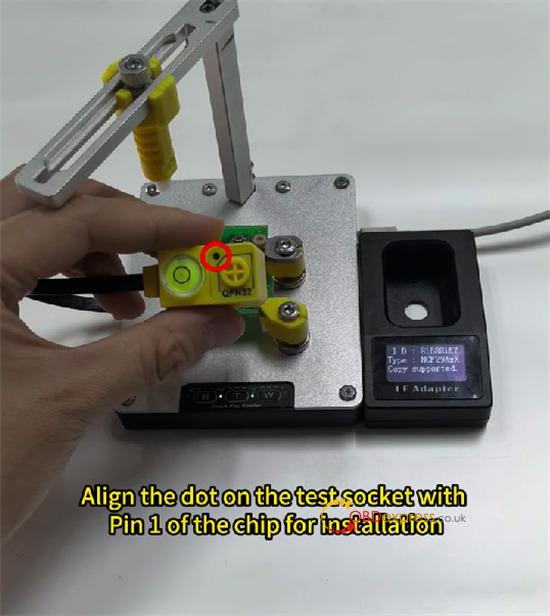
- Connect the QNF32 test socket to the reader. Align the dot on the socket with the chip’s Pin 1.
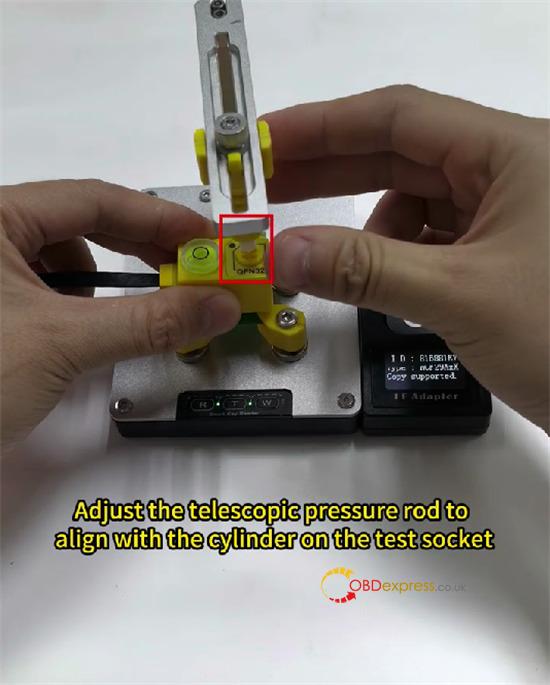
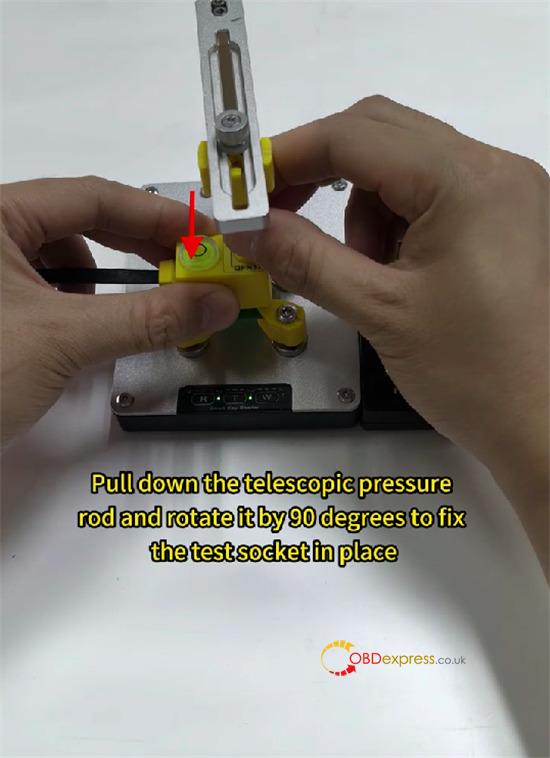
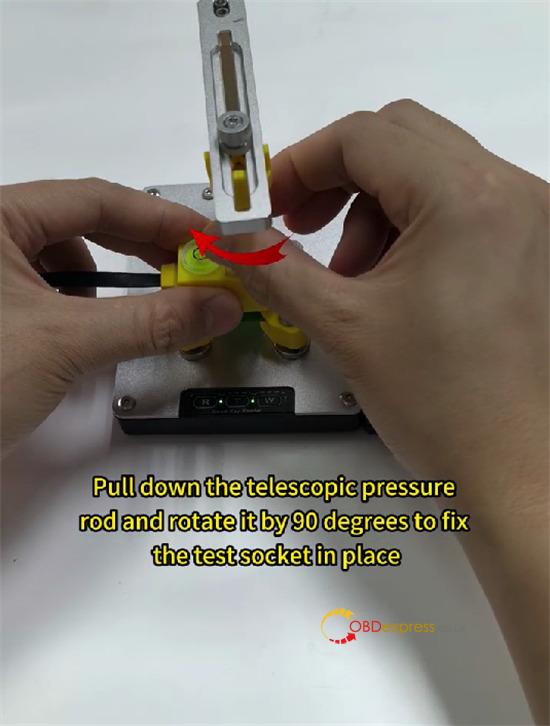
- Move the swing arm over the socket. Adjust the pressure rod, press down, and rotate it 90 degrees to lock the socket over the chip.
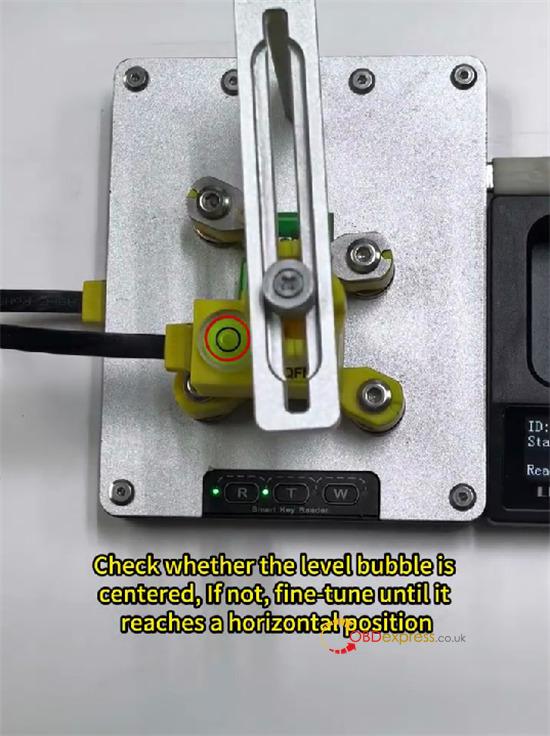
Step 5: Record the Original Key Data.
When everything is locked in place, press the R button.
The device will read the key’s information and display a completion message.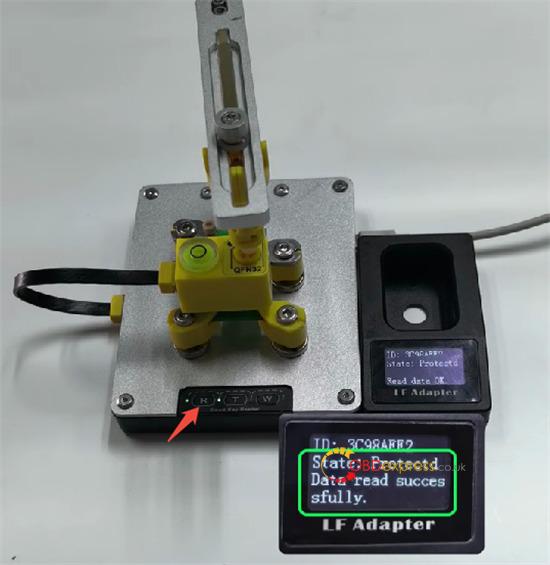
Step 6: Copy Data to the New Key.
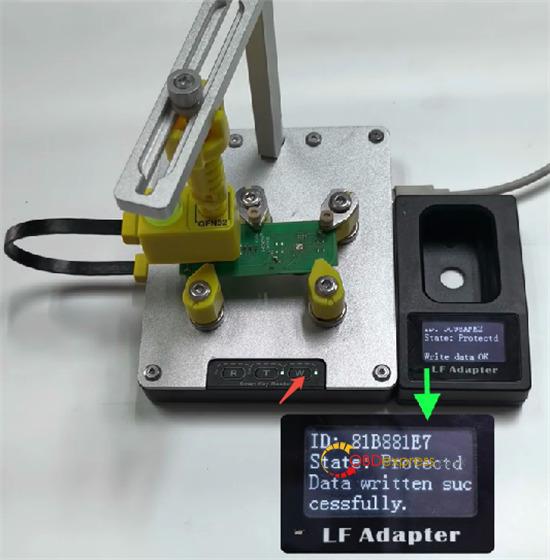
- Remove the original PCB. Put the blank key PCB on the reader, keeping Pin 1 front-left. Use the same method to lock the QNF32 socket over the chip.
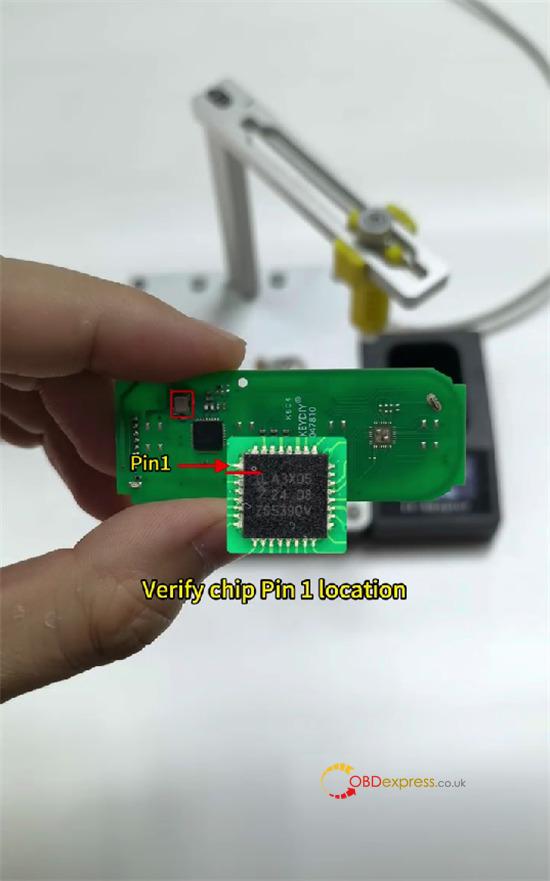
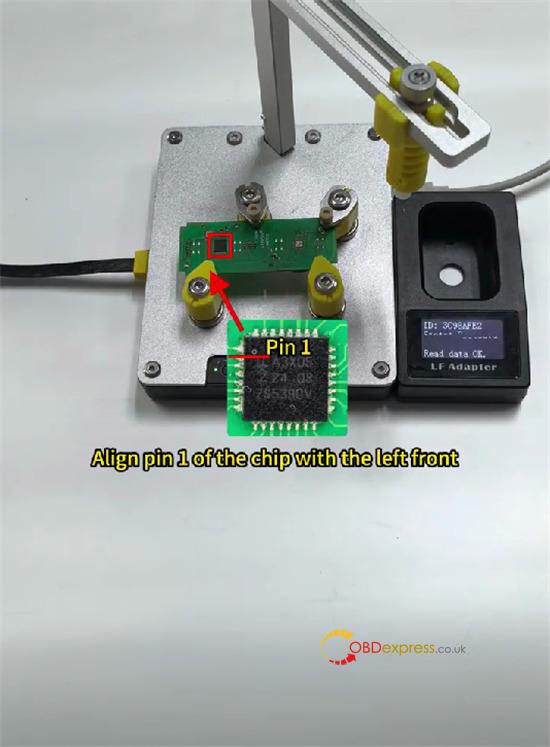
- Press the W button. A success message on the screen will confirm that the key data has been written to the new key.
Step 7: Verify the Clone.
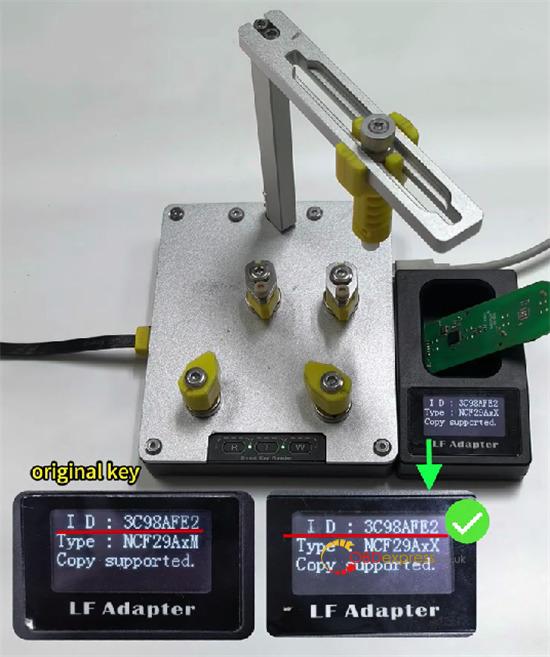
For a final check, put the newly programmed blank key into the reader’s LF adapter.
Press the T button. Compare the new Key ID on the screen to the original key ID; they should be an exact match. 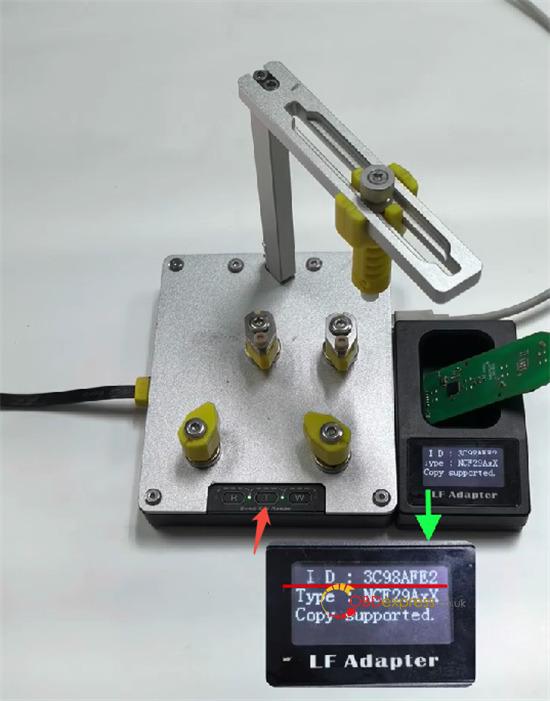
Using this efficient, results-focused method with Yanhua Smart Key Reader makes copying NXP NCF29 keys a safe and profitable service, getting your customers back on the road faster.
Read also:
