



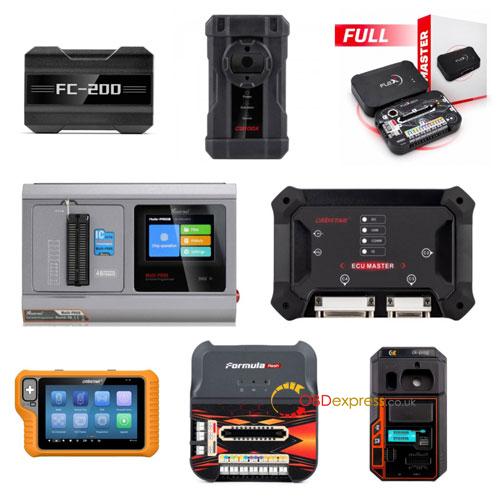
Choosing between automotive ECU programmers from brands like CGDI, OBDSTAR, Xhorse and MAGIC MOTORSPORT can be tricky, as each tool is designed for different programming tasks. This comparison highlights what each tool does best and helps you choose the right one for your workshop.
- Quick Comparison: 8 Automotive Programmers
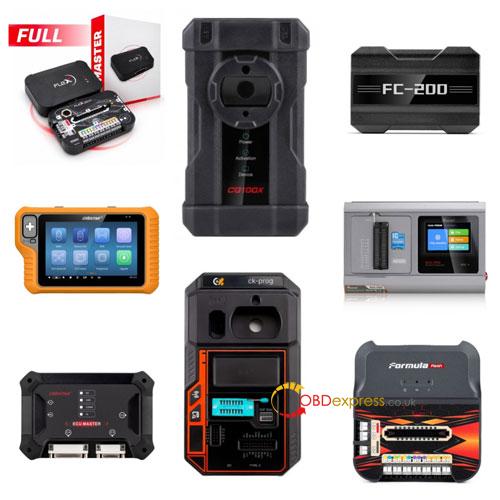
| Programmer | Best For | Main Functions | What to Check Before Buying |
| CGDI CG100X | Instrument cluster and airbag repair | Instrument cluster, airbag, EEPROM/chip and selected body module data processing | Supported modules and functions |
| CGDI FC200 | ECU/TCU repair and cloning | ECU/TCU reading, writing, backup and cloning | ECU/TCU hardware number, processor, OBD/Bench/Boot support and disassembly requirements |
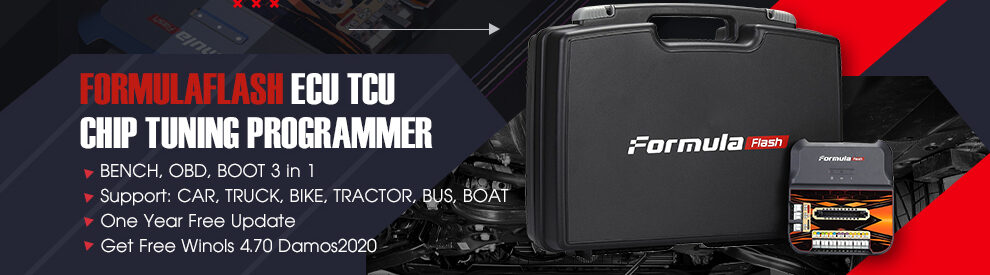
| FormulaFlash | ECU/TCU programming and tuning | ECU/TCU data reading and writing through supported protocols and connection methods | Protocol coverage, software packages, Master/Slave version, update costs and wiring harnesses |
| FLEX Master | ECU/TCU programming and tuning | ECU/TCU reading and writing via OBD, Bench and Boot, depending on software package | Protocol coverage, software package, Master/Slave status, update policy and cloud service requirements |
| OBDSTAR X300 Classic G3 | Key programming and IMMO | Add Key, All Keys Lost, chip identification, related IMMO functions, instrument cluster repair, airbag repair and test platform | Vehicle/year and immobilizer coverage, adapters and authorization |
| OBDSTAR ECU Master | ECU, TCU and module programming | Different programming functions through A/B/C/D configurations | Main unit and software authorization differences, required configurations and supported functions |
| Xhorse Multi-Prog | EEPROM, MCU and module programming | Data reading and processing for EEPROM, MCU and selected ECU, instrument cluster, immobilizer and transmission modules | Chip/module compatibility, adapters and wiring diagrams |
| CK-PROG | Chip and module data programming | EEPROM, MCU and selected module data reading/writing | Supported chips, fixtures, adapter boards and software versions |
Important: These tools cover different jobs. Key programming, ECU/TCU programming and chip-level data processing are not interchangeable. A supported connection method does not automatically mean every vehicle or module is supported.
- Key Differences Between Similar Tools
Both are CGDI products, but they target different repair jobs:
- CGDI CG100X: Focuses on instrument clusters, airbags, EEPROM/chip data and selected body module processing.
- CGDI FC200: Handles engine ECU and transmission TCU reading, writing, backup and cloning.
Which should you buy? Choose CG100X for automotive electronics repair or FC200 for ECU/TCU work. Check the supported module list for CG100X and the ECU/TCU hardware, processor and connection requirements for FC200.
OBDSTAR X300 Classic G3 vs. OBDSTAR ECU Master
These two OBDSTAR products serve different purposes:
- X300 Classic G3: Primarily for key programming and IMMO, including Add Key, All Keys Lost and chip identification. It also supports instrument cluster repair, airbag repair and a test platform.
- ECU Master: A separate product line for ECU, TCU and module programming through different A/B/C/D configurations.
Which should you buy? Choose X300 Classic G3 for locksmithing and key programming, or ECU Master for ECU/module work. Before buying ECU Master, check what is included with the main unit and which A/B/C/D configurations require separate authorization. Do not assume all configurations are included.
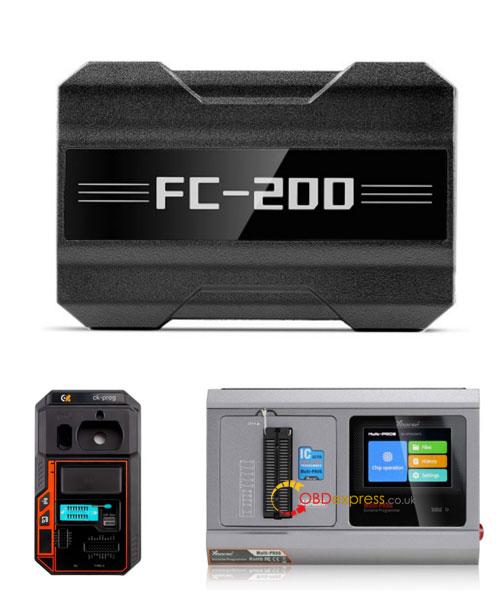
Xhorse Multi-Prog vs. CGDI FC200 vs. CK-PROG
These three tools cover different aspects of chip and module programming:
- Xhorse Multi-Prog: EEPROM, MCU and selected ECU, instrument cluster, immobilizer and transmission module data processing. Requires corresponding adapters and wiring.
- CGDI FC200: Focuses on ECU/TCU reading, writing, backup and cloning.
- CK-PROG: Handles EEPROM, MCU and selected module data reading/writing within its supported list.
Which should you buy? Consider Multi-Prog or CK-PROG for chip and module data work, and FC200 for ECU/TCU programming. Compare supported chip/module models, wiring solutions, adapters and software versions. Reading chip data does not necessarily mean all functions of the complete module are supported.
Both are professional ECU/TCU programming and tuning tools. Their practical differences depend on protocols, software packages and connection methods.
Before choosing, compare:
- Protocol coverage: Supported ECU/TCU models and operations.
- Connection methods: OBD, Bench and Boot support.
- Software options: Packages and Master/Slave versions.
- Additional costs and requirements: Update fees, wiring harnesses and, for FLEX Master, cloud service requirements.
Do not assume that supporting the same connection method means both tools support the same ECU or programming functions.
- Which Automotive Programmer Should You Buy?
Match the tool to the work your workshop handles most often:
| Your Main Work | Recommended Tools |
| Key programming, Add Key and All Keys Lost | OBDSTAR X300 Classic G3 |
| Instrument cluster, airbag and body electronics repair | CGDI CG100X |
| ECU/TCU reading, writing, backup and cloning | CGDI FC200, FormulaFlash, FLEX Master |
| Professional ECU/TCU tuning | FormulaFlash, FLEX Master |
| EEPROM, MCU and chip-level module work | Xhorse Multi-Prog, CK-PROG |
| Configurable ECU, TCU and module programming | OBDSTAR ECU Master |
If your workshop handles both key programming and ECU repair, you may need separate tools for these different jobs. Do not expect one programmer to cover every workflow.
- Before You Buy: Quick Checklist
Before placing your order, confirm:
- Vehicle: Brand, model and year.
- Hardware: ECU/TCU part number, hardware number or chip model.
- Operation: Add Key, All Keys Lost, reading, writing, cloning or module repair.
- Connection: OBD, Bench or Boot; check whether disassembly or soldering is needed.
- Accessories: Required adapters, fixtures and wiring harnesses.
- Software: Included configurations, additional authorization, subscriptions and update costs.
Final Advice: Always check the manufacturer’s latest official support list for your exact vehicle, ECU, module or chip. General product descriptions alone cannot confirm that a specific operation is supported.
