



EoneBoss ED01 Adapter is a new tool for reading and cloning JLR smart key data. This guide shows how to clone a 2018+ JLR smart key and transfer the lost key’s ID and position to a replacement.
Before You Start
- Download and install the EoneBoss app by scanning the QR code.
- Connect ED01 to a power source via USB and enable Bluetooth on your phone.
- Open the EoneBoss app and follow the on-screen instructions to complete the setup.

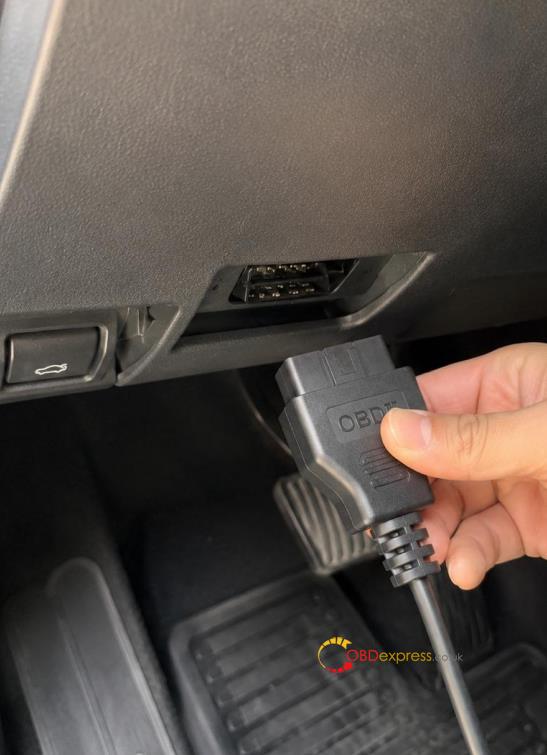
- Record the Original Key ID & Position
Use an OBD device to read and record the unusable original key’s ID and corresponding key position. You will need both details when setting up the replacement key.
- Remove the Original PCB and Connect the Adapter
Open the shell of an existing original key, remove the PCB, and place it on the DP-01 adapter.
- NCF29A4: Read the chip directly through the adapter.
- NCF29AF: Remove the chip from the original key, solder it onto the Off-Board Read Adapter, and read the data.
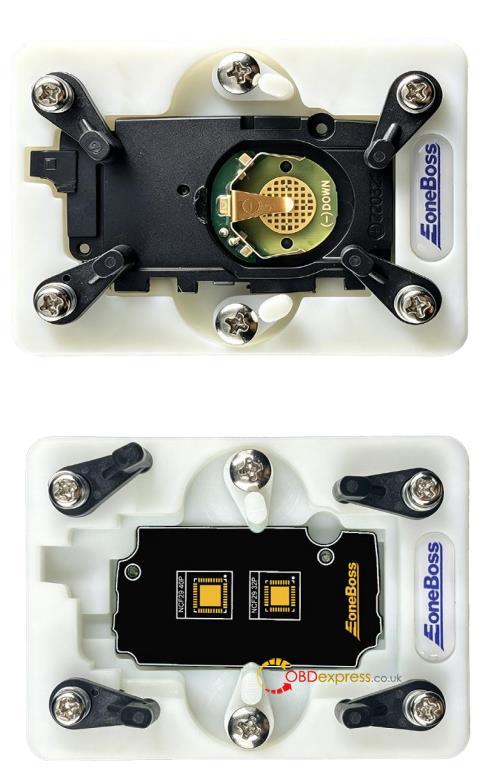
- Read the Chip Data & Set Key Information
In the EoneBoss app, read and process the original NCF29A4/F chip data. Once the chip is identified, enter the replacement key information:
- Enter the 8-digit Key ID recorded in Step 1.
- Select the corresponding Key Position (Position 1–8).
Make sure the ID and position match those recorded from the unusable original key.
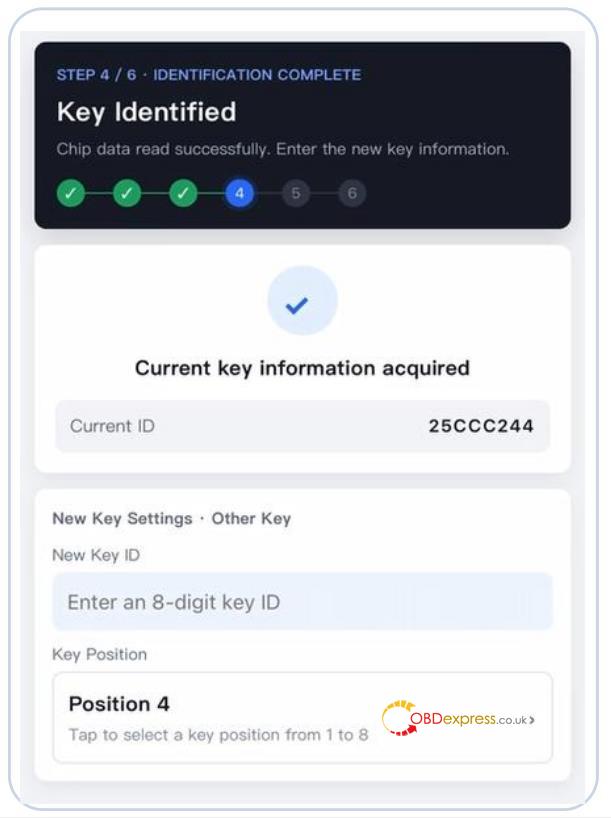
- Write Data to the New Key
Write the processed original key data to the replacement key.
Compatible keys:
- Original JLR smart keys.
- EoneBoss EJLR high-trim smart keys for the latest models.
The new key will take the lost key’s ID and position, avoiding an ID conflict with an existing key. Its functions, including UWB, will work normally after writing.
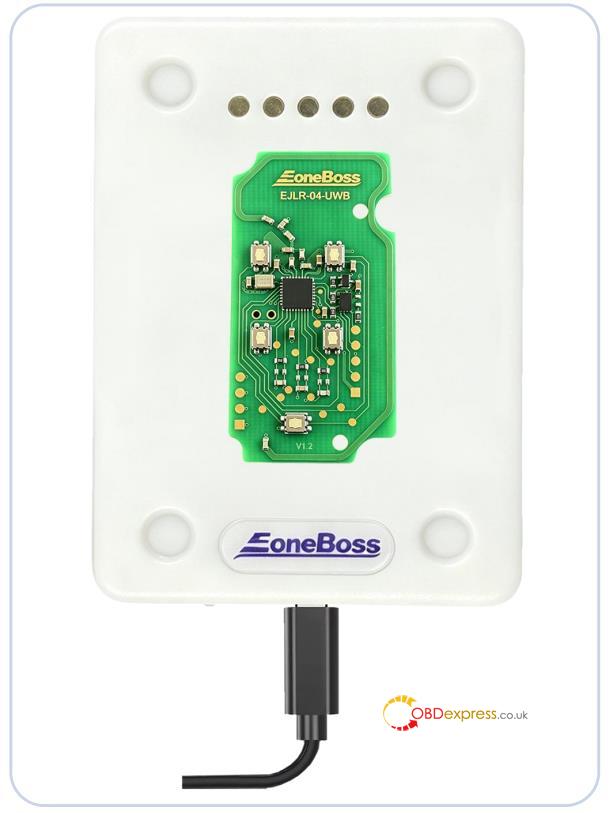
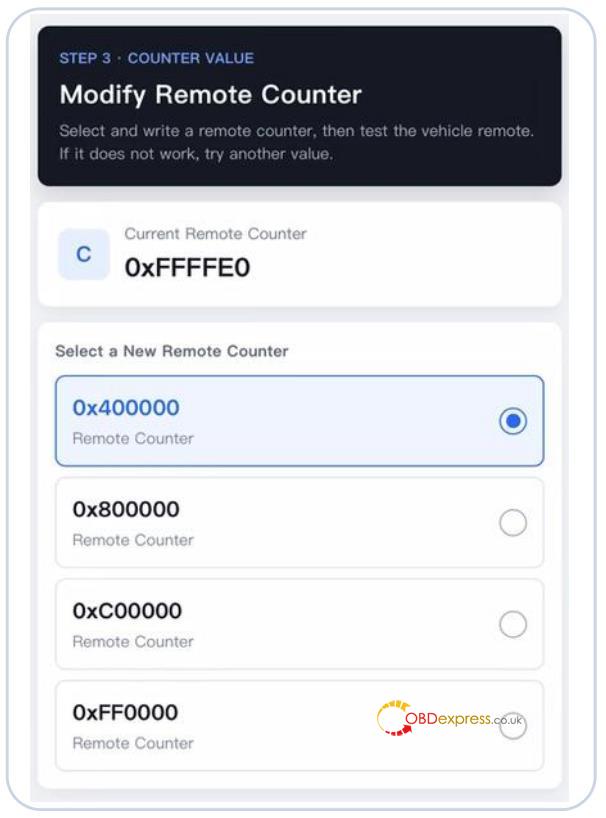
- Adjust the Remote Counter if Needed
- If the remote functions do not work properly after cloning, adjust the remote counter to match the vehicle.
- Select and write a new counter value in the app, then test the remote. If it still does not work, try another value.
Note: For OEM keys, remote counter adjustment is available only after copying is completed with EoneBoss ED01.