




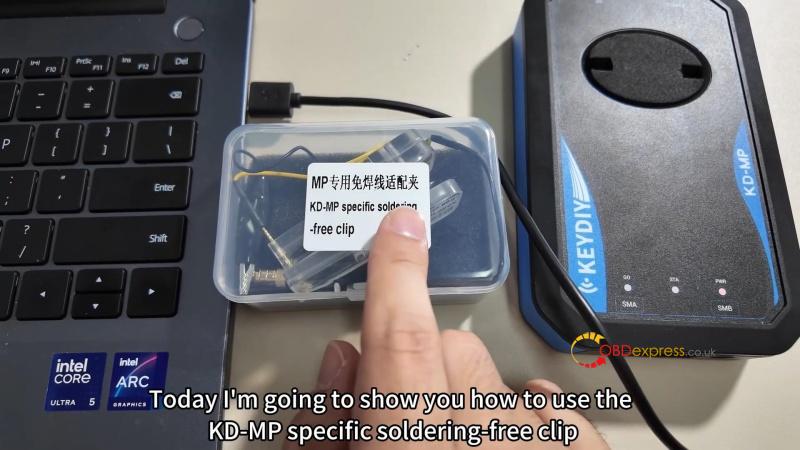
The KEYDIY KD-MP Soldering-Free Wire Adapter Clip is designed for seamless integration with the KEYDIY KD-MP IMMO Tool, enabling efficient and solder-free reading of MQB and MLB original keys. This guide provides clear, step-by-step instructions for setup and operation.
What You Will Need
Compatible PC software (MLB interface)
Original MQB or MLB Key PCB
Step-by-Step Instructions
- Unpack the Clip
Open the package and remove the soldering-free clip.
- Prepare the PCB
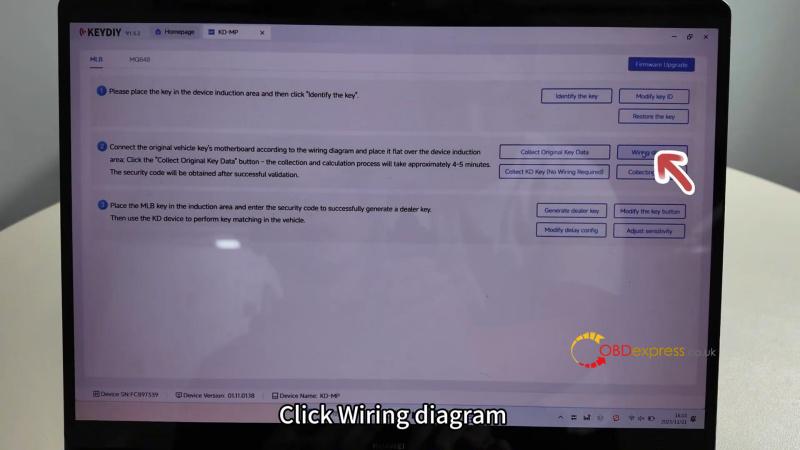
- Open the PC software and navigate to the MLB interface.
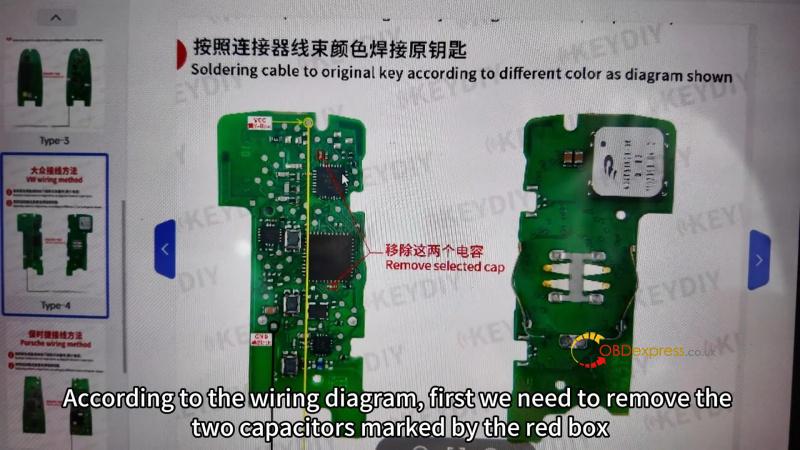
- Click “Wiring Diagram” and locate the diagram for your key model.
- Remove the two capacitors marked in the red box on the diagram.
- Attach the Clip
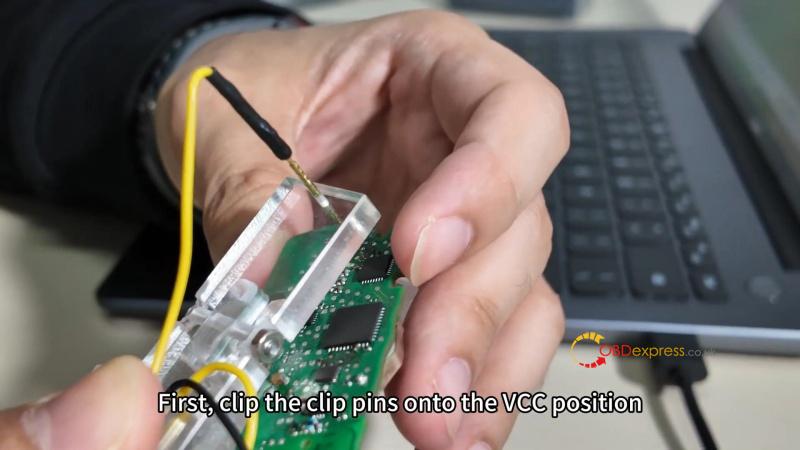
- Clip the red pin onto the VCC position (marked with a yellow circle).
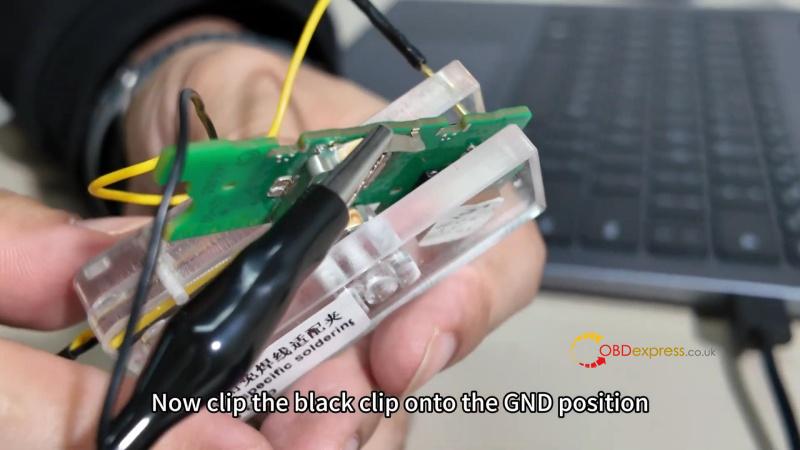
- Attach the black pin to the GND position (marked with a black circle).
- Connect to KD-MP Tool
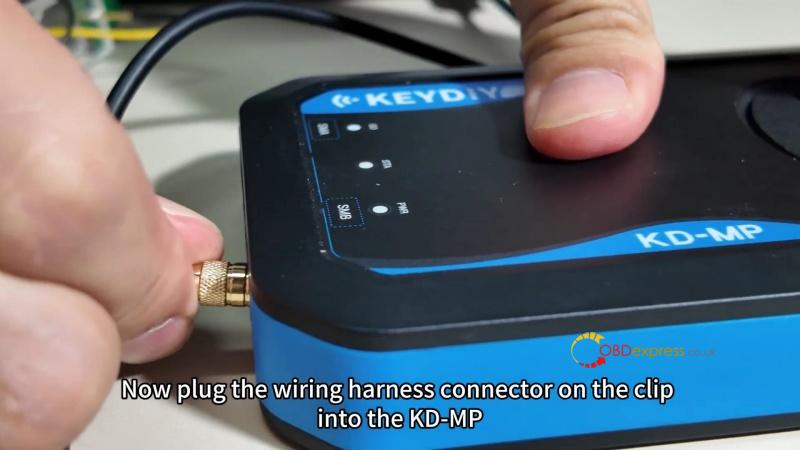
- Plug the clip’s wiring harness into the KD-MP device.
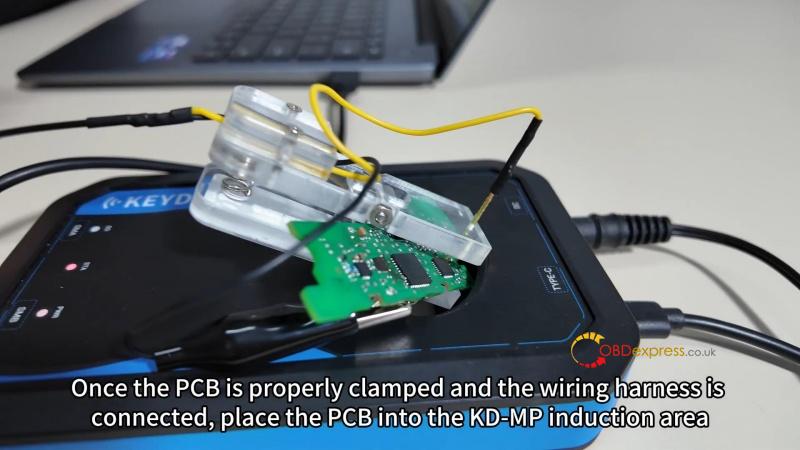
- Ensure the PCB is firmly clamped and the connections are secure.
- Place PCB for Reading
Position the PCB within the KD-MP induction area.
- Read Key Data
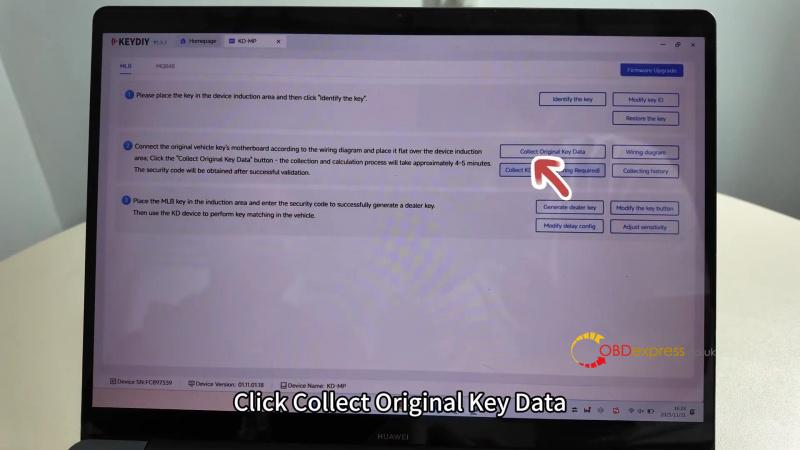
- In the software, click “Collect Original Key Data”.
- Follow the on-screen prompts to complete the process.
Notes
- Always verify the wiring diagram specific to your key model.
- Ensure stable connections before proceeding with data collection.
- This clip is compatible with MQB or MLB Smart Keys and is intended for use with the KEYDIY KD-MP system.
This guide is optimized for clarity and ease of use, supporting professionals in automotive key programming for VW, Audi, and other MQB/MLB platform vehicles.
(Visited 212 times, 1 visits today)
