Programming a new VW, Audi, or Porsche 5C/5D (MQB49) key is now streamlined with the Yanhua Mini ACDP 2 and Module 44. This guide provides a professional, step-by-step walkthrough for adding a key using a combination of OBD and ICP modes.
Initial Setup & Connection
Before starting, ensure your hardware is properly connected to avoid data interruptions.
- OBD Connection: Plug the ACDP 2 into the vehicle’s OBDII port.
- Ignition: Turn the ignition ON; the instrument cluster must be active.
- App Binding: Open the ACDP app and verify the device is successfully bound in the top-right corner.
Check Video Tutorial
Step 1: Identify Vehicle & Key Data
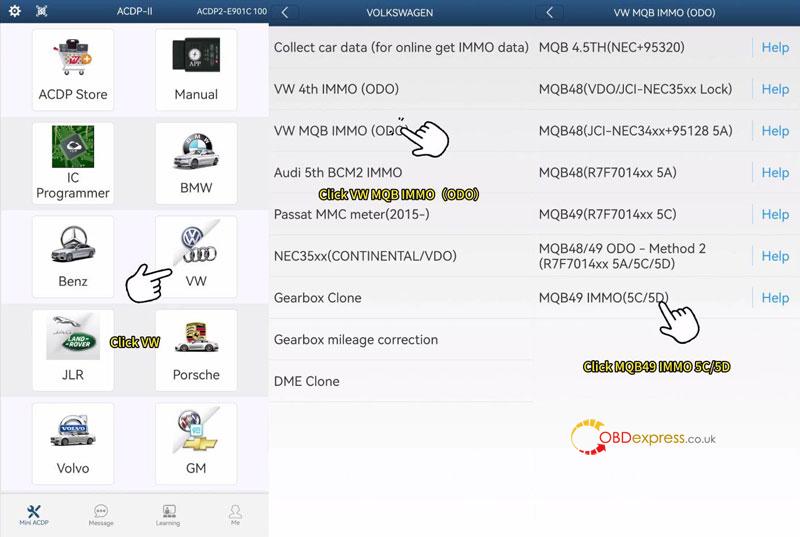
- Navigate Path: Go to VW > VW MQB IMMO(ODO) > MQB49 IMMO(5C/5D).
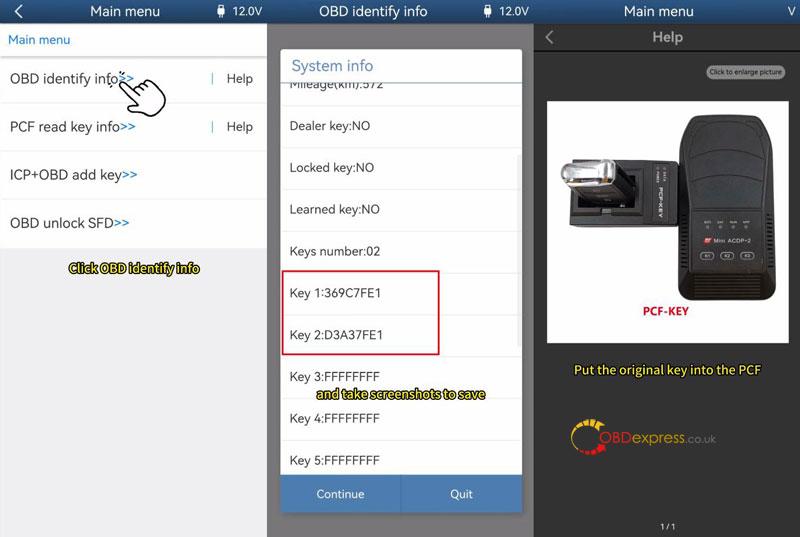
- OBD Identify: Select OBD identify info to verify car data. Tip: Screenshot the Key ID and quantity for later reference.
- Verify Original Key: Place the working key into the PCF adapter and select PCF read key info to confirm its ID.
Note: If prompted, perform a “PCF-KEY Upgrade” under Special Functions first.
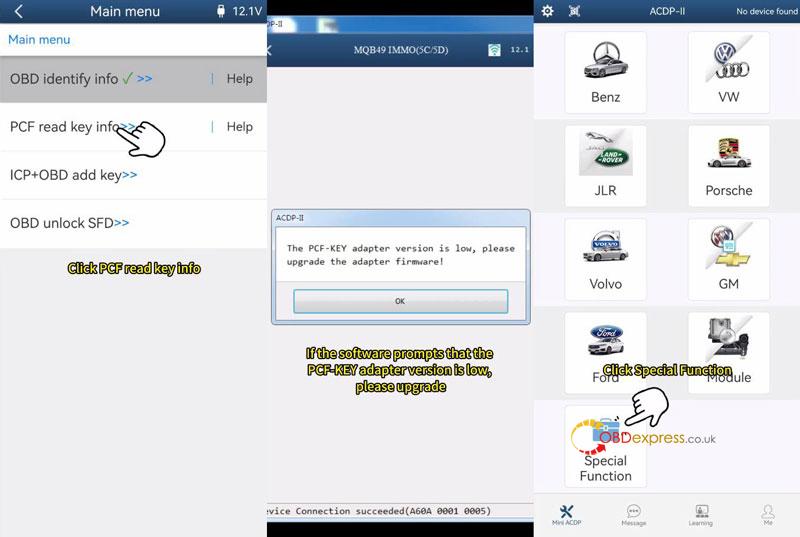
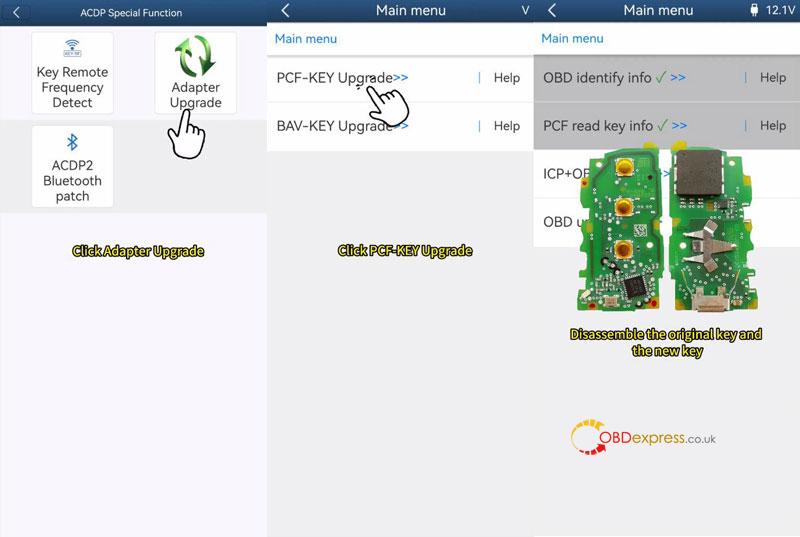
Step 2: ICP Data Reading & Dealer Key Preparation
This stage involves reading the internal data of the working key to prepare the new one.
- Disassemble Keys: Remove the circuit boards from both the original and the new blank key.
- Read Working Key: Connect the original key plate to the interface board and ACDP. Select ICP+OBD add key > VW 5C Magotan > Step 1: ICP read work key. Save the resulting .bin file.
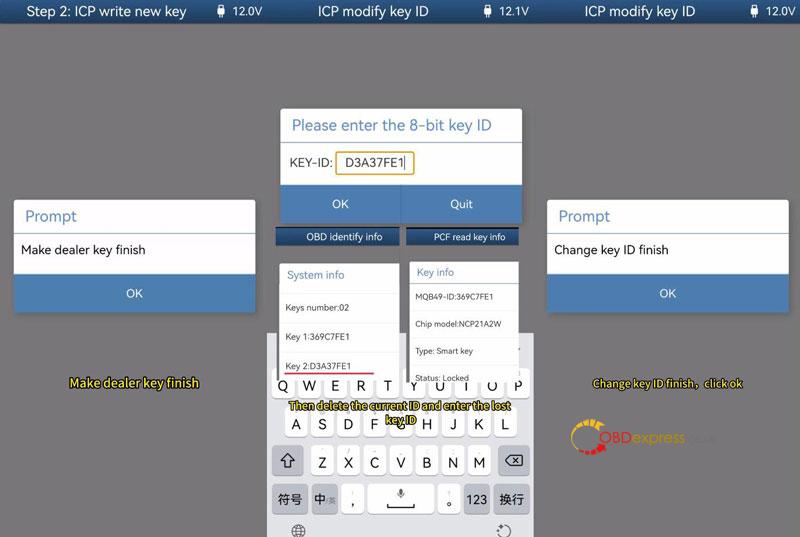
- Create Dealer Key: Replace the original plate with the new blank key plate. Select Step 2: ICP write new key, load your saved .bin file, and click Make dealer key.
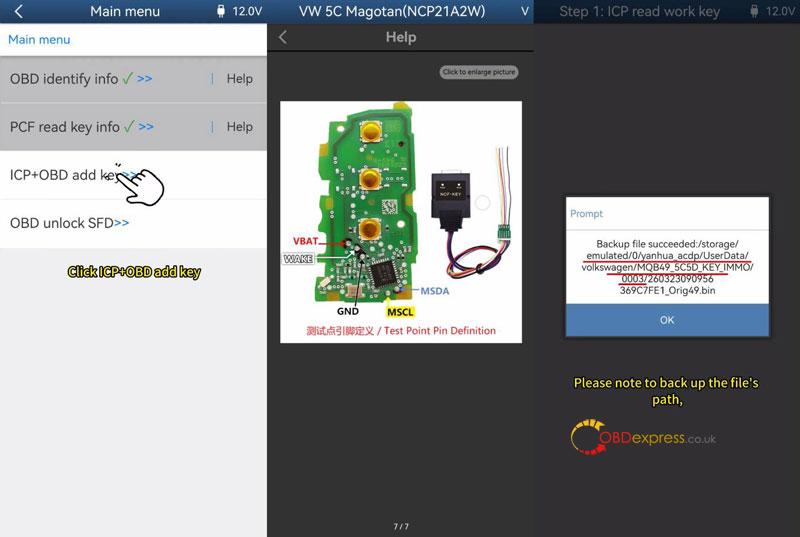
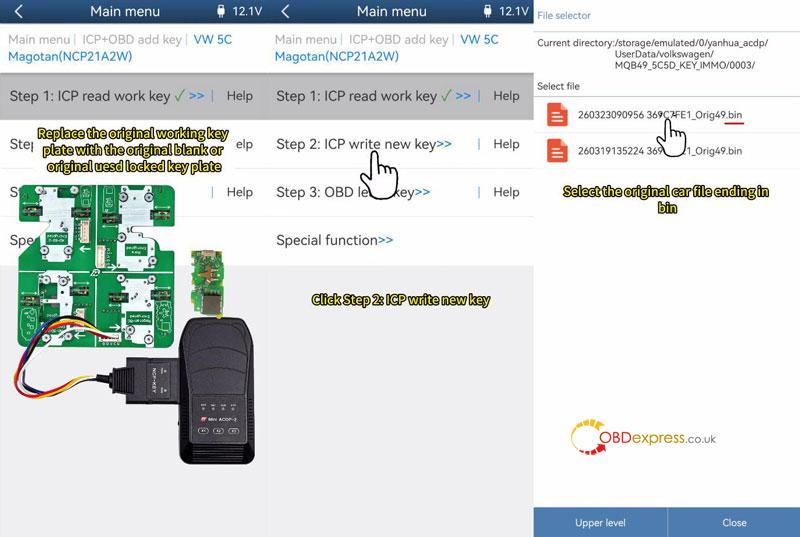
Step 3: Modify Key ID (Recommended)
To ensure future programming compatibility, it is best to align the new key ID with the vehicle’s records.
- Go to Special Function > ICP modify key ID.
- Enter a “lost” key ID from your earlier OBD screenshots.
- Warning: Do not modify it to match the ID of the currently working key.
Step 4: OBD Key Learning
The final step syncs the prepared keys to the vehicle’s immobilizer system.
- Restore: Reassemble the keys (with batteries), turn the ignition ON, and open the vehicle hood.
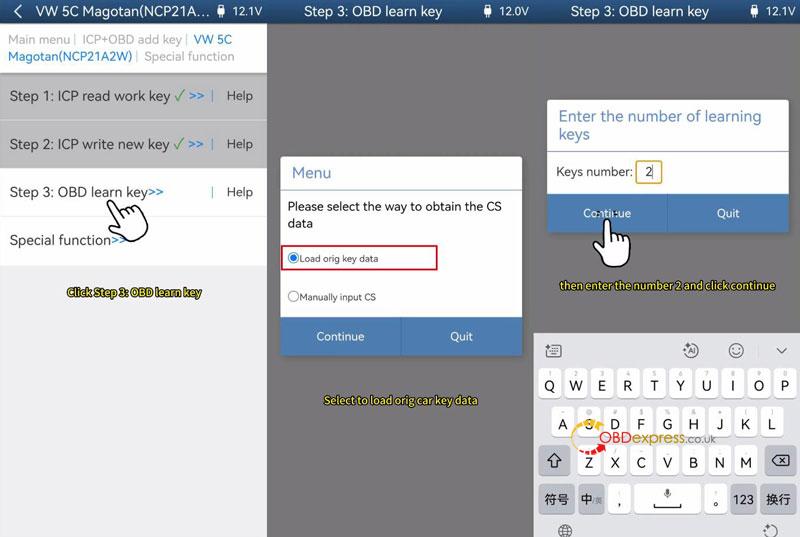
- Start Learning: Select Step 3: OBD Learn key and load the original car data file.
- Input Quantity: Enter the total number of keys (e.g., “2”).
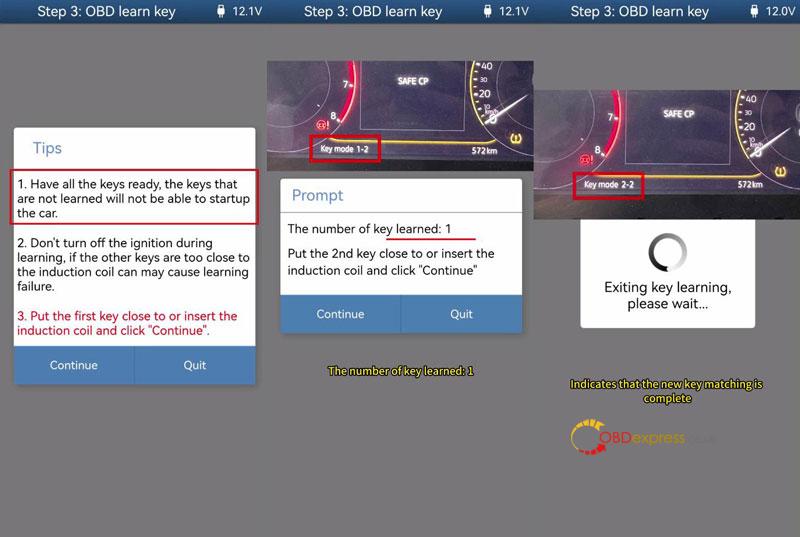
- Induction: Hold each key near the vehicle’s induction coil one by one as prompted.
- Confirmation: The dash will show the progress (e.g., 2-2). Test both keys for engine start and remote functions.