




How to use Yanhua ACDP2 to read and write 2022- DQ38x_GEN2 gearbox data?
ACDP Module 45 is required to access this functionality.
Preparation:
- Mini ACDP1 with ACDP1 Module 45
Or Mini ACDP2 with ACDP2 Module 45
- Android/IOS Smartphone/ tablet with installed ACDP APP
Steps to read and write 2022- DQ38x_GEN2 Gearbox:
Step 1 – Check Your TCU Type
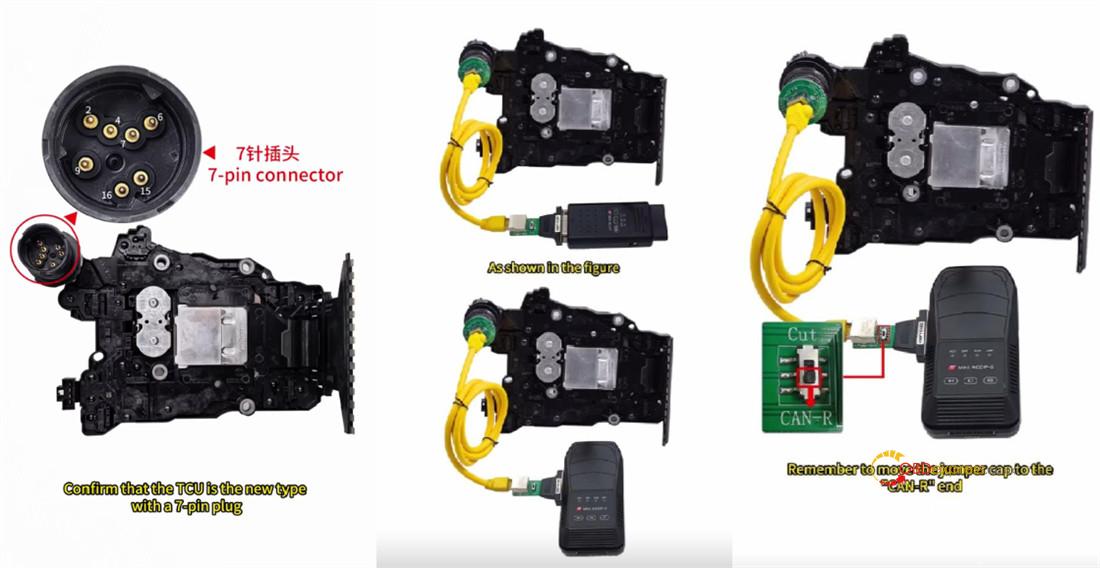
First things first – make sure you’ve got the new TCU with a 7-pin connector.
❌ Older gearboxes? They use a different hookup and won’t work here.
Step 2 – Hook Everything Up
Connect your Mini ACDP1 (or ACDP2) and the Module 45 interface board to your VW gearbox.
Flip the jumper cap to “CAN-R” – just follow the marking on the board.
Power up your ACDP key programmer.
Step 3 – Identify Gearbox Info
Open ACDP app on your Android or iPhone.
Make sure your ACDP device shows as connected.
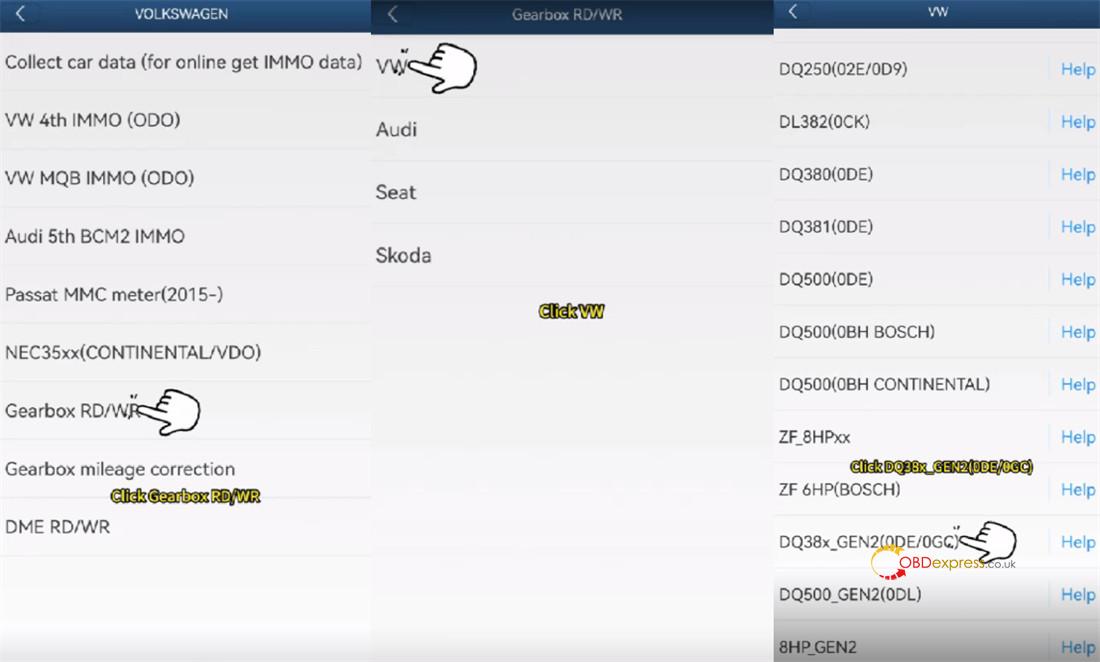
Go here:
VW/AUDI → Gearbox RD/WR → VW → DQ38x_Gen2 (0DE/0GC)
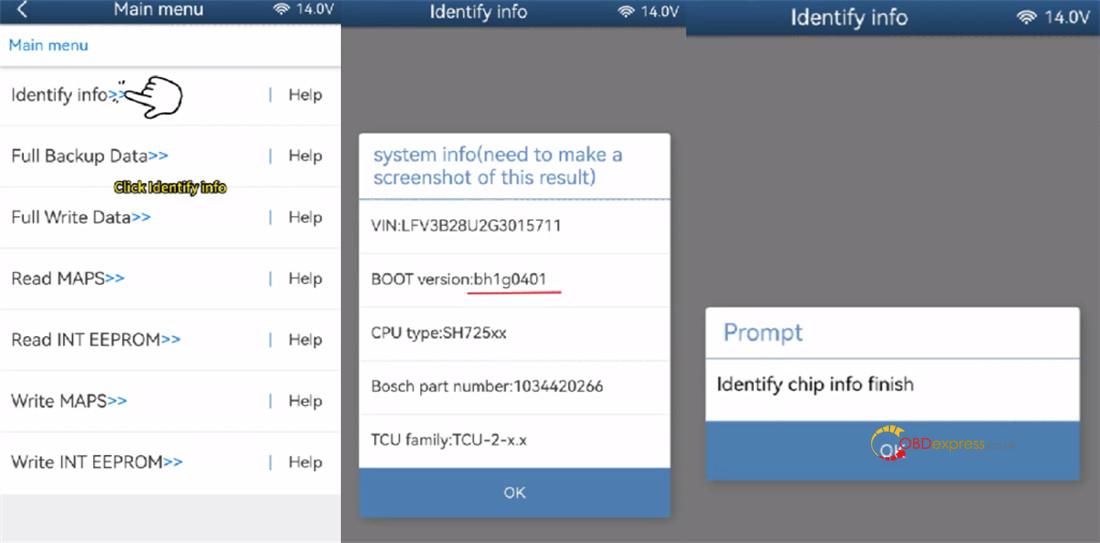
Tap [Identify info].
Look at the BOOT version – it should say BH1G0401. Snap a screenshot for safekeeping.
ACDP app will dig up the chip info. When it’s done, tap OK.
Step 4 – Back Everything Up
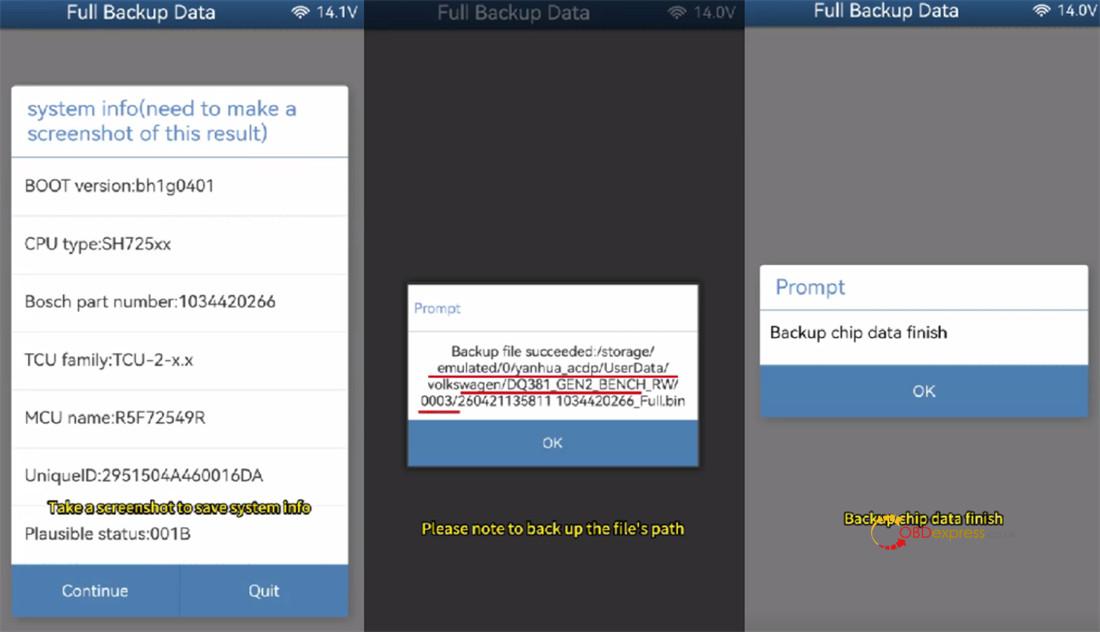
Tap [Full Backup Data].
Take another screenshot of the system info.
Save the chip data.
Then just wait for the backup to finish.
Step 5 – Write to a New Gearbox
Unplug the first gearbox.
Connect your Yanhua ACDP + Module 45 to a different DQ38x Gen2 gearbox.
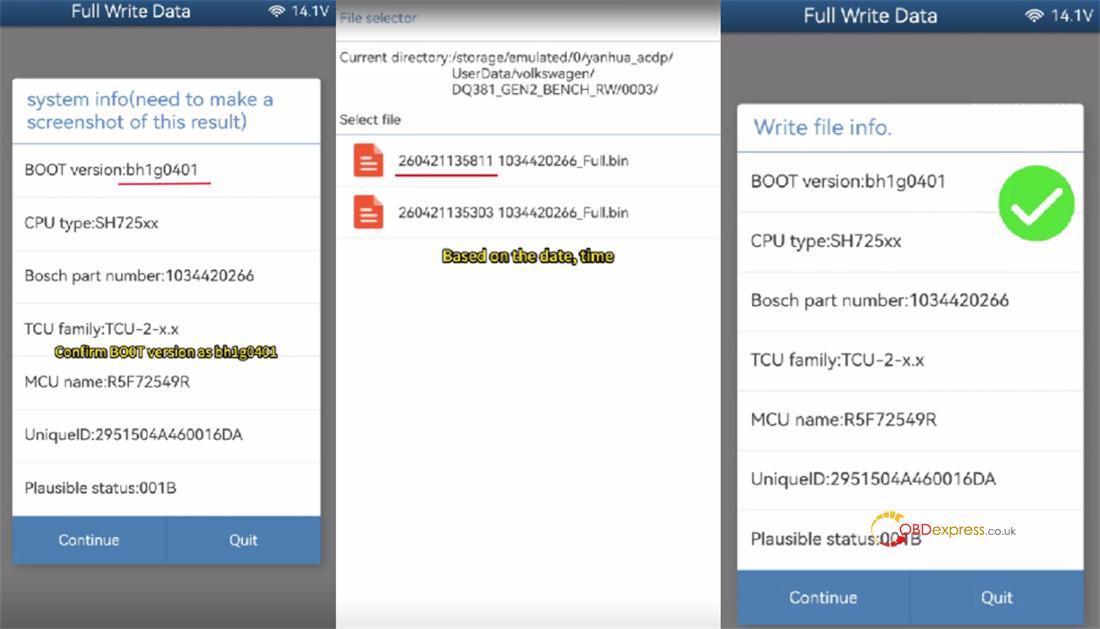
Tap [Full write data].
Check the BOOT version again – still BH1G0401, right? Great. Screenshot it.
Pick the original chip data file (the one you just backed up).
Double-check everything matches the new gearbox.
⚠️ Super important:
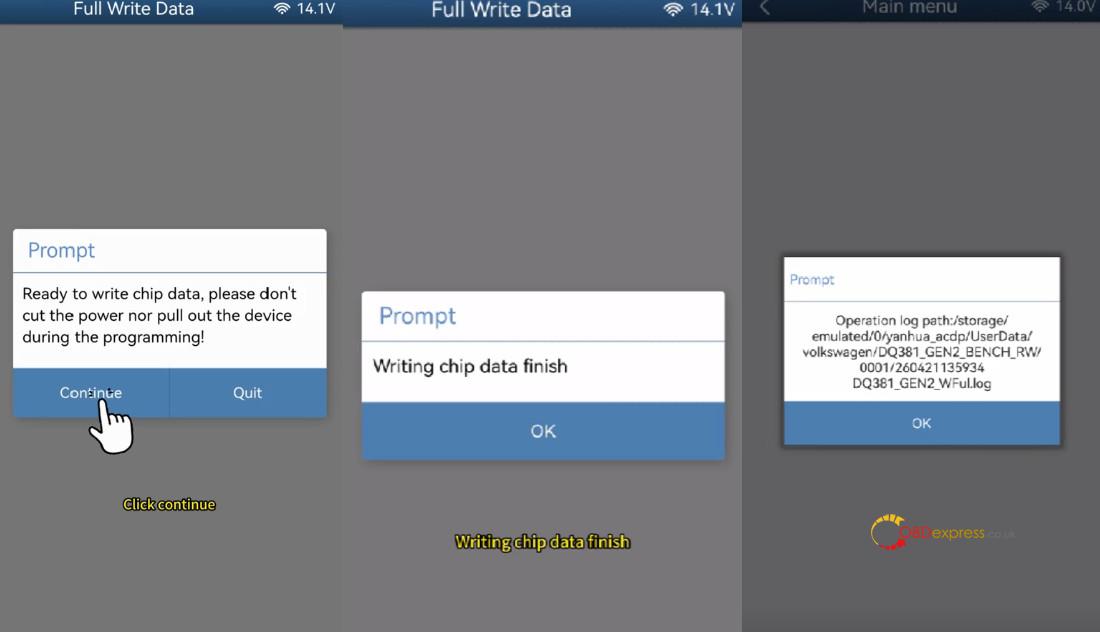
Do NOT turn off the power or unplug anything while writing. You could fry the chip.
Hit start and let it do its thing.
When you see the confirmation message on screen – congratulations, you’re done!
In addition, Yanhua Mini ACDP2 with Module 45 also can correct mileage for 2022- DQ38x 0DE/0GC and DQ500 0DL (bootloader of BH1G401 and 7-PIN connector) on bench.
