




Generating a dealer key for the VW MQB49 5C/5D system is a standard procedure for automotive locksmiths. This guide provides a step-by-step workflow using Xhorse MULTI-PROG for data reading, and Xhorse VVDI2 or Key Tool MIDI for dealer key generation. This method ensures high compatibility with VVDI smart keys and reliable vehicle synchronization.
Step 1: Read IMMO Data with MULTI-PROG
The first step involves extracting the vehicle’s security data to create a valid key file.
- Tool Required: Use Xhorse MULTI-PROG to access the EEPROM/IMMO data.
- Connection: The hardware supports both soldering and solder-free adapter methods.
- File Management: Save the read IMMO data file carefully; it is essential for the following steps.
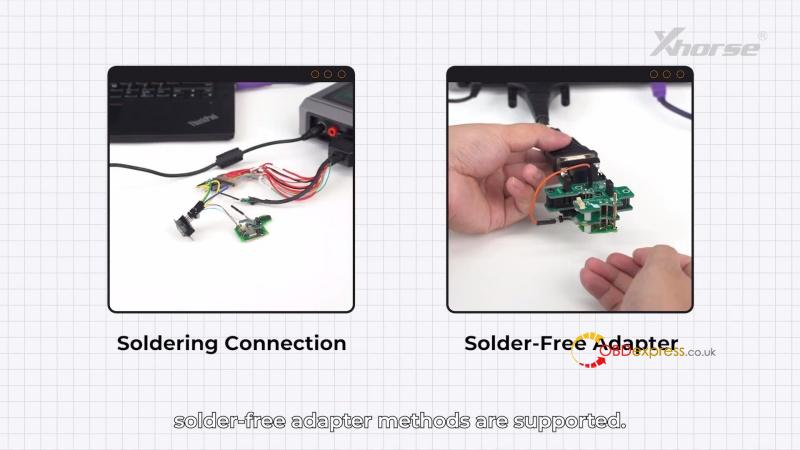
For detailed steps, please refer to:
Two Ways to Generate Original VW 5C 5D Dealer Key by Multi-Prog
Step 2: Generate VVDI Smart Key
Before finalizing the dealer key, you must prepare the VVDI remote hardware for the MQB49 system.
Method A: Using VVDI2
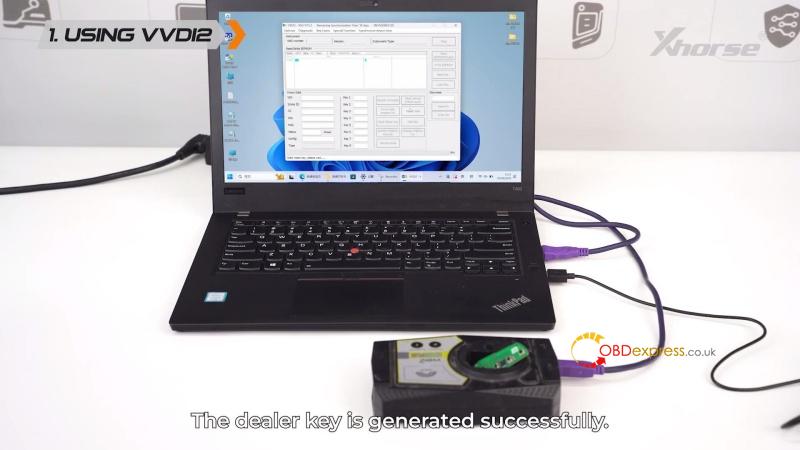
- Connect VVDI2 to your PC, navigate to Transponder Programmer > Prepare Remote/Proximity Key > Prepare proximity remote > Europe > VW > MQB49/5C(New)
- Place the VVDI key into the programmer coil.
- Click Generate to prepare the smart key.
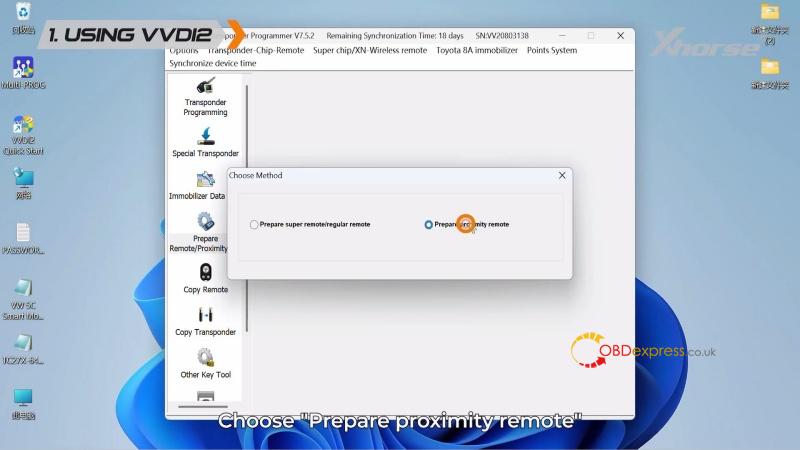
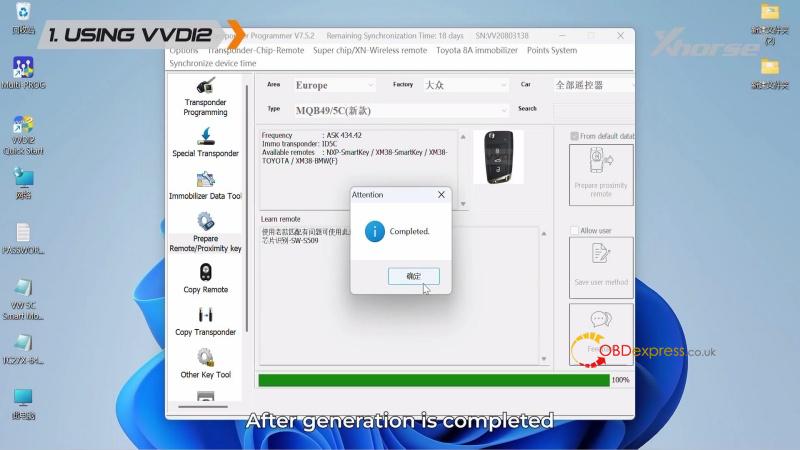
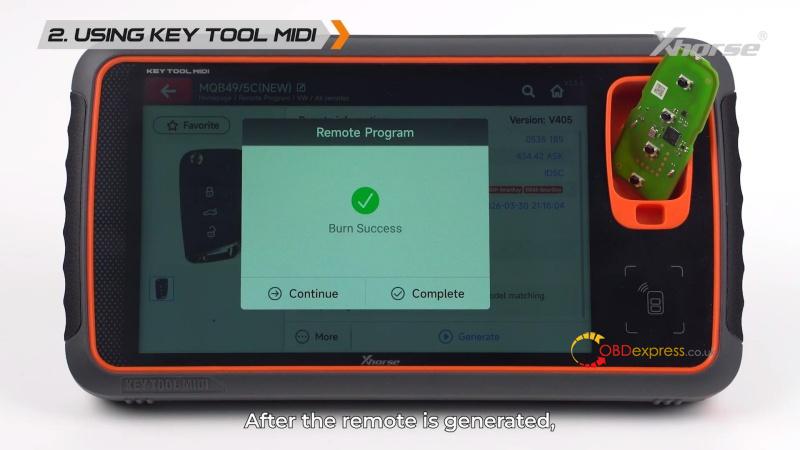
Method B: Using Key Tool MIDI
- Enter Remote Program > VW > MQB49/5C(New).
- Place the VVDI key into the induction coil and click Generate.
- Wait for the writing process to complete.
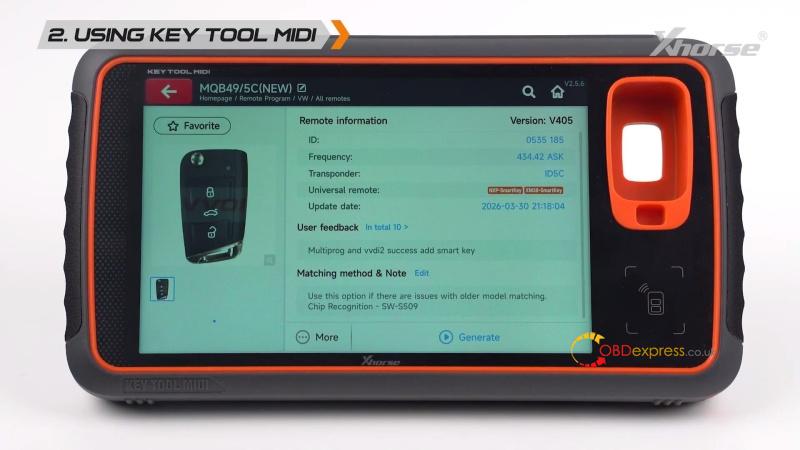
Step 3: Generate VW 5C/5D Dealer Key
Now, load the previously saved IMMO data to authorize the key as a “Dealer Key”.
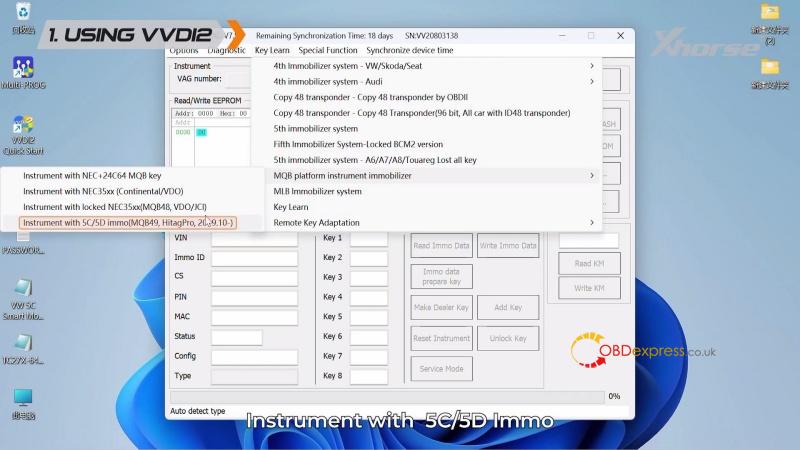
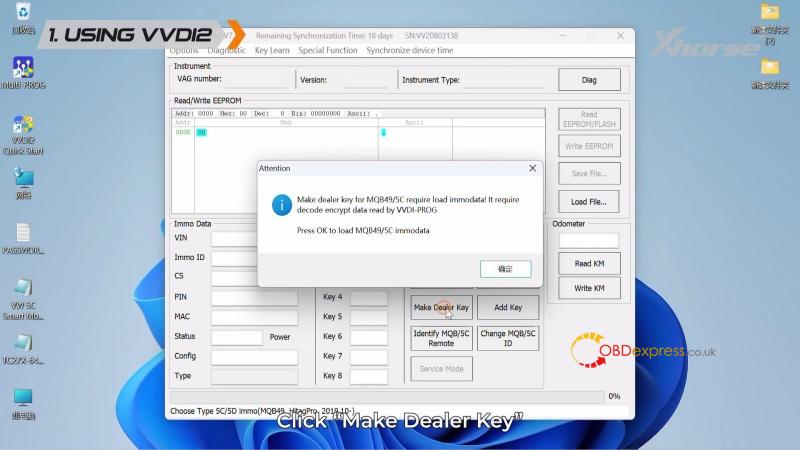
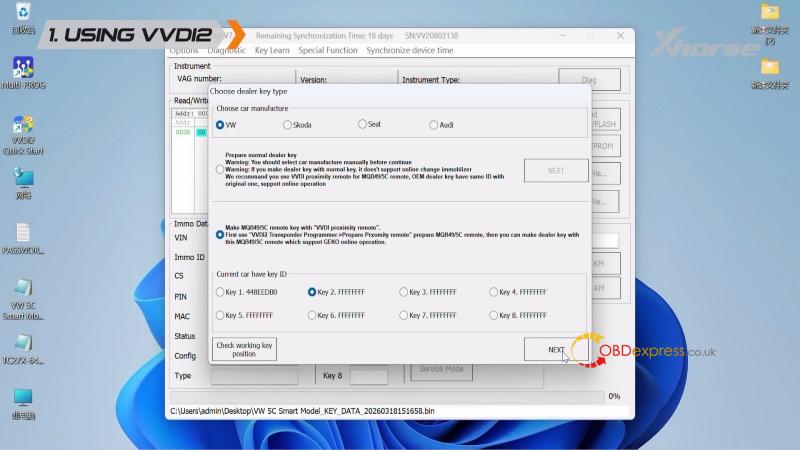
- Using VVDI2: Navigate to VW > Key Learn > MQB platform instrument immobilizer > instrument with 5C/5D immo(MQB49, HitagPro, 2019.10-) > Make Dealer Key > VW > Make MQB49/5C remote key with “VVDI proximity remote”.
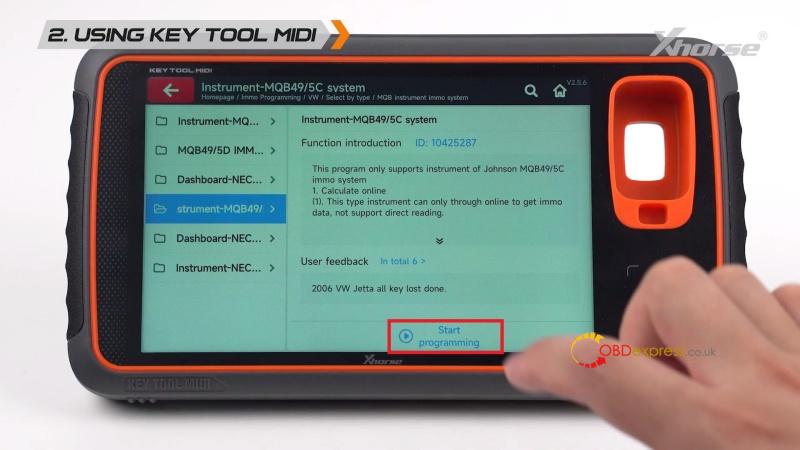
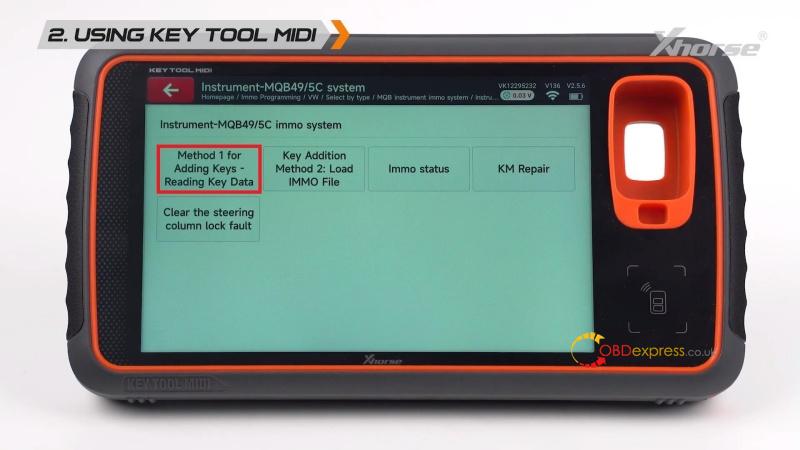
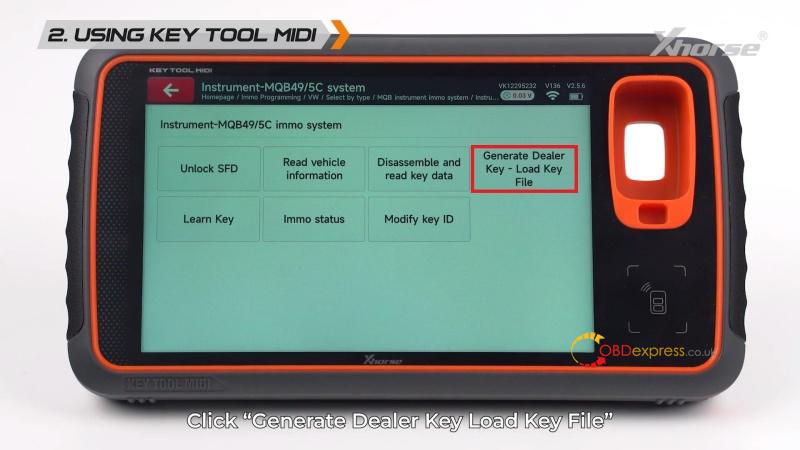
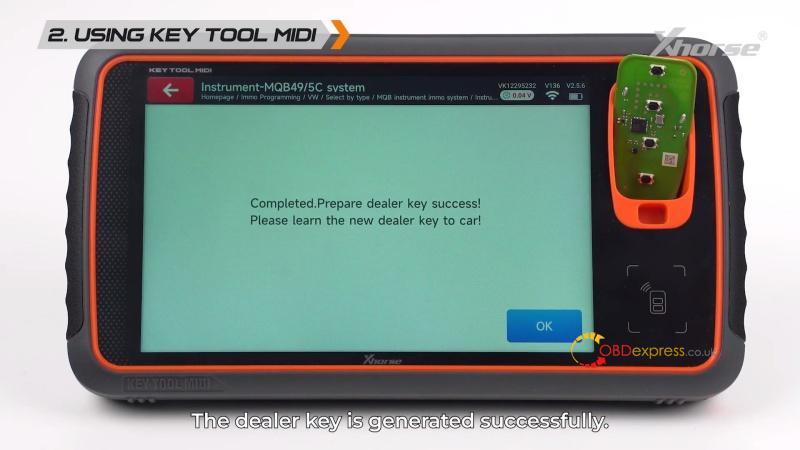
- Using Key Tool MIDI: Go to IMMO Programming > VW > Select by Type > MQB instrument immo system > Instrument MQB49/5C system > Start programming > Method 1 for Adding Keys – Reading Key Data > Keyless Go > Generate Dealer Key – Load Key File > VVDI Key.
- Final Action: Load your IMMO file, ensure the key is in the coil, and click Generate.
Step 4: Key Learning on Vehicle
After the “Dealer key generated successfully” message appears, the key is ready for programming.
- Use either VVDI2, Key Tool MIDI or Key Tool Plus to perform the final key learning on the vehicle.
- This step synchronizes the new dealer key with the vehicle’s immobilizer system.
Why Use This Xhorse Workflow?
- Full Support: Specialized for the complex MQB49 5C/5D systems.
- Versatility: Compatible with both VVDI2 and Key Tool MIDI hardware.
- Efficiency: Provides a fast and reliable solution for professional automotive key programming.
