




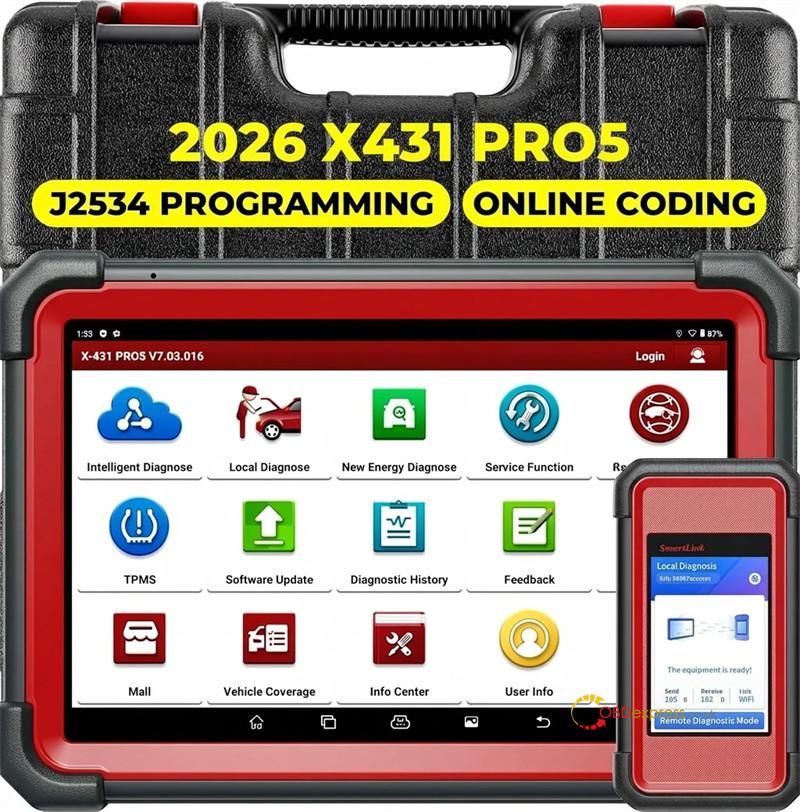
Launch X431 PRO5 is still one of the best tools for fixing cars today. It has powerful software and lets you connect many useful add-ons. However, fixing different kinds of vehicles—from older European cars to the newest electric vehicles (EVs) and big trucks—can sometimes be tricky. In this easy-to-follow guide, we will look at what PRO5 can actually do, how the software updates work, its limits, and how to fix common tool problems so you can get the most out of your money.
1. Immobilizer (IMMO) & Software Subscriptions
A common concern among automotive locksmiths and diagnostic technicians is hidden costs when performing advanced key programming.
- The Verdict on VAG & Mercedes-Benz IMMO: When pairing X431 PRO5 with X-PROG 3 immobilizer programmer, no additional software subscription is required to program keys for Volkswagen and Mercedes-Benz vehicles. The core diagnostic software natively handles these complex adaptations right out of the box once the hardware is linked.
2. Hardware Extensions & Add-On Compatibility
The true power of PRO5 lies in its modularity. Technicians can scale the tool’s capabilities depending on the job rolling into the bay:
- Scopebox Integration: The latest generation of X431 PRO5 offers seamless, native support for X-431 Oscilloscope O2-2 Scopebox, allowing you to analyze sensor waveforms and electrical glitches directly on the tablet.
- New Energy Capabilities: If you are looking to branch out into the hybrid and EV markets, PRO5 is fully compatible with X-431 EV Kits. Linking this kit expands your diagnostic architecture to include specialized high-voltage battery pack diagnostics and system testing.
3. Navigating Launch Mall: Brand & Region-Specific Software
Not every vehicle brand is included in the standard software bundle. For niche or regional markets, Mall serves as the central hub for custom expansion:
- Dongfeng & Voyah: For technicians servicing Chinese domestic or export vehicles, the Dongfeng Passenger Vehicle software package—which includes the premium Voyah EV brand—is readily available for purchase in the Mall for approximately $80 USD.
- Jetour & Southeast Motor: These specialty brands are excluded from the default software list. To diagnose them, you must purchase their dedicated licenses separately through the online Mall interface.
- LYNK & CO: Software for Geely’s global premium brand, LYNK & CO, is fully supported by X431 PRO5 SmartLink, but requires an individual software purchase via the device’s Mall application.
4. ADAS, EV Deployments & Heavy-Duty Fleet Limits
Scaling up to commercial vehicles and advanced driver assistance systems requires a precise understanding of hardware configurations:
- Legacy Hardware ADAS Activation: If a customer operates an older version of PRO5 paired with Smartbox overseas online configuration, they can breathe easy: ADAS activation is fully supported on this setup.
- Commercial EV Truck Restrictions: Beware of the limitations when blending commercial fleets with EV software. A PRO5 configured with an EV license does not support new energy (electric) trucks from major brands like DAF and Volvo.
- Light-Duty Trucks: The standalone passenger car configuration of X-431 PRO5 does not support light-duty trucks natively.
- Heavy-Duty HD Truck Licenses: If you plan to work on heavy-duty commercial fleets, you have flexibility in how you purchase. X431 PRO5 allows you to purchase HD Truck software license completely independently from the physical Heavy-Duty hardware adapter, tailoring the tool to your specific shop infrastructure.
5. Flash Coding, Cloud Programming & VAG Discrepancies
Understanding where “Online Coding” ends and “OEM Flashing” begins is vital to preventing bricked control units.
- Server-Based Online Coding: Smartlink C interface fully facilitates server-based programming via Launch’s proprietary servers, completely bypassing the need to purchase expensive original factory OEM software subscriptions. This “Online Coding” is heavily supported on X431 PRO5 with a primary focus on Mercedes-Benz and BMW models.
- The VAG Software Divide: While PRO5 supports standard “VAG Guided Functions” for step-by-step repair assistance, it does not support VAG online programming. If a customer encounters a configuration failure on a Volkswagen or Audi group vehicle, they must step up to the flagship X431 PAD VII to handle VAG online cloud programming.
- J2534 Pass-Thru Pass: The SmartBox module packaged with PRO5 works flawlessly as an OEM J2534 programming pass-thru device when linked to a laptop loaded with original factory workshop software.
- Mercedes-Benz ECU Flashing: PRO5 cannot be used to install raw, updated software versions directly onto a Mercedes-Benz control unit (ECU flashing/updating). It handles coding and adaptations, not complete control unit firmware overwrites.
6. Deep Dive: Advanced Mercedes-Benz & VAG Service Workflows
Launch X431 PRO5 SmartLink shines during deep-level module service on European luxury cars, provided you know the gateway requirements:
- Legacy Benz Work (W211): The tool offers deep coverage for legacy platforms, supporting the replacement and coding of a used SAM module or an airbag control unit on a 2005 Mercedes-Benz W211. Crucially, the kit ships with the older OBD1 legacy adapter set required to hook up to these older diagnostic ports.
- Central Gateway (CGW) Coding: Coding the Central Gateway module on a 2012 Mercedes E-Class Coupe is fully supported.
- AdBlue Resets: PRO5 provides exhaustive emission maintenance support, including AdBlue resets for Mercedes-Benz vehicles stretching from 2014 all the way to 2025.
- SCN Coding: Online SCN Coding is extensively supported for the vast majority of Mercedes-Benz models on the road.
- 2023+ Cyber-Security Gateways (GLC X254): When attempting advanced tasks like digital headlight replacement matching or 9G-Tronic transmission oil service resets on a modern 2023 Mercedes GLC X254, the software will require a valid, paid SGW (Secure Gateway) account to unlock the vehicle’s firewall before data can be written.
7. Software Prompts & Error Codes Explained
Interpreting specialized diagnostic tool errors can save hours of troubleshooting:
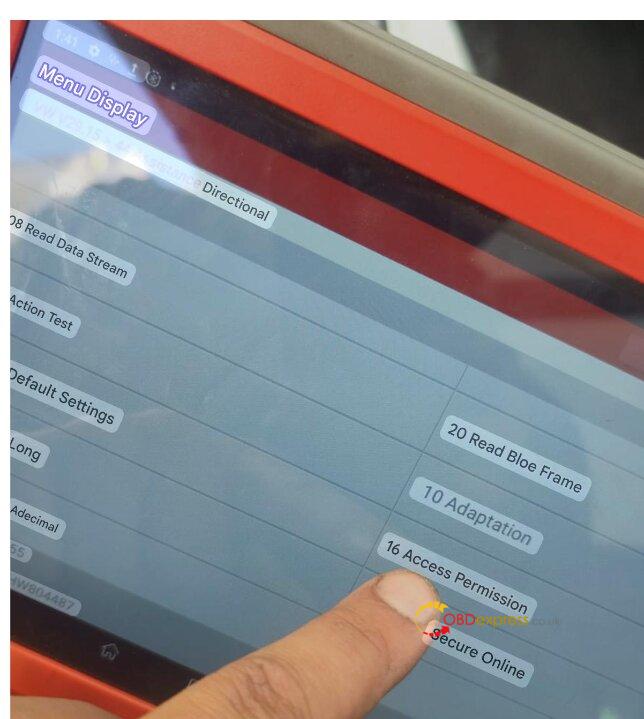
- “16 Access Permission” Prompt: If this message flashes on your PRO5 screen, it simply signifies that the module requires Safety Access Verification. Technicians should simply select the “Secure Online” option on the display to automatically log in via Launch’s cloud authentication server.
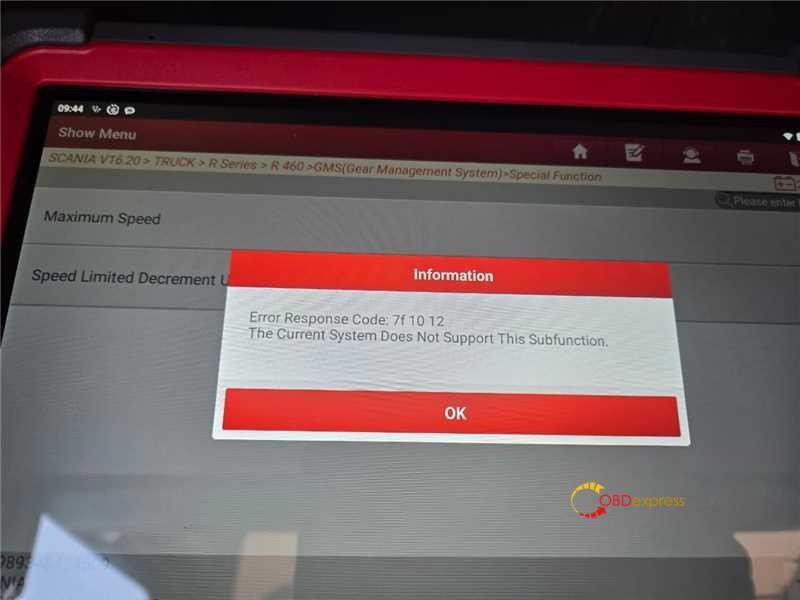
- Scania Speed Limit Error (7f1012): When a customer attempts to alter the speed governor on a 2023 Scania R460 truck and receives “Error Response Code: 7f1012. The current system does not support this subfunction,” it indicates a strict sub-function restriction. The truck’s internal firmware architecture does not allow this specific parameter modification via aftermarket diagnostic routines.
8. Hardware Troubleshooting & Field Repairs
Like any rugged shop tool, hardware can occasionally face physical component wear or communication failures:
- The Multi-Brand Communication Blackout: If a PRO5 tablet completely loses communication with diverse brands like Ford, BMW, Audi, Fiat, and Iveco—even after a full firmware restoration and software updates—but can still talk to Mercedes-Benz, the issue is hardware-centric. This symptom points directly to a damaged internal component or relay inside the VCI box. The VCI module must be sent to an authorized service center for a physical hardware repair.
- Permanent Horizontal Lines on Screen: If a solid horizontal line appears across your PRO5 screen, it represents a physical failure within the LCD panel matrices. The tablet must be sent back to the factory or distributor for a formal screen replacement.
