

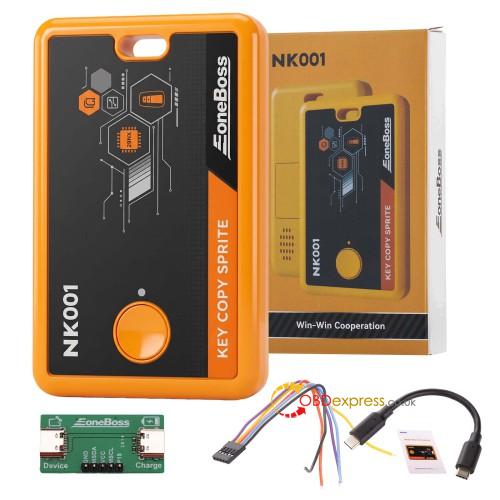
The EoneBoss NK001 (Key Copy Sprite) is a compact smart key cloning device designed for automotive locksmiths to duplicate compatible smart keys from an original key to a blank key. It is intended for fast spare key creation in supported applications without traditional vehicle-side programming or dealer-level immobilizer procedures.
The device works by reading and copying transponder data from a compatible original smart key and writing it to a supported blank key through the mobile application.
Main Functions
- NCF29 smart key cloning support
- Read and write transponder / chip data between keys
- Duplicate compatible smart keys to OEM or supported aftermarket keys
- Bluetooth connection via EoneBoss mobile app
- Portable key programming workflow for mobile locksmith use
Technical Specifications
- Dimensions: 97 × 62 × 12.5 mm
- Material: ABS housing
- Chip architecture: RISC-V core
- Wireless: BLE 5.0 Bluetooth
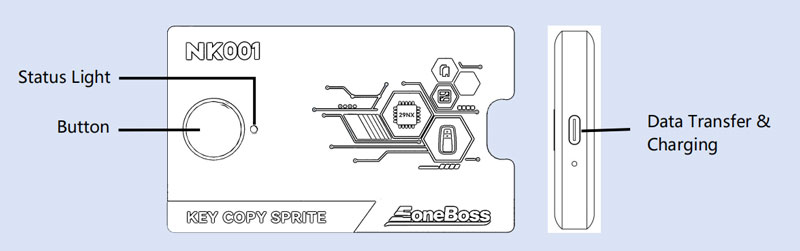
- Interface: Type-C (charging + communication)
- Battery: 3.7V 450mAh rechargeable lithium battery
- Power mode: Supports external power and battery switching
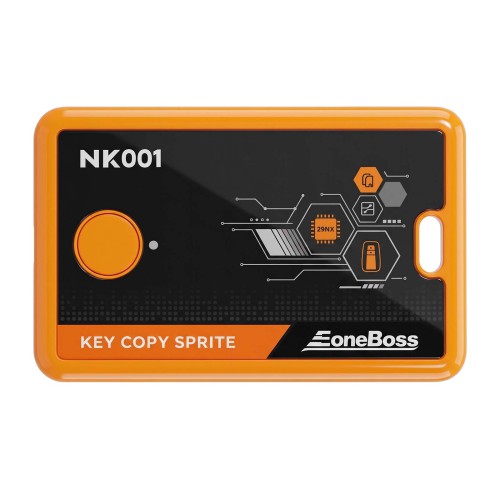
LED Status Indicators
| Color | Status |
| Green | Device is active and operating |
| Red | Charging or connected to power |
| Blue | Bluetooth pairing mode |
Power Button Functions
- Press and hold 2 seconds: Power on / Power off
- Press and hold 5 seconds: Forced shutdown
Audio feedback:
- 1 beep: power on/off confirmed
- Repeating beep: low battery warning (before auto shutdown)
Battery & Power Behavior
- Built-in rechargeable battery (3.7V 450mAh)
- Charges via Type-C port
- Can operate while charging when used with compatible connection setup
- Automatically switches between external power and battery mode
App Download & Bluetooth Connection
To use the NK001, it must be paired with the EoneBoss mobile app.
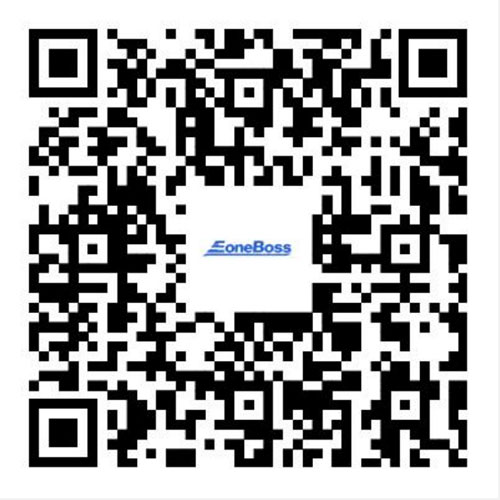
- Scan the QR code included in the product package to download the official EoneBoss App.
- Press and hold the power button for 2 seconds until the device beeps and turns on.
- Enable Bluetooth on your smartphone.
- Open the EoneBoss App and enter the key cloning function interface.
- The app will automatically detect and connect to the NK001 via BLE 5.0.
- Follow the on-screen instructions to complete key reading and writing operations.
Supported Usage Scenario
The EoneBoss NK001 is mainly used for:
- Spare smart key duplication
- Mobile locksmith key service
- Compatible NCF29 smart key cloning tasks
- Quick replacement key preparation in supported cases
It is designed as a portable cloning tool rather than a full vehicle diagnostic or ECU programming system.
FAQ
What is the EoneBoss NK001 used for?
It is used for cloning compatible smart keys by copying transponder data from an original key to a blank key.
Does NK001 require OBD programming?
In supported cloning scenarios, it does not require traditional OBD or immobilizer programming.
How does NK001 connect to a phone?
It connects via Bluetooth BLE 5.0 using the EoneBoss mobile app.
What keys does NK001 support?
It is mainly designed for NCF29-compatible smart key cloning applications.
Can NK001 work while charging?
Yes, it supports operation while charging depending on the setup and connection board usage.
How do I download the NK001 app?
You can download it by scanning the QR code included in the product packaging.
Final Positioning
The EoneBoss NK001 is a portable smart key cloning tool focused on simplifying compatible key duplication workflows. It is best suited for locksmiths and technicians who need a fast mobile solution for supported smart key copying tasks without full diagnostic programming systems.
