




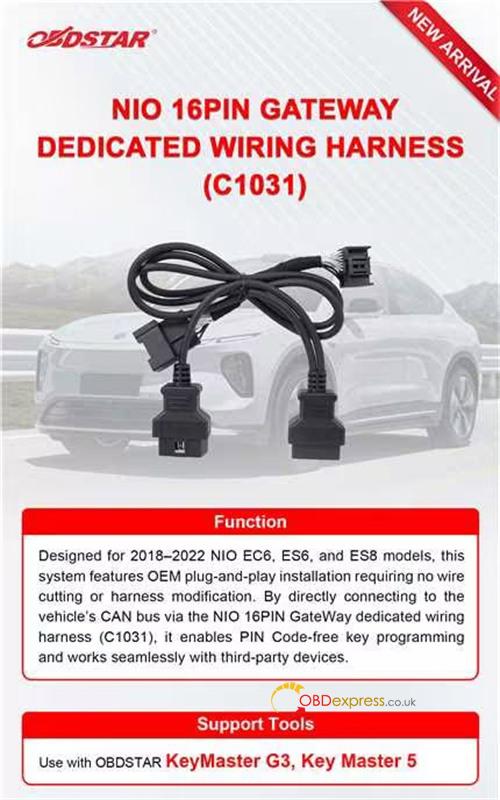
Thinking about programming a key for a high-end EV like a NIO, but worried about messing up the complex gateway electronics? You’re not alone! Luckily, OBDSTAR just dropped C1031 NIO 16PIN Gateway Dedicated Wiring Harness. It makes the whole process faster, safer, and 100% stress-free. Whether you are using X300 Classic G3 (KeyMaster G3) or X300 PRO4 (Key Master 5), this harness has got you covered.
Let’s dive into how this neat tool works and how to get your new key programmed in minutes.
Why OBDSTAR C1031 Harness is a Game-Changer?
• Perfect Fit for NIO EVs: Designed for 2018–2022 NIO EC6, ES6, and ES8 models.
• Zero Wire Cutting: It’s completely plug-and-play. You won’t damage a single factory wire.
• No PIN Code Required: Skip the headaches and enjoy a smooth, bypass-style programming experience.
• Universal Use: Enable PIN Code free key programming and works seamlessly with third-party devices
The Walkthrough: Programming Your NIO Key
What You Need:
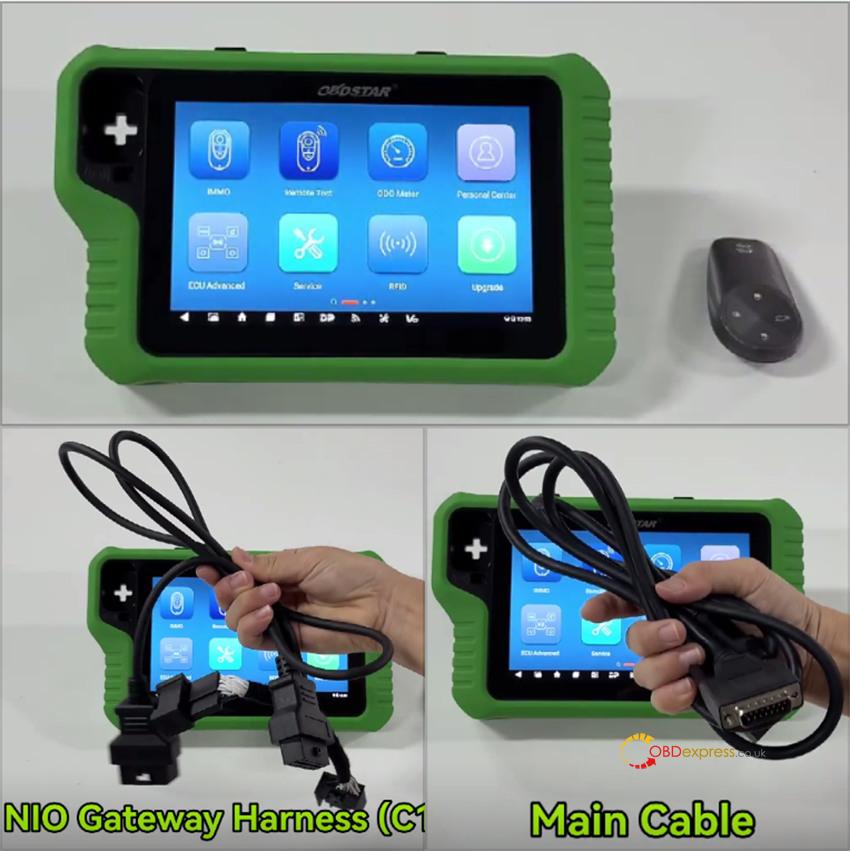
• OBDSTAR X300 Classic G3 tablet & main cable
• OBDSTAR C1031 NIO Gateway Harness
• A new blank key
Let’s Get to Work:
Step 1: Hooking Up the Hardware
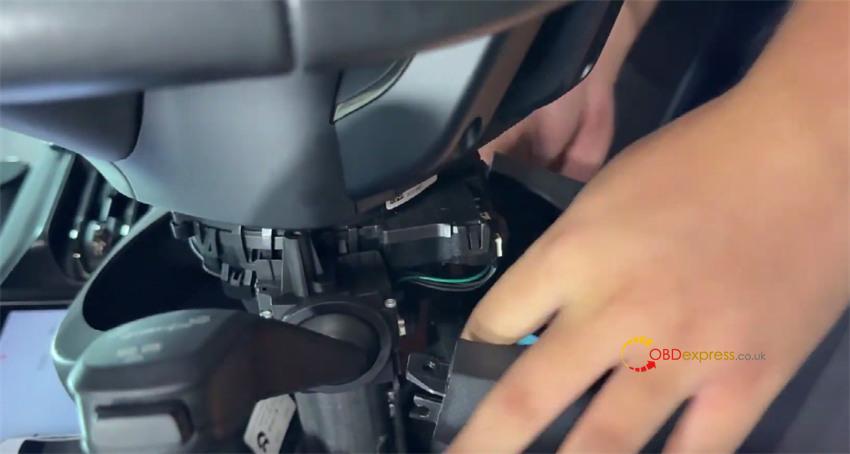
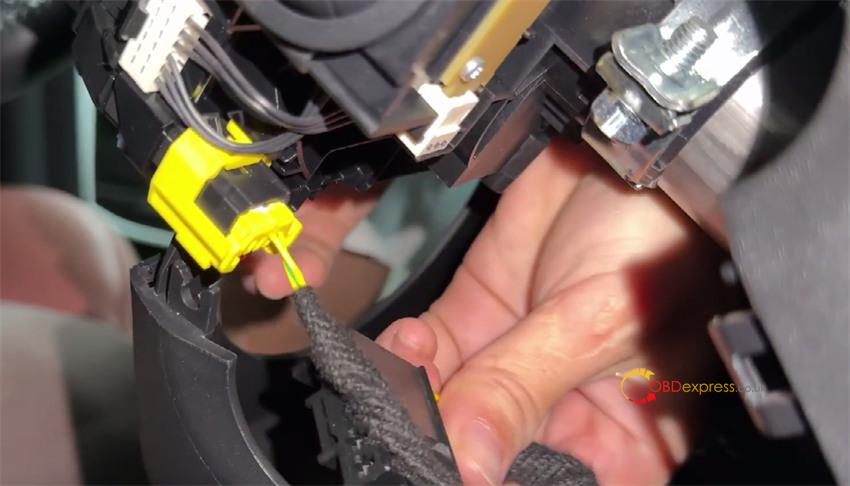
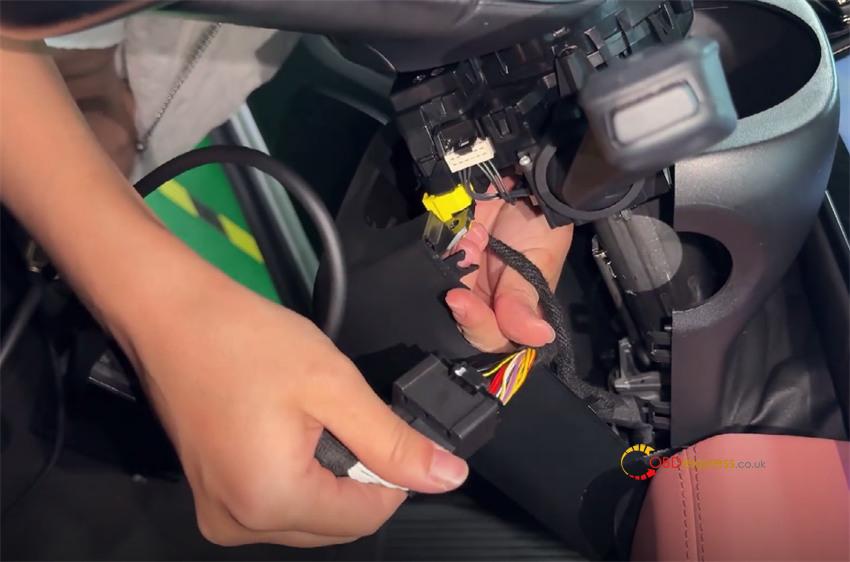
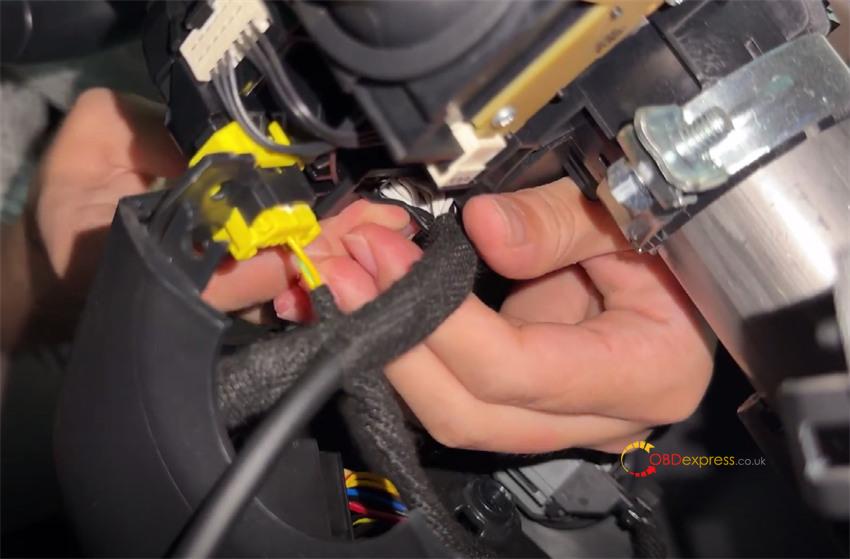
• Pop off the cover under the steering column.
• Unplug the connector you see underneath, and bridge it using your C1031 dedicated harness.
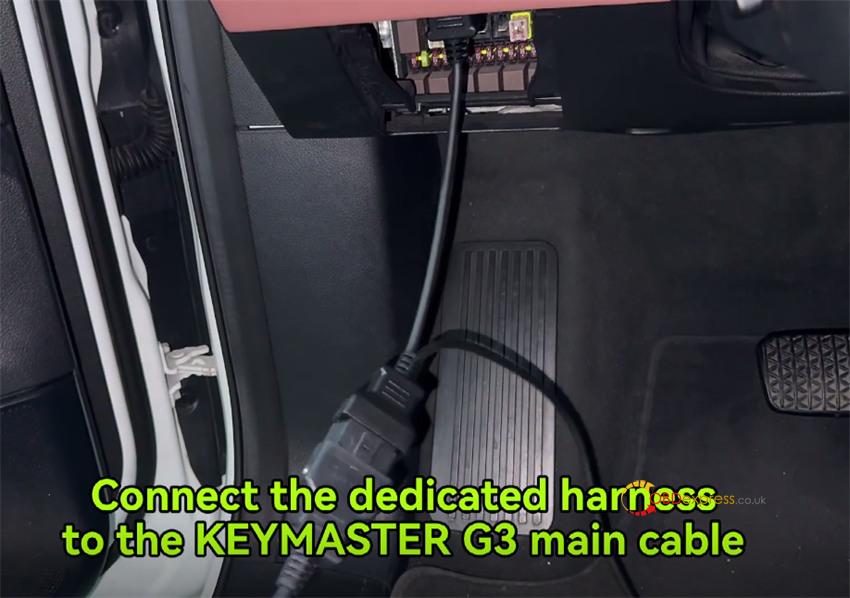
• Now, plug the harness into the car’s diagnostic port, and connect the other end straight into your KeyMaster G3 main cable. Wiring is officially done!
Step 2: Finding the Vehicle on Your Tablet
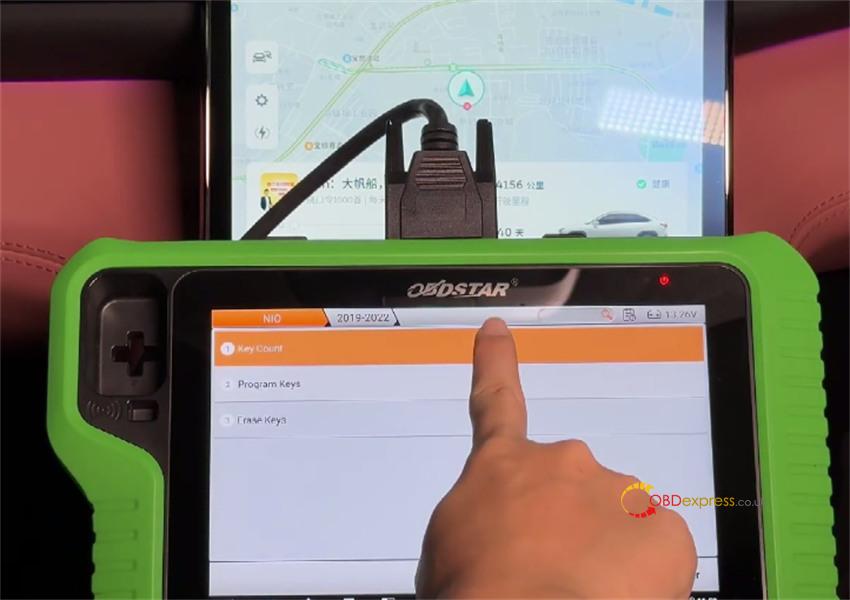
• On your OBDSTAR screen, tap IMMO and type NIO in the search bar.
• Go to NIO -> [Latest Software Version] -> Manual detect model -> EC6 -> Proximity -> 2019-2022 -> Key count.
• You’ll see the current key count is 0, and the new key won’t start the car just yet.
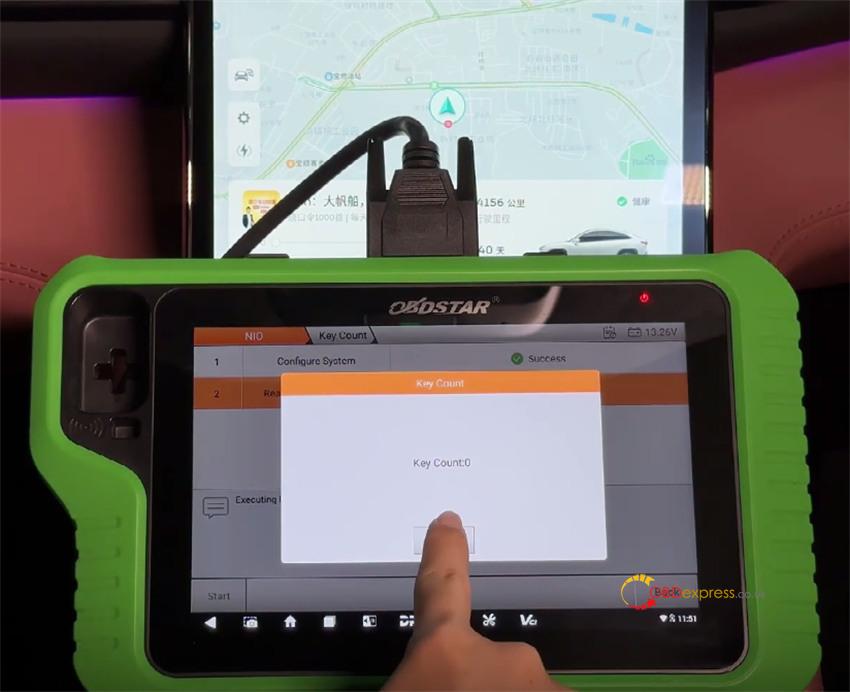
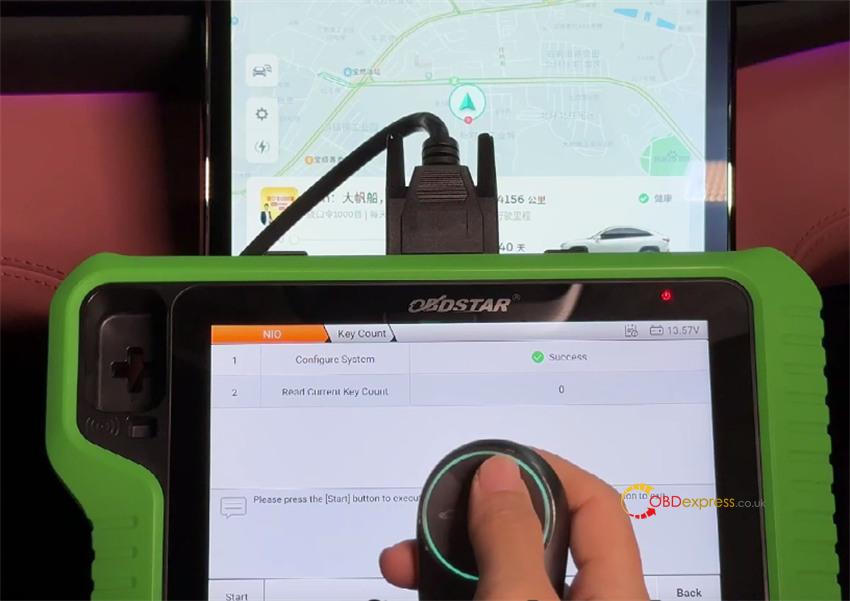
Step 3: Programming the Smart Key
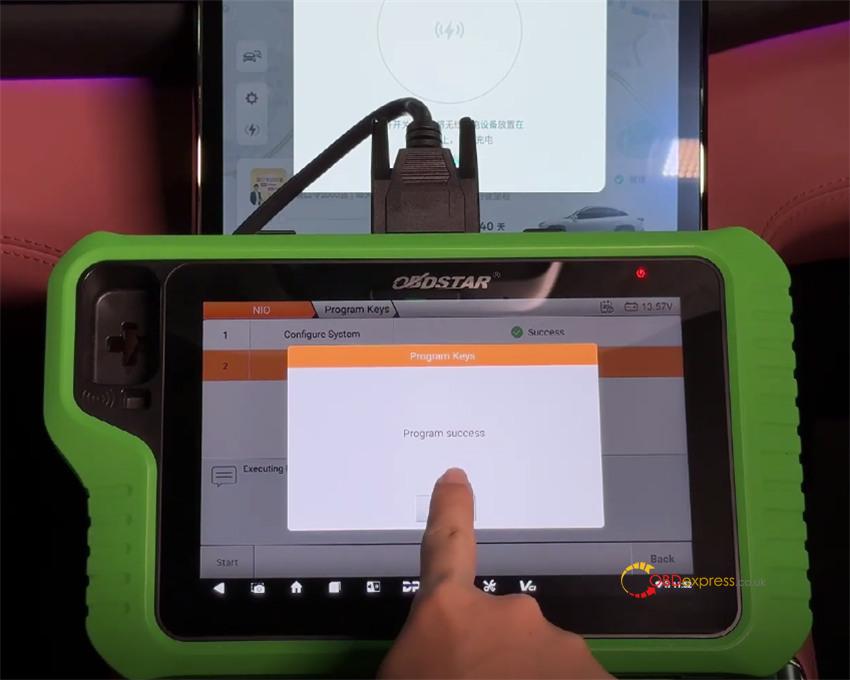
• Go back one step and hit Program keys.
• Make sure the car is safely in Park (P) and turn off the wireless phone charger (this prevents signal interference!).
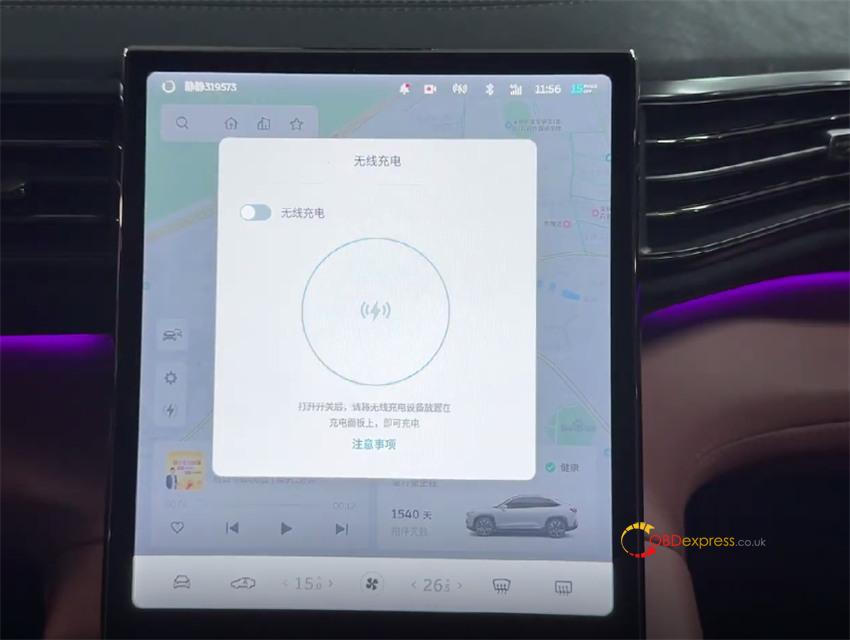
• Place your new smart key into the car’s key-sensing spot inside the center console armrest box, then hit OK.
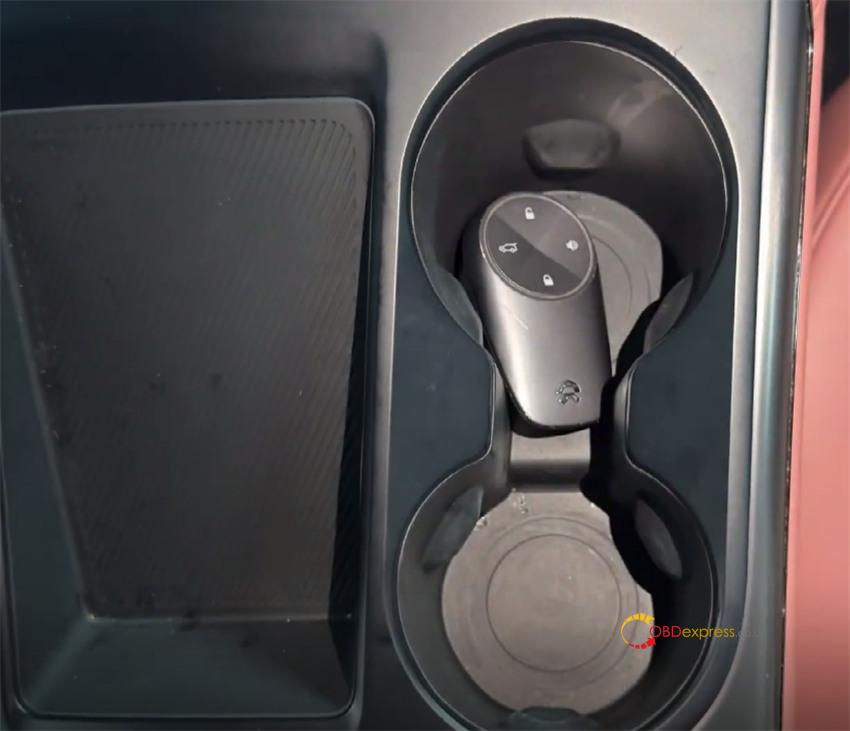
Step 4: Test & Go!
• Success! The screen will update, showing the key count is now 1.
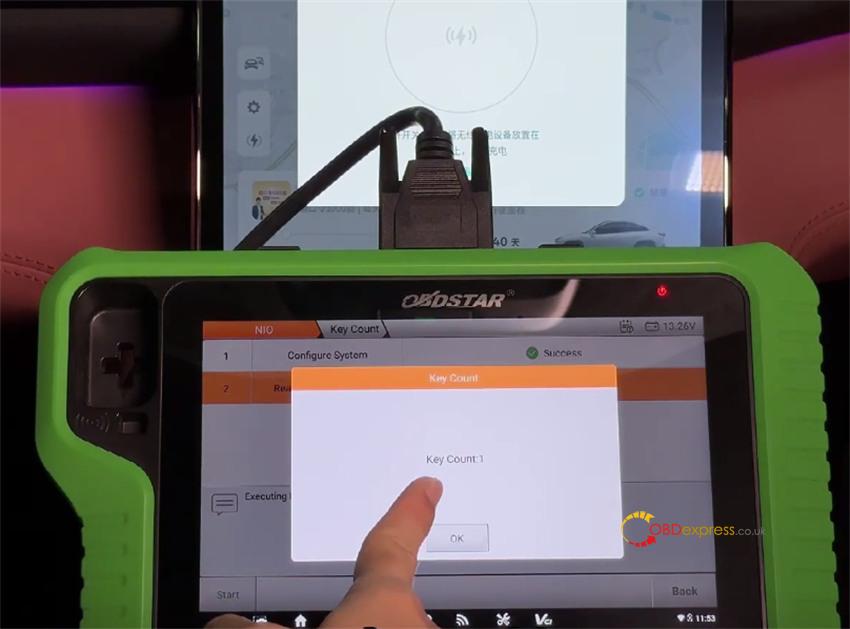
• Step outside the car and test the remote lock/unlock and ignition functions. Everything is perfectly programmed!
www.obdexpress.co.uk
