





This guide demonstrates mileage correction on 2022+ VW DQ38x0DE/0GC and DQ500 0DL transmissions (BH1G0401 bootloader, 7-pin connector) using Yanhua Mini ACDP1/ACDP2 with Module 45 on bench.
Important Notes:
ACDP1 Module 45 – compatible with Yanhua ACDP1 only
ACDP2 Module 45 – compatible with Yanhua ACDP2 only
Step-by-Step Procedure
Step 1: Verify TCU Type
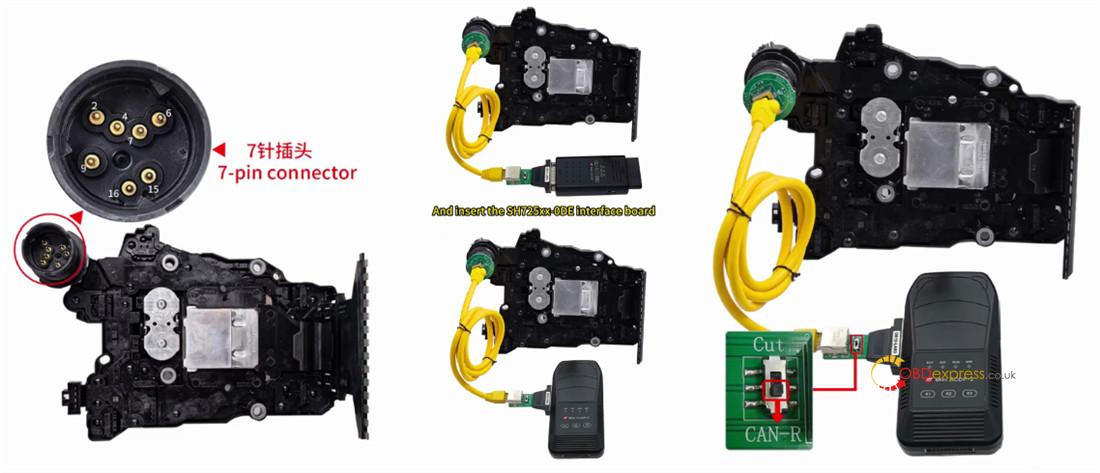
Confirm the TCU features the new 7-pin plug (see illustration).
This is essential, as older gearboxes require a different connection method.
Step 2: Connect Device
Open the hood, locate and disconnect the original gearbox connector.
Connect Mini ACDP-1/ACDP-2 and corresponding Module 45 SH25xx-0DE interface board to the gearbox.
Move the jumper cap to the “CAN-R” position (as marked).
Power on Yanhua ACDP device.
Step 3: Identify Info
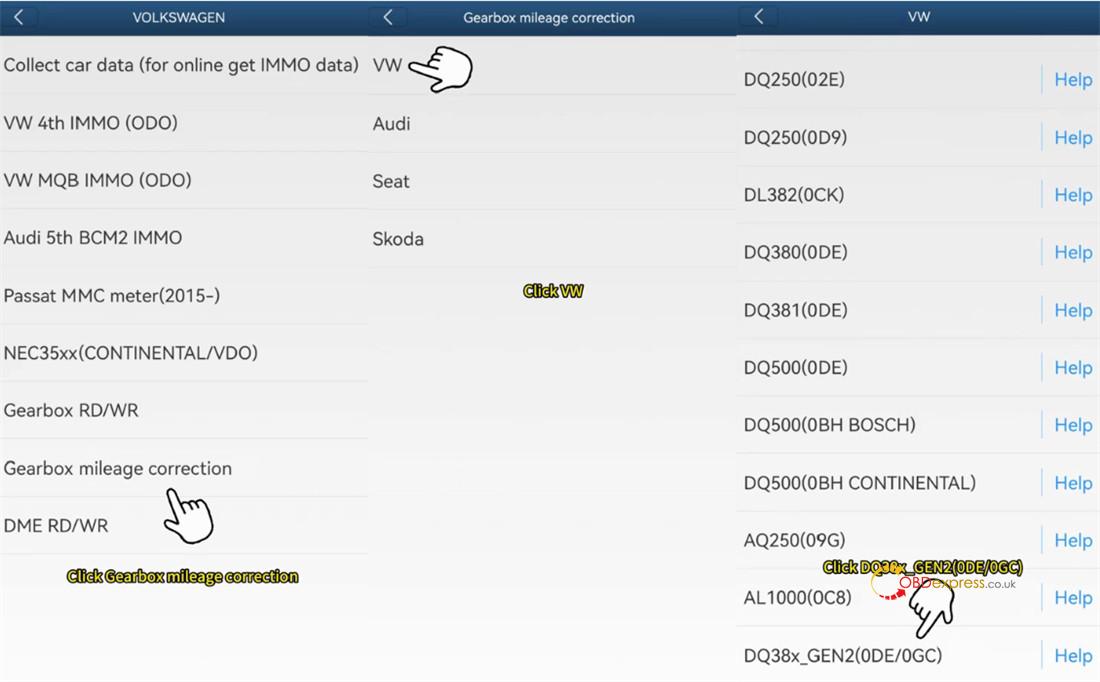
Run ACDP app and verify device connection in the upper right corner.
Navigate to VW/AUDI → Gearbox mileage correction → VW → DQ38x_GEN2 (0DE/0GC).
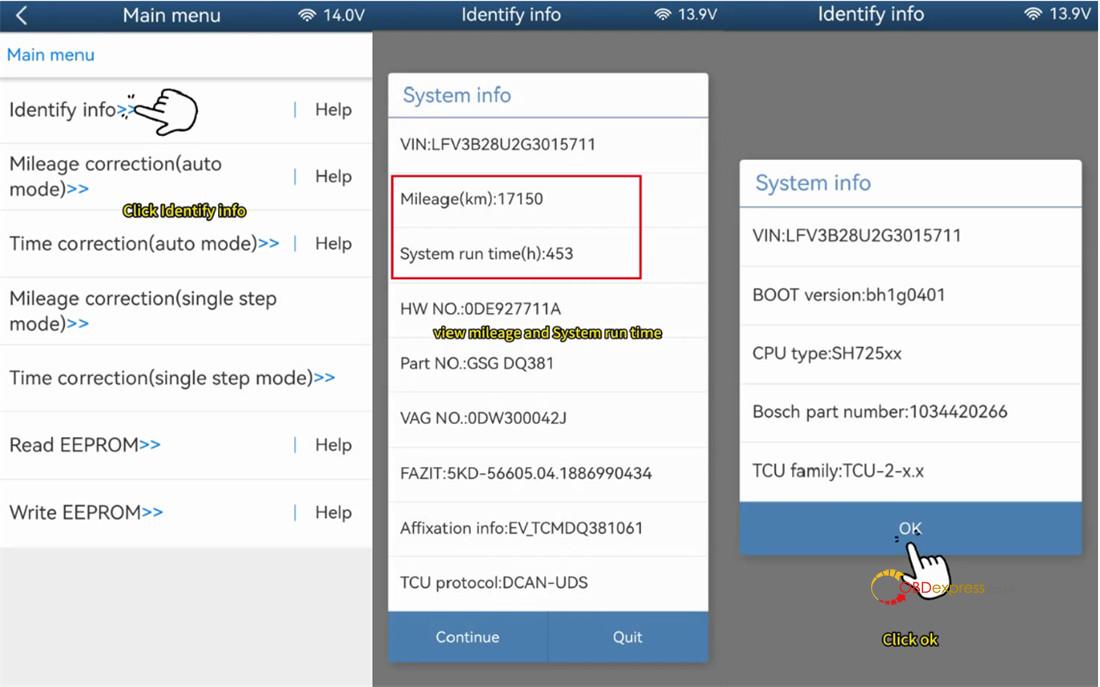
Tap “Identify info” to view system details.
Confirm current mileage (e.g., 17150 km) and system run time (453h).
Screenshot and save this information.
Step 4: Correct Mileage (Auto Mode)
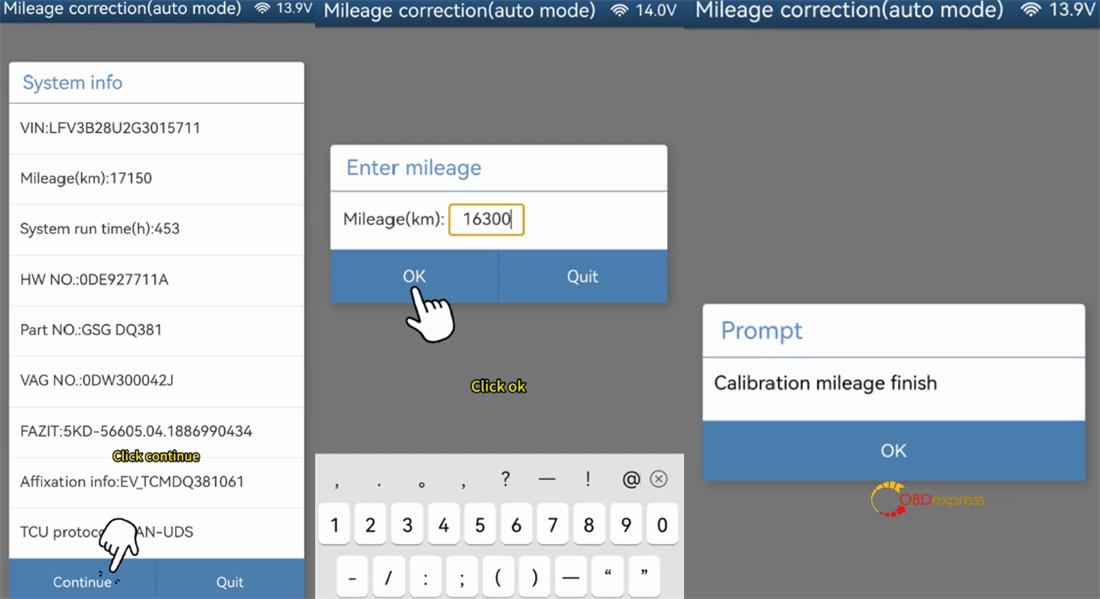
Select “Mileage correction (auto mode).”
Read system info and chip info, then save EEPROM data.
Enter desired new mileage (e.g., 16300 km).
Start writing chip data – mileage calibration is now complete.
Step 5: Correct Time (Auto Mode)
Select “Time correction (auto mode).”
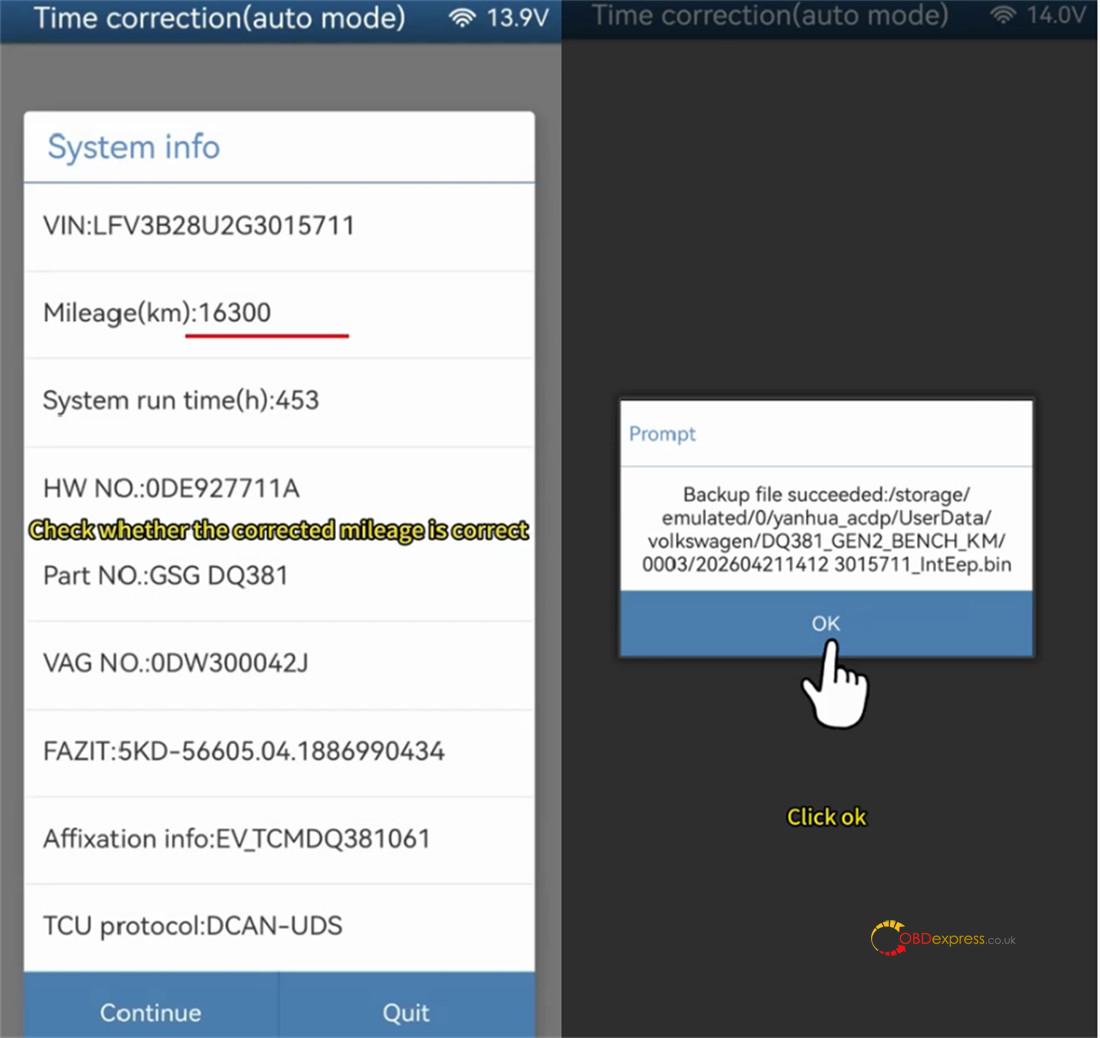
Confirm system info – the mileage should now display your modified value.
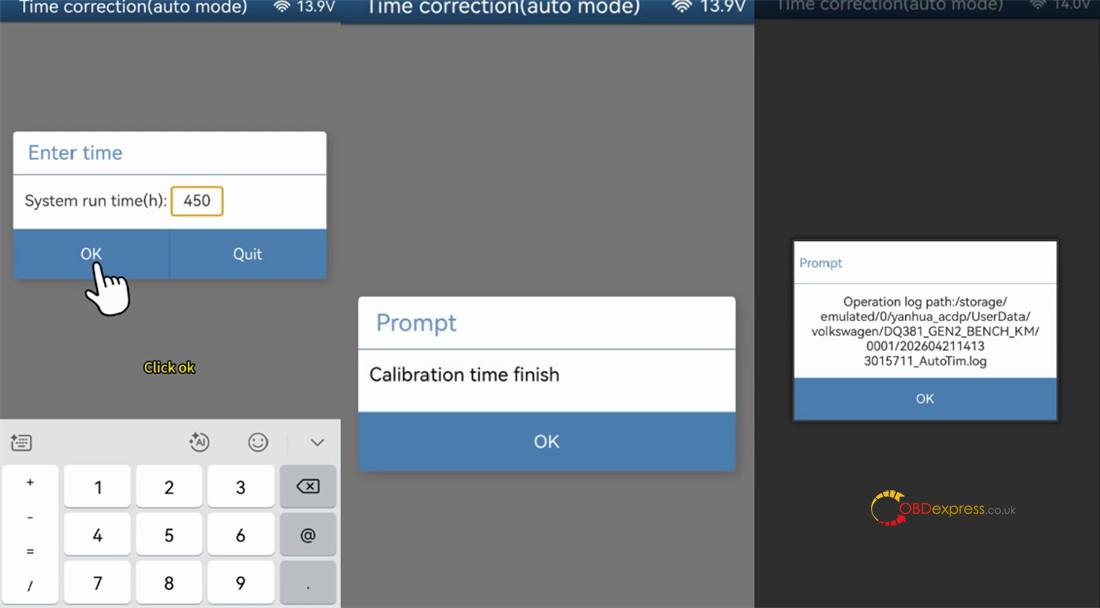
Save EEPROM data, then enter new system run time (e.g., 450).
Ready to write the chip. Correct run time completed successfully.
License Note:
If you already own any of these modules (ACDP Module 19 / 25 / 30 or ACDP2 Module 19 / 25 / 30), you need only purchase Module 45 license (A60B) to access VW DQ38x_Gen2 functionality – no additional Module 45 hardware is required.
Read also:
