



This guide covers the procedure for unlocking, reading, and writing locked Bosch MD1 CP006 engine control units found on Ford F-250 and F-350 trucks using OBDSTAR ECU Master in Boot mode.
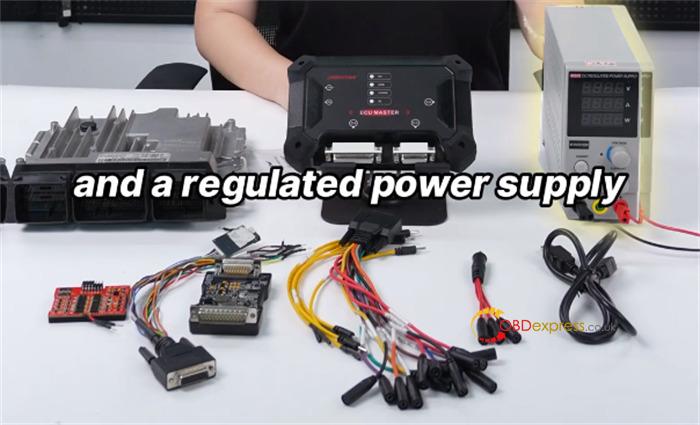
Required Hardware & Accessories:
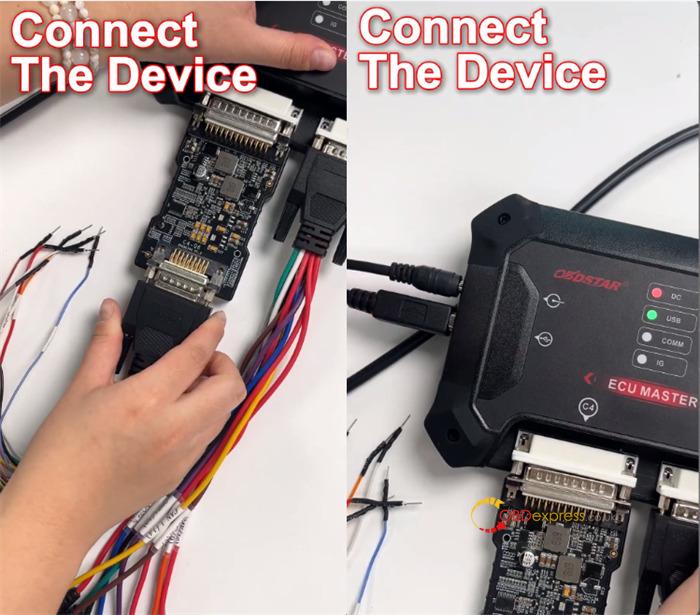
- OBDSTAR ECU Master Full Version/Configuration A
- USB cables
- 3-in-1 wires & jumper wires
- C4-06 adapter
- Regulated DC power supply
Operational Steps
1.Software Setup
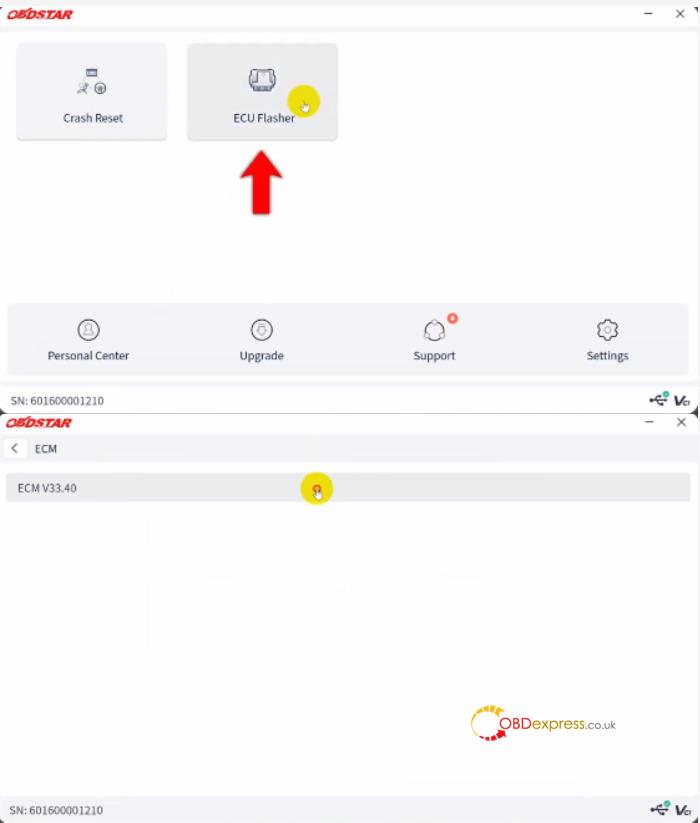
Open ECU Master software, navigate to ECU Flasher -> ECM-> ECM V33.40
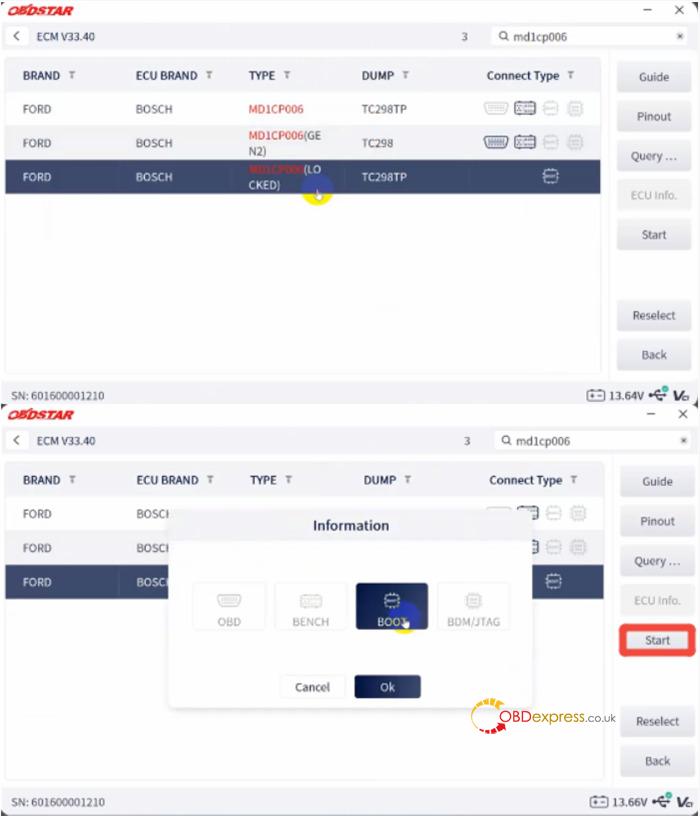
Search for md1cp006
Choose the corresponding Ford locked option
Click Start and select Boot mode
2.Hardware Preparation
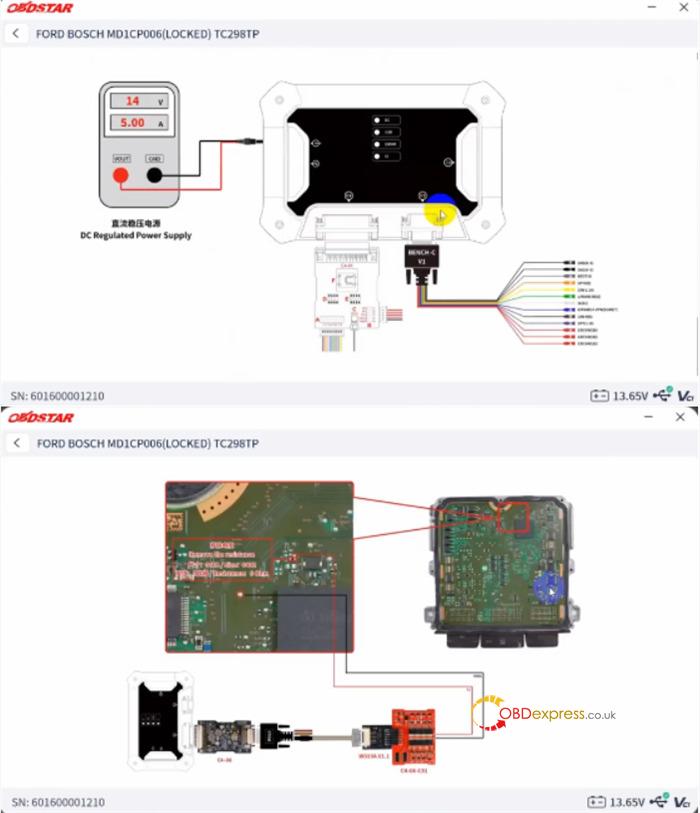
Open the Guide tab within the software
Carefully remove the ECU cover and solder the harness to the designated PCB contact points according to the provided Pinout diagram.
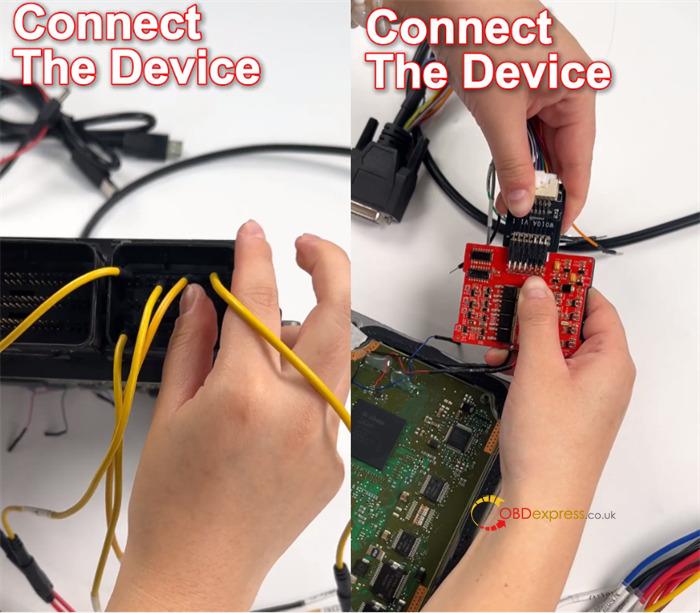
3.Connection Check
Verify all physical pin and solder connections, then click Connect.
4.Data Reading
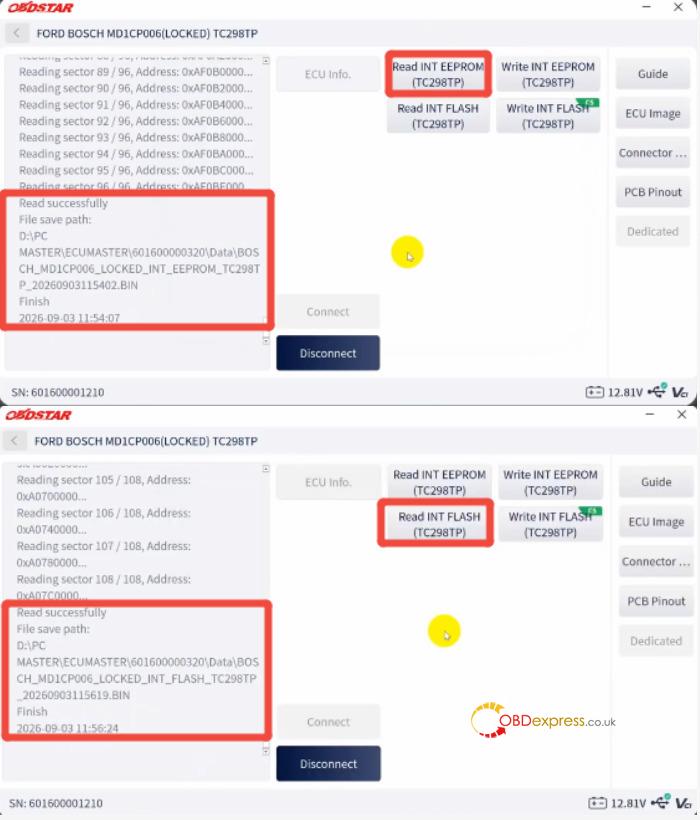
Once connection is established, click Read INT EEPROM, then click Read INT Flash. Save both data files to your local drive.
5.Data Writing
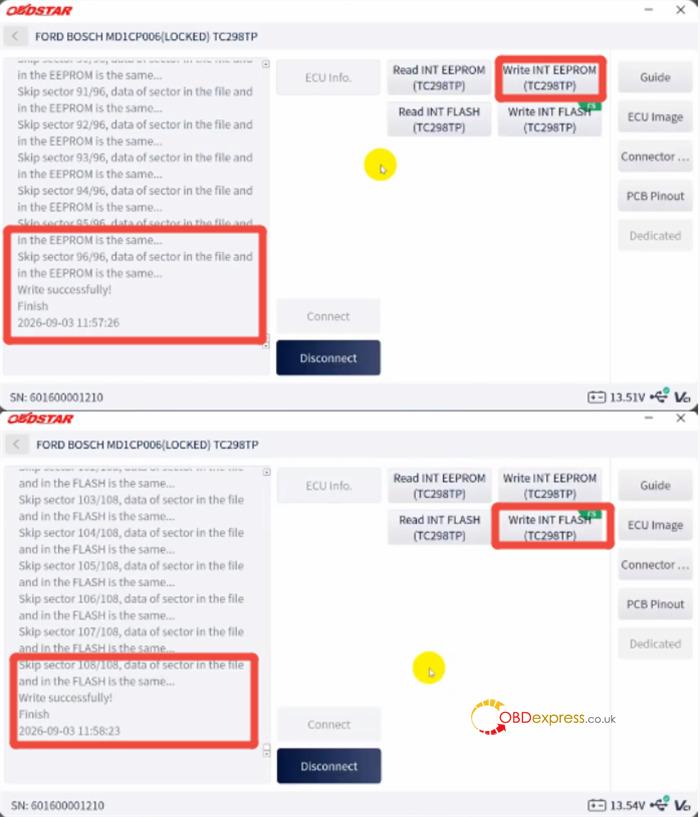
To flash modified files or backups, select Write INT EEPROM and Write INT Flash.
6.Reassembly
After writing completes, disconnect ECU Master and resolder any resistors removed during the initial setup before sealing the ECU cover.
Done!
