






The Problem:
When attempting to read a Continental SID209 ECU from a 2016 Ford Ranger 3.2 using Autotuner ECU programmer in boot mode, the process fails with a “failed to enter programming mode” error. Autotuner software prompts you to switch to a 13V power adapter, but the voltage adjustment does not resolve the issue. This typically happens because the ECU was locked by a previous tuner or has a custom patch.
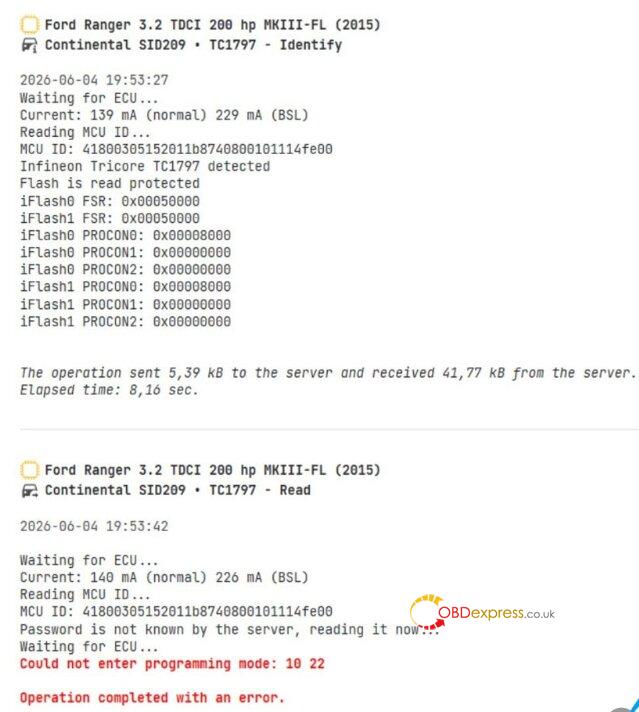
The Solutions: How to Bypass the Autotuner Boot Lock
If Autotuner cannot break through the locked firmware, you have two proven workarounds to reset or read the ECU:
Solution 1: Reflash to Stock Using FORScan
The cleanest way to remove a previous tuner’s lock is to overwrite the ECU with original Ford firmware.
- Method: Connect to the vehicle and use FORScan software to update the ECU firmware back to stock.
- Note: This requires a paid FORScan license (legacy versions with active ECU updating privileges still support this function). Once flashed back to stock, Autotuner will be able to enter programming mode normally.
Solution 2: Use an Alternative Hardware Tool in Boot Mode
Autotuner can be sensitive to modified boot sectors. Other tuning hardware can easily bypass this security lock when working on an opened ECU.
- Premium Option: Bench or boot read the SID209 using Flex.
- Budget/Alternative Options: Tools like Foxflash or KT200 have a high success rate of reading locked SID209 ECUs in boot mode. Simply open the ECU, hook up the boot pins according to the alternative tool’s pinout, and extract the file.
