


Before using Korhex Boot Glitch Tool for the first time, activation is required. If you cannot locate the serial number, follow the guide below to complete the activation process quickly and access all Korhex functions within Flex.
Step 1:
Open Flex software on your computer and log in to your account.
Step 2:
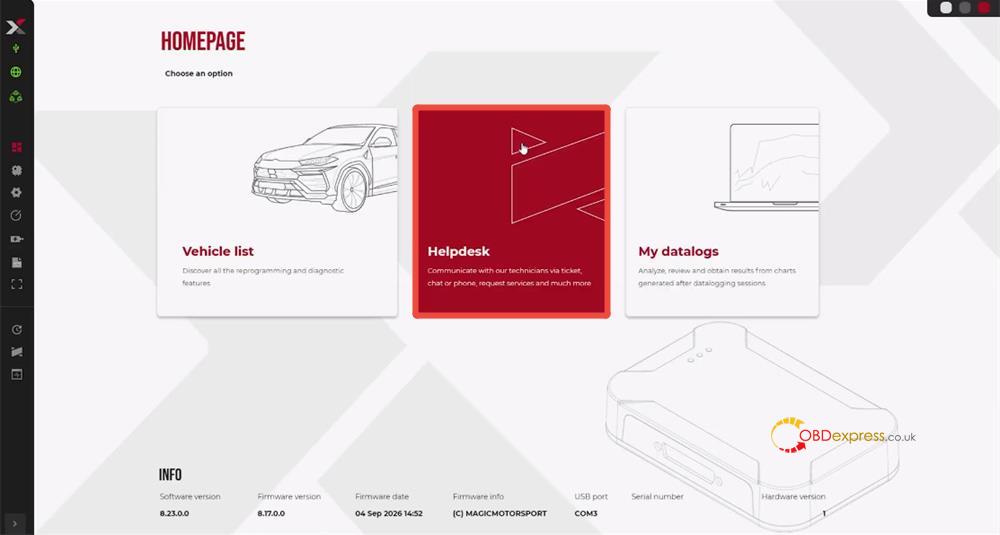
From the Flex interface, click Helpdesk to open the User Portal.
Step 3:
Inside the User Portal, select:
Add Tool → KRX02.001 MMS Korhex Tool
This option allows you to associate your Korhex device with your Flex ECU Programmer account.
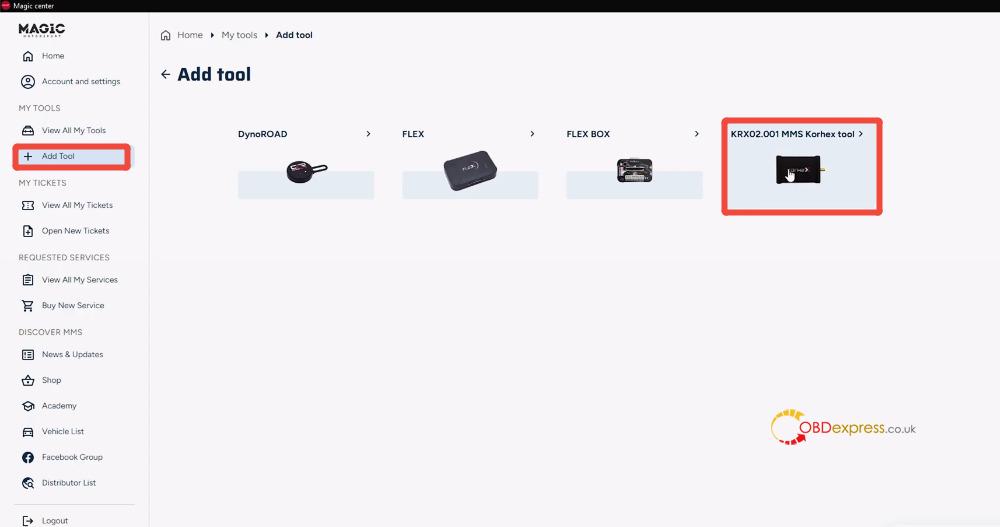
Step 4:
During the activation process, click:
Insert Serial Number -> Where Is It?
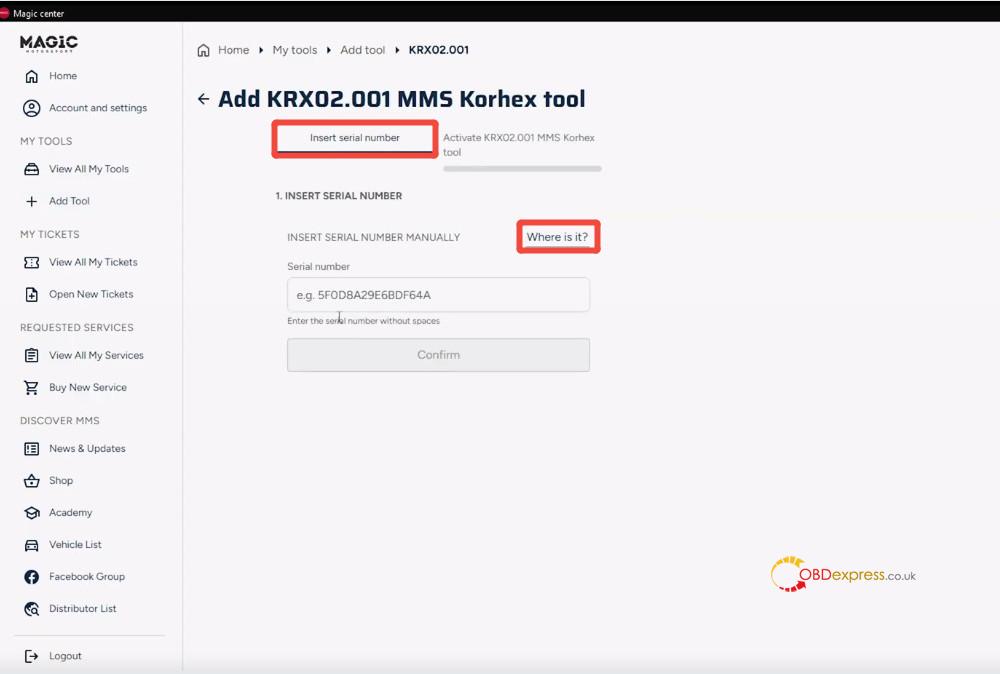
Korhex serial number can be found in one of the following locations:
Option 1: Purchase Confirmation Email
Check the email sent by Magic Motorsport after completing your Korhex purchase. The serial number is included in the order information.
Option 2: Order Invoice
Open the invoice associated with your Korhex order. The serial number is listed directly on the document.
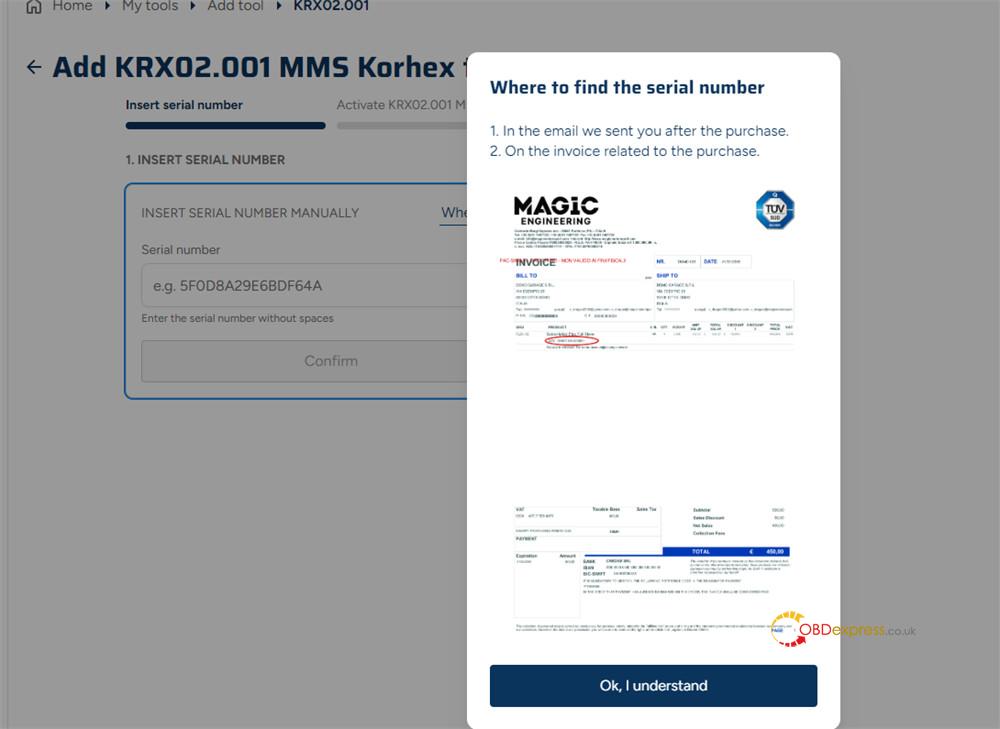
Step 5:
Enter Korhex serial number and complete the activation process by binding the tool to your MMS Flex account.
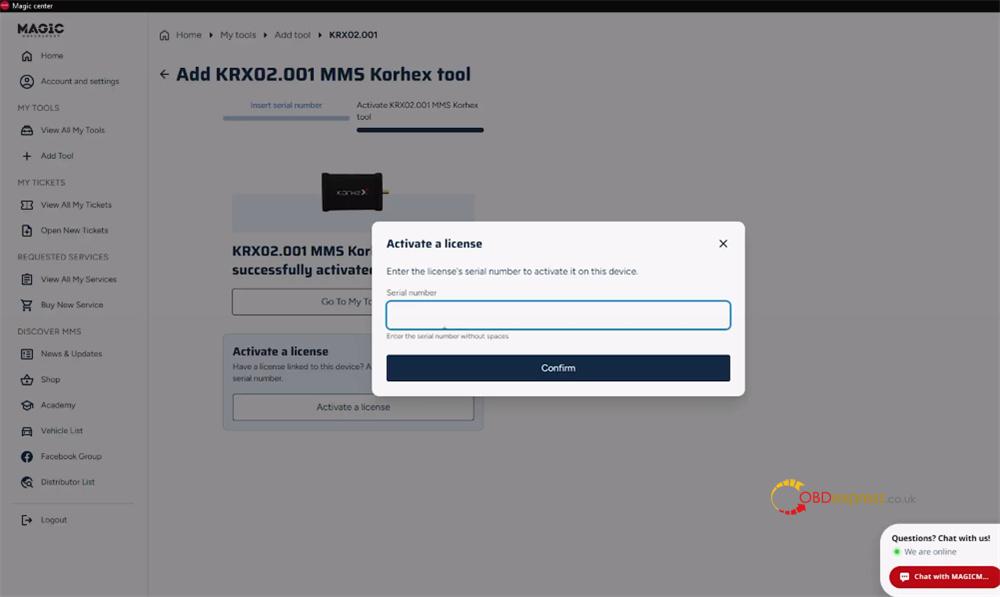
Once activation is successful:
- Return to the Flex main interface.
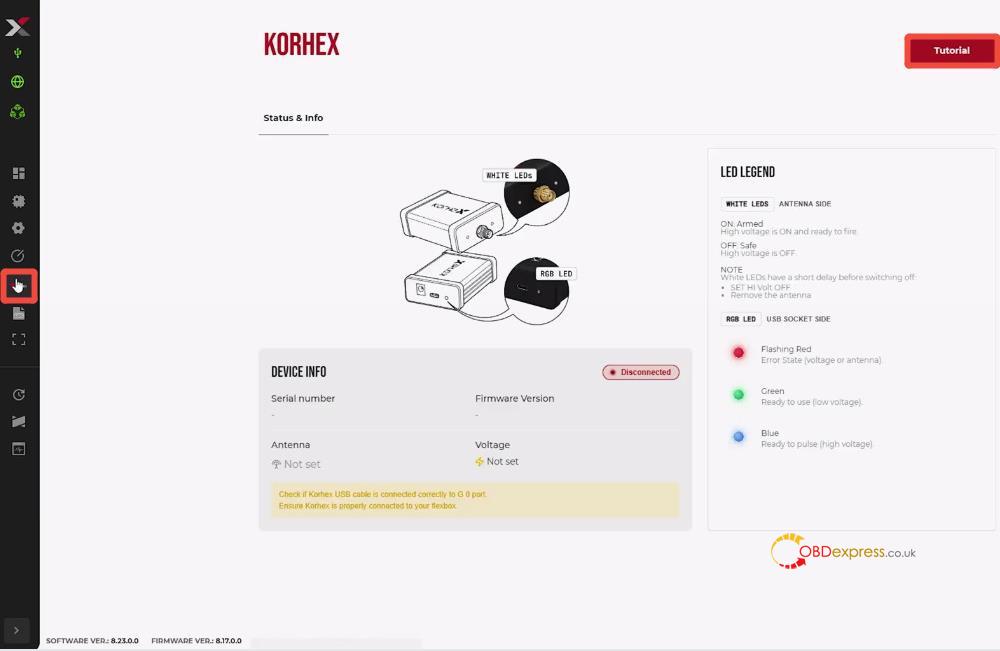
- Click the Korhex icon on the left-side menu.
- The software will display your Korhex device information and available functions.
For illustrated operating instructions, click Tutorial in the upper-right corner of the Korhex interface.
Learn more:
